




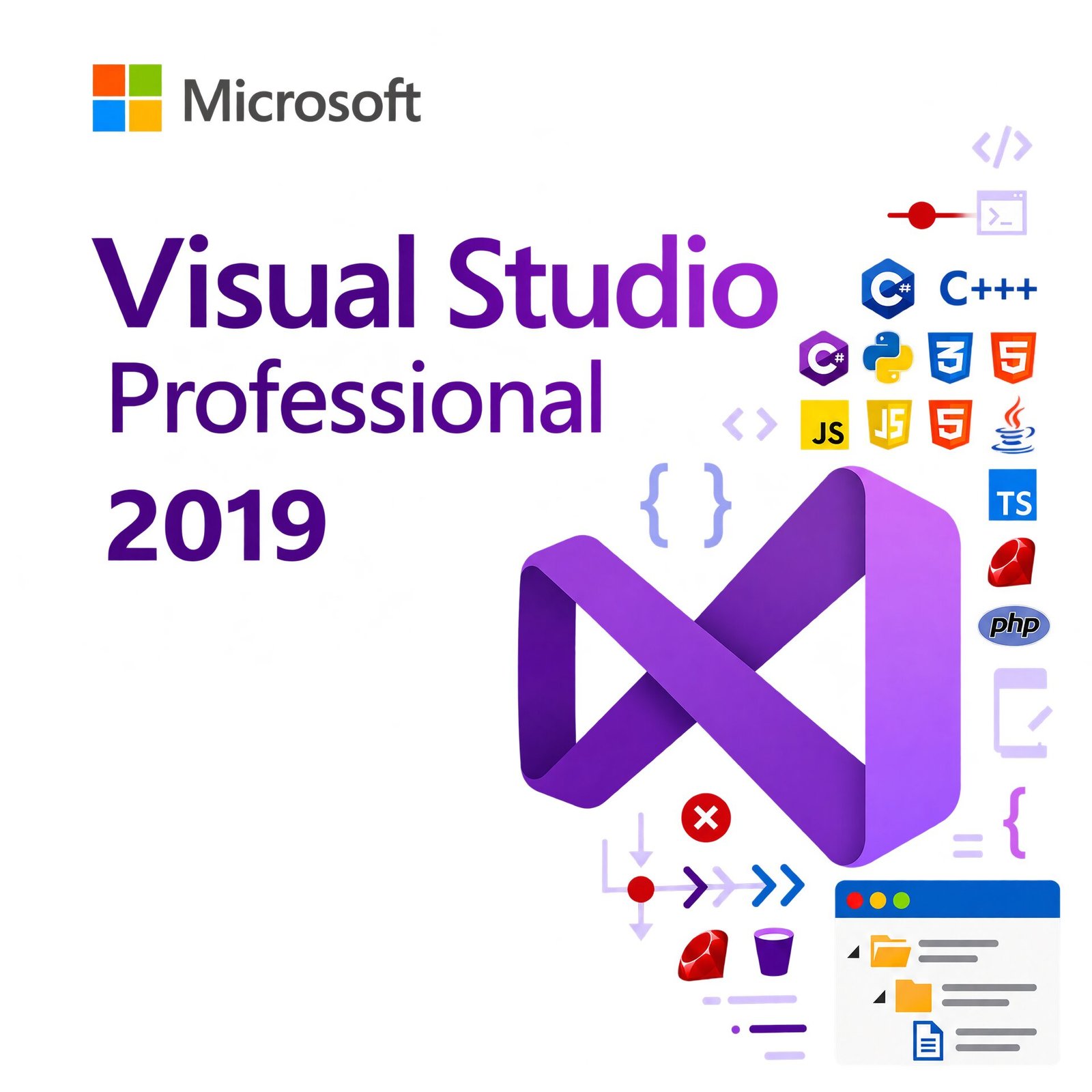
Microsoft Visual Studio 2019 Professional | Lifetime License for 1 PC
CAD $ 34.99
A genuine perpetual Microsoft license for professional software development and cross-platform coding on one Windows PC.
- Includes IntelliSense, IntelliCode AI, CodeLens, and Git & Azure DevOps integration
- Ideal for professional developers and small teams building Windows, web, and cloud apps
- Full Microsoft licensing compliance for Visual Studio 2019 Professional
- Delivery: License key sent by email within minutes
- Lifetime license one payment, forever
- Guarantee: 100% satisfaction & money-back guarantee
Genuine Microsoft license — activated on Microsoft’s own servers
- Instant delivery: your product key, official download link and step-by-step activation guide arrive by email within minutes of payment — 24/7, USA & Canada.
- Lifetime license: pay once, activate forever. No subscription, no renewal fees, no expiry.
- 100% genuine & legal: every key is sourced through authorized supply chains and verified before it reaches your inbox.
- Money-back guarantee: 30-day refund policy plus a lifetime activation warranty — if a key ever fails, we replace it free.
- Secure checkout: Visa, Mastercard, Apple Pay, Google Pay, PayPal and Interac e-Transfer.
- Real human support: licensing and activation help across North American time zones.
How it works: 1) Add to cart and pay securely → 2) Check your inbox for the key and download link → 3) Install and activate with the included guide. Need help? See our activation guides or contact us.
Microsoft Visual Studio 2019 Professional – Genuine Lifetime License Key for 1 PC
Microsoft Visual Studio 2019 Professional is the industry-standard integrated development environment for professional developers and small development teams. It is a complete, locally installed desktop IDE for Windows that covers the full software development lifecycle from writing and debugging code to testing, version control, and deployment across an exceptionally broad range of languages, platforms, and project types.
This is a one-time purchase. Pay once and own it permanently on one Windows PC. No monthly subscription. No annual renewal. No cloud dependency. Your genuine Microsoft Visual Studio 2019 Professional lifetime license key is delivered to your email within minutes of purchase and activates directly on Microsoft’s official servers.
Microsoft has committed to extended security support for Visual Studio 2019 through April 14, 2029, making it a fully supported, actively patched IDE well into the next decade. For developers who prefer a stable, predictable, perpetual IDE over a subscription, Visual Studio 2019 Professional remains one of the best-value developer tools available for Windows.
This product is for Windows PC only. Not compatible with macOS or Linux as a host OS, though it supports cross-platform development targeting those platforms.
What Is Microsoft Visual Studio 2019 Professional?
Visual Studio is the most widely used professional IDE in the world. Visual Studio 2019 Professional is the team-focused edition sitting between the free Community edition and the enterprise-tier Enterprise edition designed for professional developers and small to mid-sized teams who need the full commercial feature set, advanced debugging tools, and team collaboration capabilities without the cost of the Enterprise licence.
It supports virtually every major programming language and development platform in a single unified environment. Whether you are building a Windows desktop application in C++, a web API in C# and ASP.NET Core, a cross-platform mobile app in Xamarin, a machine learning pipeline in Python, a cloud-native service on Azure, or a database application in SQL, Visual Studio 2019 Professional gives you the tools to do it in one IDE.
Key Features of Microsoft Visual Studio 2019 Professional
IntelliSense The most sophisticated code completion system available in any IDE. IntelliSense goes far beyond basic autocomplete it understands the context of your code, the types and signatures of every method and class in scope, the APIs of every library you have referenced, and the patterns of your own codebase. It completes variable names, method calls, property references, and entire code blocks in real time as you type, surfacing the right suggestion based on semantic context rather than simple string matching. For developers switching from other editors, IntelliSense alone is frequently cited as the single most impactful productivity improvement they experience when moving to Visual Studio.
IntelliCode AI-Assisted Development Visual Studio 2019 introduces IntelliCode, Microsoft’s AI-powered layer on top of IntelliSense. IntelliCode has been trained on thousands of high-quality open-source GitHub repositories to understand which API calls and code patterns experienced developers actually choose in context rather than showing all possible completions alphabetically. The result is that the most likely correct completion appears at the top of the suggestion list, marked with a star, significantly reducing the number of keystrokes needed to write correct, idiomatic code. IntelliCode improves continuously through model updates and can be personalized by training on your own codebase.
Advanced Debugging Search Across All Locals and Watches Visual Studio 2019 introduces a search box in the Locals, Autos, and Watch windows during debugging, letting you search across all variables and their values in the current scope rather than scrolling through long lists. DataTip pinning lets you pin specific variable values to the editor so they remain visible as you step through code. The improved Exception Helper shows the inner exception immediately at the point of failure without requiring navigation. For C++ developers, improved natvis support makes it significantly easier to visualize complex data structures in the debugger.
CodeLens Stay focused on your code while understanding everything about it. CodeLens displays live indicators directly above each method, class, and test in your code showing the number of references to that element, the last person who modified it, the date of the last change, associated work items in Azure DevOps, and whether any unit tests are currently passing or failing. All of this context is surfaced without leaving the code editor, eliminating the constant context switching between editor, version control tool, and project management dashboard that slows development teams down.
Live Unit Testing Run your unit tests continuously in the background as you write code, with immediate visual feedback directly in the editor. Passing tests show a green checkmark next to the covered lines. Failing tests show a red X. Lines not yet covered by any test show a blue dash. Live Unit Testing gives you instant awareness of the impact of every change you make catching regressions the moment they are introduced rather than during a separate test run at the end of a coding session. This is one of the most impactful developer productivity features introduced in the 2019 release.
Git Integration Visual Studio 2019 includes deep, native Git integration that puts version control operations directly in the IDE without requiring a separate Git client. The redesigned Git Changes window shows your current branch, staged and unstaged changes, commit history, and remote status at a glance. Creating branches, staging changes, committing, pushing, pulling, merging, and resolving conflicts are all performed from within the IDE. For teams using GitHub or Azure DevOps Git repositories, Visual Studio 2019’s Git tooling eliminates the need to switch between the IDE and a separate Git GUI client for everyday version control operations.
Refactoring Tools Restructure and improve your code safely with a comprehensive set of automated refactoring operations. Extract Method pulls selected code into a new method with the correct signature. Rename renames a symbol everywhere it is used across the entire solution, including comments and string literals where appropriate. Introduce Parameter, Inline Temporary Variable, and Convert to LINQ are among the many code transformations available with a keyboard shortcut or right-click menu all verified to be semantically equivalent to the original code.
Multi-Platform Development Build applications targeting Windows, web, mobile, cloud, game development, and data science from a single IDE. Visual Studio 2019 Professional supports an exceptionally broad range of workloads through its modular installer: ASP.NET and web development, Azure cloud development, Python development, Node.js development, C++ desktop and game development with Unreal Engine support, .NET desktop development, Xamarin cross-platform mobile development for Android and iOS, Universal Windows Platform development, data storage and processing, and office and SharePoint development. Install only the workloads you need — each workload adds the project templates, compilers, and tools specific to that development type.
Performance Profiler Identify exactly where your application spends its time and memory with Visual Studio 2019’s integrated performance profiler. The CPU Usage tool shows which methods consume the most processor time with call tree and flame graph visualization. The Memory Usage tool tracks heap allocations and identifies memory leaks. The .NET Object Allocation Tracking tool shows which code paths allocate the most objects, helping optimize garbage collection pressure. All profiling tools work on both debug and release builds, giving you accurate performance data representative of production conditions.
Test Explorer Discover, organize, run, and analyze unit tests across all supported test frameworks MSTest, NUnit, xUnit, and more from a single unified Test Explorer panel. Filter tests by name, trait, duration, and outcome. Group by project, namespace, class, or custom traits. Run tests in parallel for faster feedback. The integration with Live Unit Testing means your test status is always current without needing to manually trigger a test run.
Azure DevOps and Team Foundation Server Integration Visual Studio 2019 Professional integrates natively with Azure DevOps and Team Foundation Server for end-to-end team development workflows. Connect to your organization’s work items, create and update tasks, bugs, and user stories from within the IDE. View and manage pull requests without leaving Visual Studio. Associate commits with work items to create a traceable link between code changes and the requirements that drove them.
Who Is Visual Studio 2019 Professional For?
Visual Studio 2019 Professional is the right tool for professional developers and small teams who need the full commercial feature set of Visual Studio beyond what the free Community edition allows without the cost and complexity of the Enterprise tier. It is the standard choice for:
Professional software developers working individually or in small teams who build commercial applications and need a full-featured IDE with advanced debugging, testing, and version control tools that the free Community edition does not provide in a commercial context.
Freelance and contract developers who deliver software to clients commercially and need a properly licensed professional IDE for their development workflow without paying a monthly Visual Studio subscription.
Small software development studios and startups building products commercially on Windows, web, mobile, or cloud platforms who need Professional-tier tooling at a cost that makes sense for a small team.
Students and graduates entering professional development careers who want to own a permanent, professional-grade IDE that they can use in any commercial context without worrying about licence restrictions.
IT developers and internal application developers at small and medium businesses building line-of-business applications, automation tools, database applications, and internal web services for their organization.
Visual Studio 2019 Professional vs Visual Studio Community What Is the Difference?
Visual Studio Community is free but has a critical limitation it is licensed for non-commercial use only. Individual developers can use it for open-source projects and personal learning. Organizations with five or fewer developers can use it for non-commercial purposes. The moment you use Visual Studio Community to build software for a client, for sale, or as part of your job at an organization with more than a handful of developers, you are outside the Community licence terms.
Visual Studio 2019 Professional has no such restrictions. It is licenced for commercial development by any individual or team regardless of organization size or project type. If you write code professionally for clients, for your employer, or for commercial products Visual Studio Professional is the edition you need.
Visual Studio 2019 Professional vs Visual Studio 2022 Professional Which Should You Choose?
Visual Studio 2022 is the current release the first 64-bit Visual Studio, with better performance on large solutions, improved Git tooling, hot reload for .NET 6+ applications, improved IntelliCode team completions, and support for newer .NET versions and C# language features. If you are starting a new project and want the latest tooling with the longest support window, Visual Studio 2022 Professional is worth considering and is available separately on MMKeys.
Visual Studio 2019 Professional is the right choice if you work on projects with specific dependencies on Visual Studio 2019, maintain legacy solutions that have not been migrated to .NET 6 or later, prefer the Visual Studio 2019 interface and workflow that your team knows well, or need a perpetual IDE licence at the most competitive price point. Visual Studio 2019 receives Microsoft security support through April 14, 2029 making it a fully maintained, professionally supported IDE for many years to come.
Key Details at a Glance
- Licence type: Perpetual one-time purchase, lifetime activation
- Platform: Windows PC only not compatible with macOS as host OS
- Devices: 1 PC
- Commercial use: Yes licenced for commercial development by individuals and teams of any size
- Supported languages: C#, C++, Visual Basic, F#, Python, JavaScript, TypeScript, SQL, HTML, CSS, and more
- Supported platforms: Windows, web (ASP.NET, Node.js), mobile (Xamarin), cloud (Azure), game development (Unity, Unreal)
- Key features: IntelliSense, IntelliCode AI, CodeLens, Live Unit Testing, advanced debugger, Git integration, performance profiler, Test Explorer, Azure DevOps integration
- Compatible OS: Windows 10 version 1703 or later, Windows 11
- Processor: 1.8 GHz or faster, quad-core recommended
- RAM: 2 GB minimum, 8 GB recommended (16 GB for large solutions)
- Storage: Minimum 800 MB, up to 210 GB depending on installed workloads
- Display: 1280 x 720 minimum resolution
- Delivery: Genuine license key sent by email within minutes of purchase
- Activation: Directly via Microsoft’s activation servers enter key in Help Register Product
- Microsoft extended security support: Through April 14, 2029
How to Install and Activate Visual Studio 2019 Professional
Step 1 – After purchase on MMKeys, your license key arrives by email within minutes. Check your spam folder if needed.
Step 2 – Download the official Visual Studio 2019 Professional installer from Microsoft at visualstudio.microsoft.com. Run the Visual Studio Installer and agree to the licence terms.
Step 3 – Select the workloads you want to install such as ASP.NET and web development, .NET desktop development, Python, C++, or Azure. Install only the workloads you need to keep your installation size manageable.
Step 4 – Once installation is complete, open Visual Studio 2019. Go to Help Register Product and enter your 25-character product key to unlock the Professional edition.
Step 5 – Visual Studio confirms your licence is active. All Professional features are immediately available. You are ready to start building.
Full instructions are included with every MMKeys order. Our support team is available 24 hours a day, 7 days a week.
Is this a genuine Microsoft Visual Studio 2019 Professional license?
Yes. Every key sold by MMKeys is an authentic Microsoft product licence that activates directly on Microsoft's official servers. No shared keys, no grey-market codes, no workarounds.
Is Visual Studio 2019 still supported by Microsoft?
Yes. While mainstream support for Visual Studio 2019 ended in April 2024, Microsoft provides extended security support through April 14, 2029. This means your IDE continues to receive security patches and remains a fully maintained, professionally supported development environment for years to come.
What is the difference between Visual Studio Community and Visual Studio Professional?
Visual Studio Community is free but restricted to non-commercial use. If you build software commercially for clients, for sale, or as part of your job you need a Professional licence. Visual Studio 2019 Professional is licenced for commercial development by individuals and teams of any size, with no use restrictions.
Can I use Visual Studio 2019 Professional on a Mac?
No. Visual Studio 2019 Professional is a Windows-only application. For Mac development, Microsoft offered a separate product called Visual Studio for Mac, which has since been retired. Cross-platform development targeting macOS, iOS, Android, and Linux is supported from within Visual Studio 2019 Professional running on a Windows PC.
Does Visual Studio 2019 support .NET 6 and later?
Visual Studio 2019 supports .NET 6 with some limitations full .NET 6 tooling support was introduced in Visual Studio 2022. If you are building new projects targeting .NET 6, .NET 7, .NET 8, or later, Visual Studio 2022 Professional offers better native support. Visual Studio 2019 remains the better choice for .NET Framework and .NET Core 3.x projects.
Can I install multiple workloads on one licence?
Yes. A single Visual Studio 2019 Professional licence allows you to install any combination of workloads web, desktop, mobile, cloud, Python, C++, and more on your licensed PC. Install as many or as few workloads as you need.
Is the licence transferable to a new PC?
Yes. You can deactivate Visual Studio 2019 Professional on your current machine and activate it on a new one using the same key. Contact MMKeys support for guidance on the transfer process.
How soon will I receive my key after purchase?
Most MMKeys orders are delivered within five minutes of payment, 24 hours a day. Your email includes the license key, a direct Microsoft download link, and step-by-step installation instructions.
What if my key does not activate?
Contact MMKeys support at any time. We stand behind every licence we sell and will resolve any activation issue or replace your key at no cost. CONTACT US
You May Be Interested In…
Microsoft Excel 2024 for Mac | Lifetime License
Original price was: CAD $ 89.99.CAD $ 45.00Current price is: CAD $ 45.00.


Reviews
There are no reviews yet