




How Can You Get Microsoft Office for Free? (2024 Complete Guide for Canada & USA)

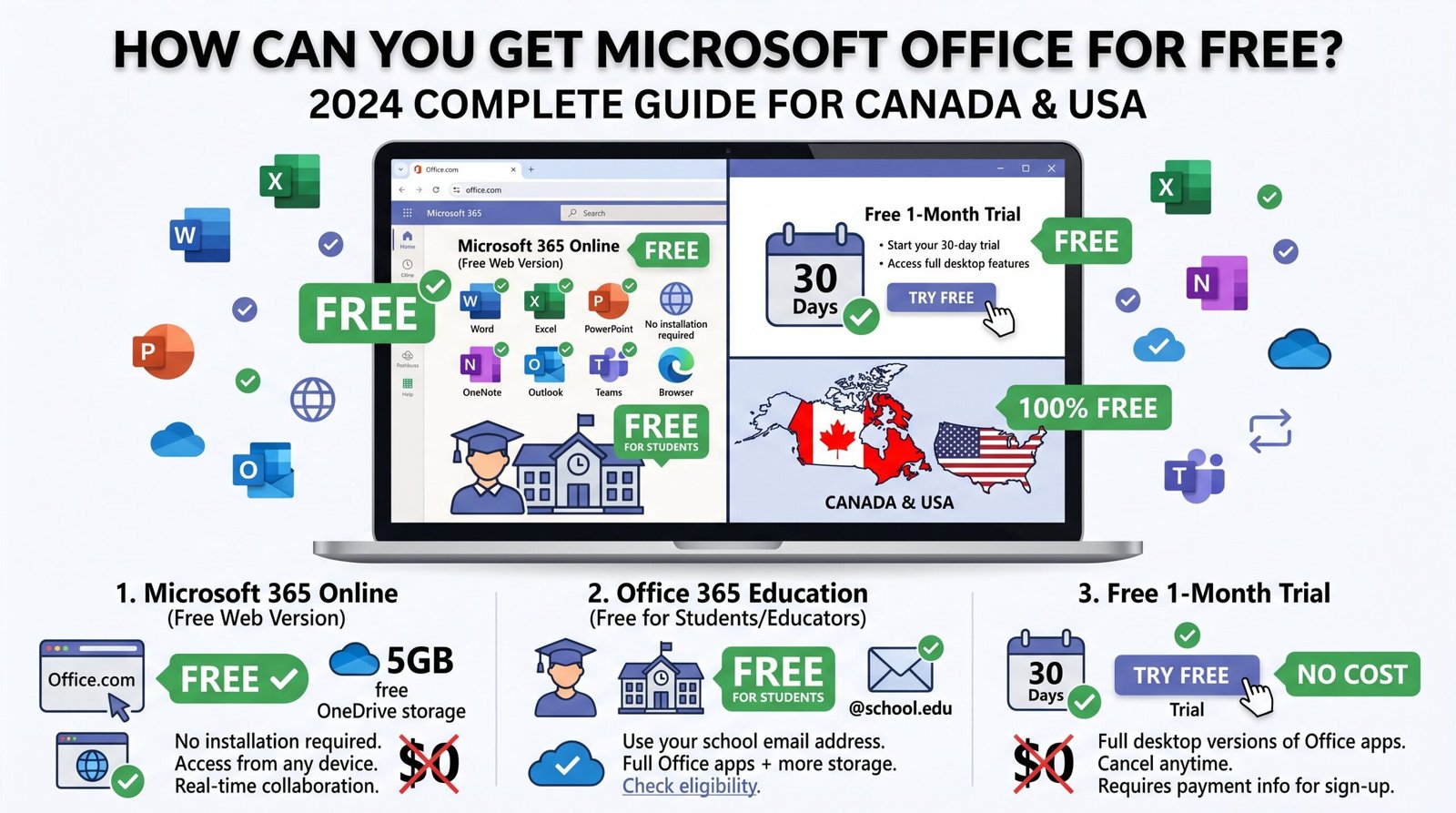
How Can You Get Microsoft Office for Free? (2024 Complete Guide for Canada & USA)
Looking for ways to get Microsoft Office for free? You’re not alone. Millions of people in Canada and the United States search every month for legitimate ways to access Microsoft Office 365, Office 2024, Office 2021, and other Microsoft tools without spending a dime. The good news is it’s absolutely possible. Here’s everything you need to know.
What Is Microsoft Office?
Microsoft Office is the world’s most widely used productivity suite, including essential applications like Word, Excel, PowerPoint, Outlook, OneNote, and more. Whether you’re a student, professional, or home user, having access to Microsoft Office can make a huge difference in how you work, study, and communicate.
Over the years, Microsoft has released several versions including Office 2021, Office 2024, and the subscription-based Microsoft Office 365 (now called Microsoft 365). Each version comes with different features, but all are powerful tools for everyday productivity.
Can You Really Get Microsoft Office for Free?
Yes and completely legally. Microsoft itself offers several free options, and there are third-party programs that give eligible users access at no cost. Below are the best legitimate methods to get Microsoft Office for free in Canada and the USA.
1. Use Microsoft Office Online (Free in Your Browser)
The easiest and most accessible way to use Microsoft Office for free is through Microsoft Office Online, available at office.com. This web-based version includes:
- Word Online
- Excel Online
- PowerPoint Online
- OneNote Online
- Outlook.com (free email)
All you need is a free Microsoft account (microsoft office login). Simply go to office.com, sign in or create an account, and start using Office apps directly in your browser no installation required. Files are automatically saved to OneDrive.
Who is this best for? Students, casual users, and anyone who needs basic productivity tools without paying for a subscription.
2. Get Microsoft 365 Free Through Your School or University
Students and teachers in Canada and the USA are often eligible for Microsoft Office 365 Education, which is completely free through Microsoft’s education program.
Here’s how to check:
- Visit microsoft.com/en-us/education/products/office
- Enter your school email address (.edu or school-issued email)
- If your institution is enrolled, you’ll get full access to Microsoft 365 for free
This gives you the full desktop apps Word, Excel, PowerPoint, Teams, and more on up to 5 devices. This is one of the most generous free offers Microsoft provides, and millions of students across North America take advantage of it every year.
3. Try Microsoft 365 Free for One Month
Microsoft offers a free 30-day trial of Microsoft 365 Personal or Family. This gives you full access to:
- The complete Microsoft Office 2024 desktop suite
- 1 TB of OneDrive cloud storage
- Advanced features not available in the browser version
To start the trial, visit microsoft.com and look for the “Try free for 1 month” option. You will need to enter a payment method, but you won’t be charged if you cancel before the trial ends. Set a reminder to cancel if you don’t plan to continue.
4. Get Microsoft Office Through Your Public Library
This is one of the most underrated options in Canada and the USA. Many public libraries offer free access to Microsoft Office 365 to cardholders. Programs like Lynda.com (LinkedIn Learning) or direct Microsoft partnerships mean you can log in with your library card and access digital tools.
Check your local library’s digital resources page to see what’s available in your city or province/state.
5. Use a Free Trial of Office 2021 or Office 2024
If you prefer a one-time purchase version rather than a subscription, Office 2021 and Office 2024 also come with limited trial periods on new PCs. Many laptops and desktops sold in Canada and the USA come with a 1-month trial of Microsoft 365 pre-installed. When you set up a new Windows computer, look for the Microsoft 365 trial in the Start menu.
6. Get Microsoft Office Free With a New PC or Device
When you purchase a new Windows laptop or desktop, it often comes bundled with a free trial or, in some cases, a full version of Microsoft Office. Retailers like Best Buy, Costco, Staples (Canada), and Walmart frequently bundle Microsoft 365 subscriptions with new computers. Always check the box or product description before buying.
7. Microsoft Office for Low-Income Families
Microsoft offers discounted and sometimes free access to Office through community and nonprofit programs:
- Microsoft Home Use Program (HUP): If your employer has a Microsoft Volume License agreement, you may qualify for Office at a deeply discounted price (sometimes as low as $15 CAD/USD).
- Tech for Good / Nonprofits: Registered nonprofits in the USA and Canada can access Microsoft 365 for free or at significant discounts through Microsoft’s nonprofit program.
8. Free Alternatives That Open Microsoft Office Files
If none of the above options work for you, there are free alternatives that are fully compatible with Microsoft Office file formats (.docx, .xlsx, .pptx):
- LibreOffice Free, open-source, and works on Windows, Mac, and Linux
- Google Docs / Google Sheets / Google Slides 100% free with a Google account, fully edits and exports Microsoft Office files
- WPS Office Free A close Microsoft Office alternative with a free tier
These are great solutions if you simply need to open and edit Office files without a microsoft office login.
Microsoft Office 365 vs Office 2021 vs Office 2024 Which Is Right for You?
| Feature | Microsoft 365 | Office 2021 | Office 2024 |
|---|---|---|---|
| Payment | Monthly/yearly subscription | One-time purchase | One-time purchase |
| Always up to date | ✅ Yes | ❌ No | ❌ No |
| Free trial available | ✅ 1 month | Limited | Limited |
| Cloud features | Full | Basic | Improved |
| Best for | Regular users | Occasional users | Power users |
How to Set Up Your Microsoft Office Login
Once you’ve chosen a free method, setting up your microsoft office login is simple:
- Go to office.com
- Click “Sign In” or “Sign Up for Free”
- Enter your email and password (or create a new Microsoft account it’s free)
- Access your apps from the home dashboard
Your Microsoft account also gives you free access to OneDrive (5 GB storage), Skype minutes, and Microsoft Teams.
Is It Safe to Download Free Microsoft Office?
Only download Microsoft Office from official Microsoft sources. Avoid third-party websites that claim to offer cracked, pirated, or “activated” versions of Office 2021, Office 2024, or Microsoft 365. These downloads often contain malware, ransomware, or viruses that can harm your device and steal your personal data.
Stick to:
- office.com
- microsoft.com
- Your school or employer’s official portal
Frequently Asked Questions
Can I get Microsoft Office 365 for free permanently? Yes through your school (if eligible) or through the free browser-based version at office.com. The desktop subscription version requires payment after any trial period.
Is the free online version of Microsoft Office good enough? For most everyday tasks writing documents, making spreadsheets, creating presentations yes, absolutely. It lacks some advanced features of the desktop version, but it’s more than capable for students and home users.
Does Microsoft Office work on Mac? Yes. Microsoft Office 365, Office 2021, and Office 2024 are all available for macOS as well as Windows.
What is the difference between Microsoft Office and Microsoft 365? Microsoft Office traditionally referred to the one-time purchase versions (like Office 2021 and Office 2024). Microsoft 365 is the subscription version that includes regular updates and cloud features. Microsoft now uses “Microsoft 365” as the primary branding.
Final Thoughts
Getting Microsoft Office for free is easier than most people realize especially for students, educators, and public library users in Canada and the USA. From the free browser-based tools at office.com to school and library programs, Microsoft has made it genuinely accessible for those who need it.
Start with the free Microsoft 365 browser version if you want zero commitment, or check your school email for the full Office 365 Education plan. Either way, you don’t have to pay full price to stay productive.


