




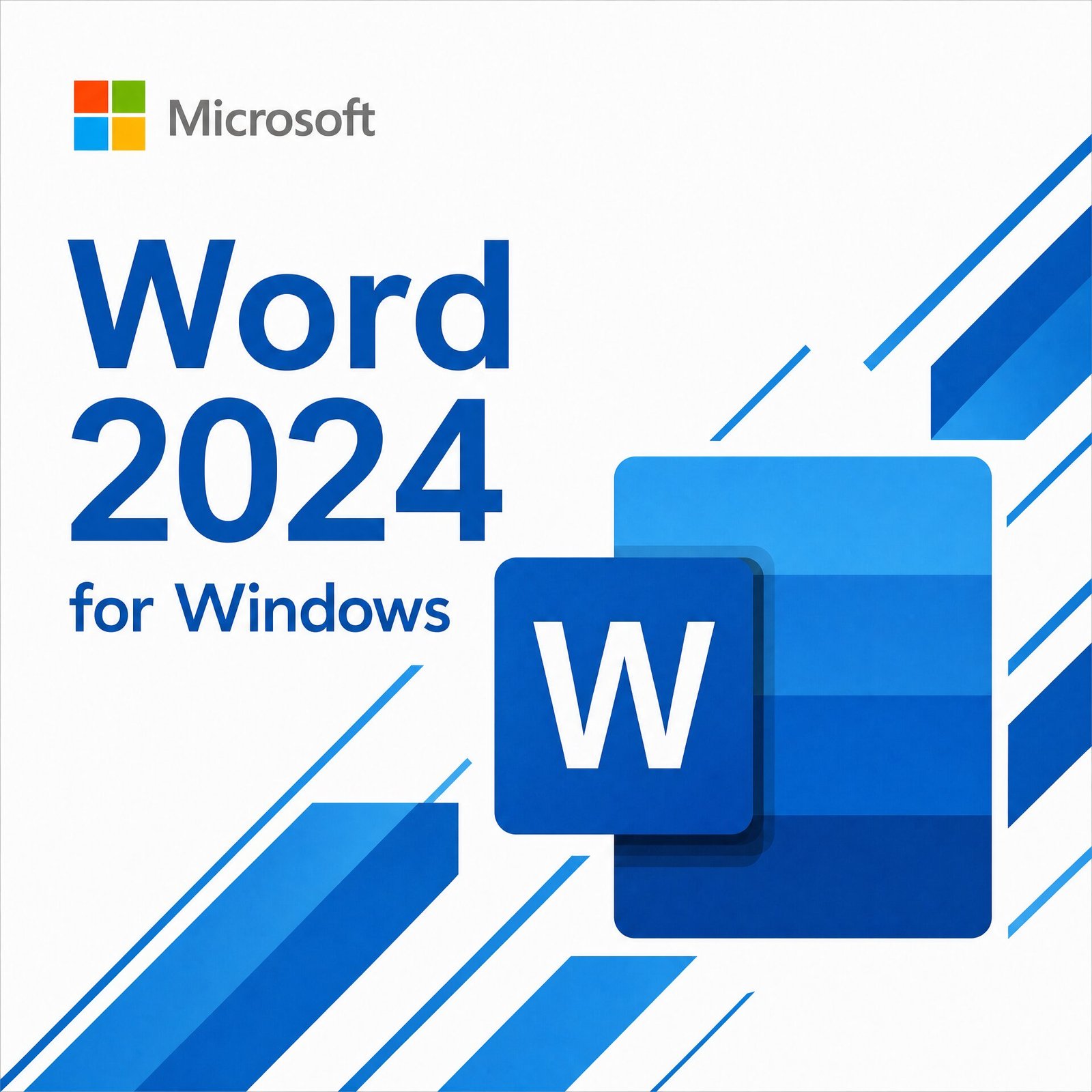
Microsoft Word 2024 for PC | Lifetime License
Original price was: CAD $ 49.99.CAD $ 22.00Current price is: CAD $ 22.00.
Customer Reviews
A genuine perpetual Microsoft license for the world’s most trusted word processor on one Windows PC no subscription required.
- Includes Word 2024 with improved document recovery, ODF 1.4 support, real-time co-authoring, and one-click comment resolution
- Compatible with Windows 10 and Windows 11
- Licensed for both personal and commercial use
- Full Microsoft licensing compliance for Word 2024
- Delivery: License key sent by email within minutes
- Lifetime license one payment, forever
- Guarantee: 100% satisfaction & money-back guarantee
Genuine Microsoft license — activated on Microsoft’s own servers
- Instant delivery: your product key, official download link and step-by-step activation guide arrive by email within minutes of payment — 24/7, USA & Canada.
- Lifetime license: pay once, activate forever. No subscription, no renewal fees, no expiry.
- 100% genuine & legal: every key is sourced through authorized supply chains and verified before it reaches your inbox.
- Money-back guarantee: 180-day refund policy plus a lifetime activation warranty — if a key ever fails, we replace it free.
- Secure checkout: Visa, Mastercard, Apple Pay, Google Pay, PayPal and Interac e-Transfer.
- Real human support: licensing and activation help across North American time zones.
How it works: 1) Add to cart and pay securely → 2) Check your inbox for the key and download link → 3) Install and activate with the included guide. Need help? See our activation guides or contact us.
Microsoft Word 2024 for PC Genuine Lifetime License for 1 Windows PC
Microsoft Word 2024 is the world’s most widely used word processor and the standalone perpetual license is the smartest way to own it if Word is the only Office app you need on your Windows PC. Pay once, install on one PC, and use it forever with no subscription, no renewal reminders, and no risk of losing access because a payment lapsed.
Word 2024 for PC is the latest perpetual release of Microsoft Word, built on the same codebase as the Word included in Microsoft Office 2024 and Microsoft 365, and updated with meaningful improvements to document recovery, collaboration tools, format support, and accessibility. It is the correct choice for students writing essays and dissertations, professionals drafting reports and proposals, writers working on long-form documents, administrative staff producing business correspondence, and any individual or small business owner who needs a fully licensed, fully functional version of Microsoft Word without paying for a suite of apps they will never open.
Your genuine Microsoft Word 2024 product key is sent to your email inbox within minutes of purchase and activates directly on Microsoft’s official servers the same activation process as buying directly from Microsoft, at a fraction of the retail price.
What Is New in Microsoft Word 2024 for PC
Word 2024 is not a cosmetic refresh. It delivers substantive improvements across document handling, collaboration, format compatibility, and accessibility that make it the most capable perpetual release of Word ever shipped for Windows.
Improved Document Recovery
Word 2024 significantly improves AutoRecover behavior saving document state more frequently and more reliably than Word 2021, and recovering unsaved work with greater fidelity after unexpected shutdowns, power interruptions, or application crashes. For anyone who has lost work to a crashed application or a surprise Windows update reboot, the improved recovery behavior in Word 2024 is a meaningful quality-of-life advancement that reduces the risk of losing hours of work.
Full ODF 1.4 Format Support
Word 2024 adds full support for the Open Document Format 1.4 specification the latest version of the open standard document format used by LibreOffice, Google Docs exports, government agencies, educational institutions, and a growing range of document systems that require format-neutral file exchange. For professionals who exchange documents with organizations using non-Microsoft document platforms, ODF 1.4 support in Word 2024 means that documents round-trip correctly between Word and ODF-compatible applications without layout breakage, formatting loss, or compatibility warnings.
Cleaner Real-Time Collaboration Tools
Word 2024 improves the real-time co-authoring experience the capability that allows multiple people to edit the same document simultaneously when the document is stored in OneDrive or SharePoint. Presence indicators showing where each co-author is working in the document are more accurate and less visually intrusive. Conflict resolution when two authors edit the same paragraph simultaneously is handled more gracefully. For small business owners, freelancers collaborating with clients, and professionals working in shared document workflows, the improved co-authoring behavior in Word 2024 makes collaborative document work meaningfully less frustrating.
One-Click Comment Resolution
Word 2024 introduces one-click comment resolution enabling document reviewers and authors to mark comments as resolved with a single click rather than the multi-step process required in Word 2021. In document-heavy workflows where proposals, contracts, reports, and other business documents go through multiple rounds of review and revision, one-click comment resolution measurably reduces the time spent managing the review cycle and keeps documents clean and organized as feedback is addressed.
Improved Accessibility Features
Word 2024 improves the built-in Accessibility Checker the tool that identifies and reports accessibility issues in documents before they are shared or published with more detailed guidance for addressing each identified issue, better detection of common accessibility problems including missing alt text on images, insufficient color contrast, and tables without header rows, and improved integration with the document authoring workflow so that accessibility improvements can be made without leaving the Accessibility Checker pane. For professionals required to produce accessible documents for compliance reasons, and for anyone who wants to ensure their documents are readable by the widest possible audience, the improved Accessibility Checker in Word 2024 is a practical and useful enhancement.
Improved Performance for Long Documents
Word 2024 improves scrolling, rendering, and repagination performance for long documents academic theses, legal contracts, technical manuals, book manuscripts, and other multi-hundred-page documents that have historically caused performance degradation in Word as document length increases. Scroll performance on long documents is smoother. Repagination after editing is faster. Find and Replace operations across long documents complete more quickly. For writers, academics, legal professionals, and technical writers who regularly work with long documents in Word, these performance improvements make the day-to-day experience of working in Word 2024 noticeably better than Word 2021 on the same hardware.
Updated Design Tab and Template Library
Word 2024 updates the Design tab with a refreshed set of document themes and an expanded built-in template library covering business proposals, project reports, meeting agendas, résumés, cover letters, newsletters, and other common document types that professionals and small business owners create regularly. Templates in Word 2024 are professionally designed, consistently formatted, and easy to customize providing a faster starting point for common document types than building from a blank page.
Ink and Handwriting Improvements
Word 2024 improves ink rendering and handwriting recognition on touch and stylus-equipped Windows PCs and tablets making Word more capable as a handwriting and annotation tool on Surface and other touch-first Windows devices. Ink-to-text conversion is more accurate. Ink annotations persist correctly when documents are shared and opened on devices that do not have touch support. For professionals who annotate documents on a tablet or Surface device and need those annotations to survive the round-trip to a desktop PC, the improved ink handling in Word 2024 is a practical improvement.
Microsoft Word 2024 vs Microsoft 365 – The Honest Comparison
This is the question buyers in the USA and Canada search most when considering a standalone Word purchase. Here is a straight answer.
Choose Word 2024 for PC if you want a fixed, predictable cost with zero ongoing fees. You pay once and own Word forever on your Windows PC. Microsoft has committed to security updates for Word 2024 through October 14, 2029 so you are fully covered for years. Word works fully offline. You own the license. Nothing changes unless you choose to upgrade.
Choose Microsoft 365 if you need Word on multiple devices simultaneously PC, Mac, tablet, and phone want Microsoft Copilot AI features integrated directly into Word, or need 1 TB of OneDrive cloud storage included. Microsoft 365 Personal costs $99.99 USD per year that is $499.95 over five years, compared to a single one-time purchase of Word 2024 from MMKeys.
For students, writers, home users, and small business owners who use Word primarily on one Windows PC and do not need the multi-device flexibility or AI features of Microsoft 365, Word 2024 is the smarter long-term investment.
Microsoft Word 2024 Standalone vs Word Included in Office 2024 – What Is the Difference?
The Word 2024 application itself is identical whether purchased as a standalone license or as part of an Office 2024 suite. The same features, the same performance improvements, the same format support, and the same support lifecycle apply regardless of how the license was purchased.
The difference is purely in what else is included in the license. The standalone Word 2024 license covers Word only on one PC. Office 2024 Home & Student adds Excel, PowerPoint, and OneNote on the same license. Office 2024 Home & Business adds Outlook on top of that and permits commercial use.
If you use Excel regularly for budgeting or financial tracking, adding PowerPoint for presentations, or need Outlook for email and calendar management, an Office 2024 suite license is likely more cost-effective than purchasing each application separately. If Word is the only application you need which is true for a significant number of students, writers, and document-focused professionals the standalone Word 2024 license is the right and most cost-efficient choice.
Who Is Microsoft Word 2024 for PC For?
Students writing essays, reports, and dissertations high school, college, and university students across the USA and Canada who need a fully licensed, fully functional word processor for academic work, where Word is the expected and required document format and where a one-time license purchase is more practical than an ongoing subscription during the years of study.
Writers working on books, articles, and long-form content novelists, journalists, bloggers, content creators, and non-fiction writers who spend the majority of their computing time in a word processor and need a stable, high-performance Word installation optimized for long documents, without paying for Excel, PowerPoint, and Outlook they will never use.
Professionals drafting business documents consultants, lawyers, accountants, project managers, real estate professionals, and other knowledge workers who produce proposals, contracts, reports, presentations scripts, and business correspondence in Word as a core part of their professional output, and who need a genuine, commercially licensed Word installation on their Windows PC.
Small business owners producing client-facing documents sole proprietors, freelancers, and small business operators who use Word to produce quotes, proposals, invoices, contracts, service agreements, and client correspondence, where a commercially licensed Word installation is a legitimate business requirement and a one-time perpetual license is more cost-effective than a recurring subscription.
Home users replacing an older Word version individuals whose current Windows PC came with an older version of Word — Word 2016, Word 2019, or Word 2021 and who want to upgrade to the current release for the improved document recovery, ODF 1.4 support, collaboration improvements, and performance enhancements of Word 2024, without upgrading to a full Office suite.
Administrative and clerical staff office administrators, executive assistants, receptionists, and clerical workers whose primary productivity tool is Word for producing business correspondence, meeting minutes, agendas, internal reports, and organizational documents, and whose employer needs a properly licensed installation of Word on their Windows workstation.
Academic and research professionals researchers, academics, and graduate students who write long-form academic papers, research reports, grant applications, and journal articles in Word, where the long document performance improvements, improved track changes, and ODF 1.4 compatibility in Word 2024 directly benefit their writing workflow.
Key Details at a Glance
- License type: Perpetual one-time purchase, lifetime access
- App included: Microsoft Word 2024
- Commercial use: Yes licensed for both personal and business use
- Devices: 1 Windows PC
- Compatible systems: Windows 10, Windows 11
- Delivery: Genuine Microsoft product key sent by email within minutes
- Activation: Online via setup.office.com using your Microsoft account
- Microsoft support end date: Security updates provided through October 14, 2029
- Works offline: Yes full functionality without an internet connection after installation
- Microsoft Copilot AI: Not included Copilot is a Microsoft 365 subscription feature
- Guarantee: 100% satisfaction and money-back guarantee
How to Activate Your Microsoft Word 2024 License Key
Step 1 After checkout at MMKeys, your Word 2024 product key arrives in your email inbox within minutes of payment confirmation. Check your spam folder if it does not appear in your primary inbox.
Step 2 Go to setup.office.com on your Windows PC and sign in with your Microsoft account, or create a free Microsoft account if you do not already have one.
Step 3 Enter your 25-character product key to register the Word 2024 license to your Microsoft account.
Step 4 Download the Office installer Word 2024 is installed through the standard Office installer, which will install only Word when a standalone Word license is registered to your account.
Step 5 Follow the on-screen installation steps. Once installation is complete, open Word 2024 and sign in with your Microsoft account. Word activates automatically and is ready to use.
The entire process takes under ten minutes from email to a fully activated Word 2024 installation. Full step-by-step activation instructions are included with every MMKeys order, and our support team is available 24/7 if you need any assistance at any stage.
System Requirements for Microsoft Word 2024 for PC
- Operating system: Windows 10 or Windows 11 (64-bit recommended)
- Processor: 1.1 GHz or faster, 2-core processor
- RAM: 4 GB minimum; 8 GB recommended for optimal performance
- Storage: 4 GB of available disk space
- Display: 1280 x 768 screen resolution at 150% DPI or lower
- Internet connection: Required for download and initial activation; not required for ongoing use
- Microsoft account: Required for product key registration and activation at setup.office.com
Is this a genuine Microsoft Word 2024 license key?
Yes. Every key sold by MMKeys is an authentic, unused Microsoft product license. It activates directly on Microsoft's official servers there are no shared keys, no workarounds, and no grey-market codes of any kind. Your Word 2024 license is registered to your personal Microsoft account exactly as it would be if purchased directly from Microsoft.
Does this license cover Word for Mac?
No. This listing is for Microsoft Word 2024 for PC it covers one Windows PC running Windows 10 or Windows 11. If you need Word 2024 for a Mac, that is a separate license. If you need Word for both a PC and a Mac, or for multiple devices, a Microsoft 365 Personal subscription covers up to five devices simultaneously and is likely the more cost-effective option.
Can I use this license for my business or freelance work?
Yes. The standalone Word 2024 license covers both personal and commercial use. You can use Word 2024 to produce client documents, business correspondence, contracts, proposals, and any other commercial work without additional licensing requirements.
Is it transferable to a new PC?
The license is tied to one PC at a time. If you replace your computer, you need to deactivate the license on the old PC first. Contact MMKeys support and we will walk you through the transfer process step by step at no cost.
Does Word 2024 work offline?
Yes. After installation and initial activation, Word 2024 works fully offline. An internet connection is only required for the initial download and activation, and optionally for using OneDrive-connected collaboration features. All core word processing functionality is fully available without an internet connection.
Does Word 2024 include Microsoft Copilot AI?
No. Copilot AI features integrated into Word including AI-powered document drafting, summarization, and rewriting are exclusive to Microsoft 365 subscription editions. Word 2024 perpetual does not include Copilot. If AI-powered writing assistance in Word is a priority, Microsoft 365 Personal is the right product for that requirement.
What is the difference between Word 2024 and Word 2021?
Word 2024 adds improved document recovery, full ODF 1.4 format support, improved real-time co-authoring behavior, one-click comment resolution, better long document performance, an improved Accessibility Checker, and updated templates compared to Word 2021. It is the most capable perpetual release of Word ever shipped for Windows, and it is supported by Microsoft with security updates through October 14, 2029 three years beyond Word 2021's support end date of October 13, 2026.
Will Word 2024 open my existing Word documents?
Yes. Word 2024 opens all documents created in any previous version of Word Word 2021, 2019, 2016, 2013, and earlier without any conversion required. It also opens and saves documents in a wide range of formats including DOCX, DOC, RTF, TXT, PDF export, ODF, and others.
Can I use Word 2024 alongside Microsoft 365?
Microsoft does not support installing perpetual Office applications and Microsoft 365 applications side-by-side on the same PC. If you have Microsoft 365 installed, installing the standalone Word 2024 license will replace the Word component of your Microsoft 365 installation. If you need both, Microsoft 365 is the recommended approach as it includes all apps in a single installation.
How long does delivery take?
Most MMKeys orders are delivered within five minutes of payment confirmation, 24 hours a day, 7 days a week. Your email contains your product key, a direct Microsoft download link, and a complete step-by-step activation guide everything you need to have Word 2024 running in under ten minutes.
What if my key does not work?
Contact MMKeys support at any time. We stand behind every key we sell and will resolve any activation issue or replace your key at no cost. Our support team is available 24 hours a day, 7 days a week. CONTACT US
You May Be Interested In…
Microsoft Excel 2024 for Mac | Lifetime License
Original price was: CAD $ 89.99.CAD $ 45.00Current price is: CAD $ 45.00.
Microsoft Excel 2024 for PC | Lifetime License
Original price was: CAD $ 50.00.CAD $ 22.99Current price is: CAD $ 22.99.

Fast and easy. Everything is up and running. This shop is definitely reliable.
Great price and fast delivery to the US. Activation took under a minute.
Highly recommend this shop. Efficient delivery and great communication.
I’m impressed with the seller. The key was delivered instantly and worked 100%. No lag.
Perfect transaction. The key worked immediately. No delays from the server side.