




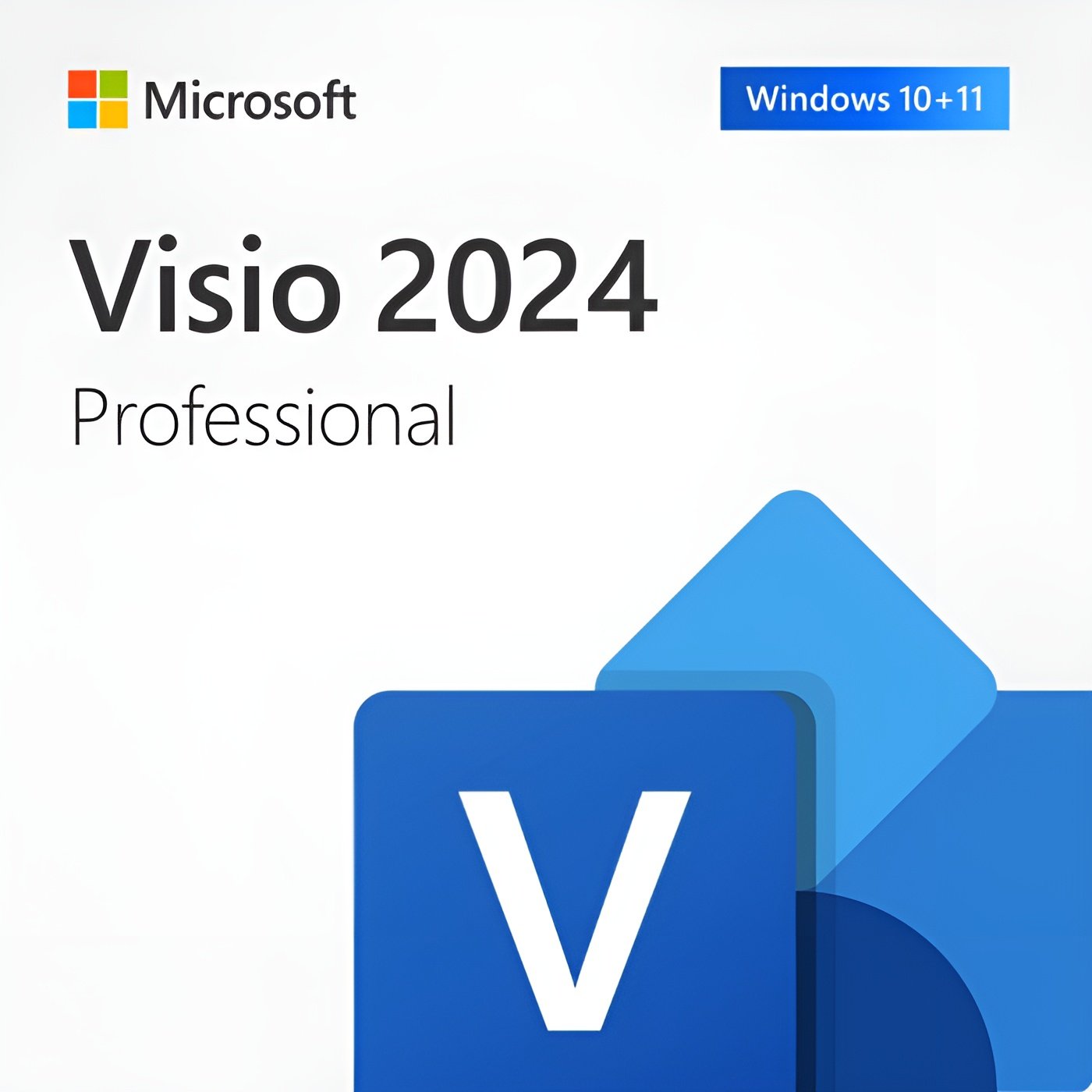
Microsoft Visio Professional 2024 | Lifetime License for PC
CAD $ 42.99
Customer Reviews
A genuine perpetual Microsoft license for advanced diagramming, data visualization, and process modeling on one Windows PC.
- Includes flowcharts, org charts, network diagrams, BPMN, UML, floor plans, and data linking to Excel and SharePoint
- Ideal for IT professionals, business analysts, and enterprise teams
- Full Microsoft licensing compliance for Visio 2024 Professional
- Delivery: License key sent by email within minutes
- Lifetime license one payment, forever
- Guarantee: 100% satisfaction & money-back guarantee
Genuine Microsoft license — activated on Microsoft’s own servers
- Instant delivery: your product key, official download link and step-by-step activation guide arrive by email within minutes of payment — 24/7, USA & Canada.
- Lifetime license: pay once, activate forever. No subscription, no renewal fees, no expiry.
- 100% genuine & legal: every key is sourced through authorized supply chains and verified before it reaches your inbox.
- Money-back guarantee: 30-day refund policy plus a lifetime activation warranty — if a key ever fails, we replace it free.
- Secure checkout: Visa, Mastercard, Apple Pay, Google Pay, PayPal and Interac e-Transfer.
- Real human support: licensing and activation help across North American time zones.
How it works: 1) Add to cart and pay securely → 2) Check your inbox for the key and download link → 3) Install and activate with the included guide. Need help? See our activation guides or contact us.
Microsoft Visio Professional 2024 – Genuine Lifetime License Key for 1 PC
Microsoft Visio Professional 2024 is the world’s most trusted diagramming and visualization application for Windows. For over three decades it has been the standard tool that IT professionals, network engineers, business analysts, process designers, architects, and operations teams reach for when they need to communicate complex systems, structures, and processes through clear, precise visuals.
This is a perpetual, one-time purchase. Pay once and own it permanently on one Windows PC no subscription, no monthly fees, no annual renewal, no expiry. Your genuine Microsoft Visio Professional 2024 license key is delivered to your email within minutes of purchase and activates directly through Microsoft’s official servers.
Important: Microsoft Visio is not included in any Microsoft 365 or Office 365 subscription it must always be purchased separately. This edition is for Windows PC only and is not compatible with macOS, Android, or Chromebook.
What Is Microsoft Visio Professional 2024?
Microsoft Visio is the go-to diagramming application for professionals who need more than the basic drawing tools available in PowerPoint, Word, or online tools like Lucidchart. Where those tools handle simple diagrams adequately, Visio Professional 2024 is built for complexity large-scale network maps, detailed process flows with BPMN compliance, multi-floor building layouts, data-linked organizational charts that update automatically, and engineering schematics with industry-standard shape libraries.
The 2024 Professional edition delivers all of that capability in a fully offline, locally installed desktop application no browser required, no internet connection needed after activation, no cloud dependency for your most sensitive diagrams.
Key Features of Microsoft Visio Professional 2024
Professional Diagramming with 70+ Shape Libraries Visio Professional 2024 includes over 70 built-in shape libraries covering every major diagramming category: flowcharts and process maps, organizational charts, network and IT infrastructure diagrams, floor plans and building layouts, engineering schematics, software and database diagrams, business process management (BPMN 2.0), Six Sigma and lean process diagrams, value stream maps, cause-and-effect diagrams, and more. Every shape is drawn to professional standards sized, labeled, and connected exactly as industry conventions require. No other diagramming tool available for Windows matches the breadth and precision of Visio’s shape library.
Flowcharts and Process Diagrams Create clear, standards-compliant flowcharts for business processes, decision trees, data flows, and system workflows. Visio 2024 supports the full BPMN 2.0 notation standard for business process modeling including swim lanes, gateways, events, tasks, and subprocess notation making it the correct tool for regulated industries and formal process documentation. Automated layout tools position and connect shapes intelligently, and Quick Shapes lets you build complex diagrams in a fraction of the time of manual drawing.
Network and IT Infrastructure Diagrams The diagram type Visio is most famous for in the IT industry. Build detailed physical and logical network maps with shape libraries covering Cisco, Microsoft, IBM, and generic network hardware routers, switches, firewalls, servers, load balancers, access points, and more. Document your entire network infrastructure in a single diagram with accurate rack layouts, VLAN boundaries, IP addressing zones, and connection types clearly labeled. For IT teams managing infrastructure documentation, Visio Professional is the industry-standard tool.
Organizational Charts Create professional org charts that accurately represent your organization’s structure with automatic hierarchy building from imported data. Visio 2024 can generate an organizational chart automatically from a Microsoft Excel spreadsheet, a comma-separated values file, or an Exchange Server directory dramatically reducing the time needed to build and maintain large org charts for growing organizations. The Professional edition adds data linking that keeps your org chart synchronized with your data source, so updates to headcount or reporting structure are reflected in the diagram automatically.
Floor Plans and Building Layouts Design accurate floor plans for offices, retail spaces, warehouses, and facilities with Visio’s architectural shape libraries. Set a scale, place walls, doors, windows, furniture, and equipment from built-in libraries, and produce dimensionally accurate layouts for space planning, emergency evacuation diagrams, and facilities management documentation. Visio 2024 supports both metric and imperial measurements, making it equally useful for projects across the USA and Canada.
Data Linking and Data Graphics One of the most powerful capabilities exclusive to the Professional edition. Link shapes in your Visio diagram directly to live data sources Microsoft Excel spreadsheets, SQL Server databases, SharePoint lists, and other ODBC-compliant sources. When the underlying data changes, your diagram updates automatically. Data Graphics then display that live data visually using color coding, progress bars, icon sets, and callouts overlaid directly on shapes turning a static diagram into a live dashboard. A network diagram can show real-time server load. An org chart can display employee headcount by department. A process map can highlight bottleneck stages. No other diagramming tool at this price point delivers this capability.
Validation and Rules Define and apply diagram validation rules that check your diagrams for correctness against business rules and industry standards. Visio Professional 2024 can automatically identify and flag shapes that violate defined rules missing labels, incorrect connections, shapes placed in the wrong swim lane, or BPMN notation errors helping teams maintain diagram quality and consistency across large documentation projects.
Collaboration with Microsoft 365 Visio 2024 Professional integrates directly with Microsoft 365 applications. Embed Visio diagrams in Word documents, PowerPoint presentations, Excel workbooks, and Teams channels. Export diagrams to PDF, PNG, SVG, and AutoCAD formats for sharing with stakeholders who do not have Visio installed. Co-authors using Visio for the Web (a separate subscription product) can view and comment on diagrams you create in Visio Professional 2024, making it straightforward to share work with team members without requiring everyone to hold a desktop Visio licence.
AutoConnect and Smart Layout Build diagrams faster with AutoConnect, which automatically draws connections between shapes as you position them near each other. The smart layout engine repositions connected shapes automatically when you move or resize elements in your diagram, maintaining alignment and spacing without manual adjustment. Containers and callouts group related shapes visually, and swimlane diagrams expand and contract automatically as you add content.
Subprocesses and Hyperlinks Build hierarchical diagrams where complex process sections collapse into subprocess shapes that hyperlink to detailed sub-diagrams. This lets you create multi-level documentation an executive overview at the top level, with drill-down detail at each subprocess all within a single Visio file. Internal and external hyperlinks can be attached to any shape, making Visio diagrams a navigable documentation hub rather than a static image.
Who Is Microsoft Visio Professional 2024 For?
Visio Professional 2024 is the right tool for any professional whose work requires precise, standards-compliant diagramming that goes beyond what PowerPoint, Word, or browser-based tools can deliver. It is the standard choice for:
IT professionals and network engineers who need to document physical and logical network infrastructure, rack layouts, data center topology, disaster recovery architectures, and cloud migration designs to professional standards.
Business analysts and process improvement specialists who create BPMN process maps, value stream maps, Six Sigma diagrams, and decision trees for process documentation, regulatory compliance, and continuous improvement programs.
Enterprise architects and solution designers who build system architecture diagrams, application landscape maps, integration diagrams, and technology roadmaps for stakeholder communication and governance documentation.
Facilities managers, space planners, and real estate professionals who need accurate, scaled floor plans for office layouts, space utilization analysis, emergency evacuation plans, and workplace design projects.
HR leaders and organizational development professionals who maintain org charts for large, complex organizations particularly when using Visio’s data linking to synchronize org charts with HR system data automatically.
Compliance, audit, and risk professionals who document business processes, control frameworks, and governance structures for regulatory submissions, internal audit programs, and ISO or SOC certification evidence.
Engineers and technical professionals in manufacturing, utilities, telecommunications, and construction who need industry-standard shape libraries for electrical schematics, telecommunications diagrams, and engineering layout drawings.
Microsoft Visio Professional 2024 vs Visio Standard 2024 What Is the Difference?
Visio Standard 2024 covers the core diagramming capability shape libraries, flowcharts, org charts, network diagrams, and basic drawing tools. It is the right choice for users whose diagramming needs are straightforward and who do not require data connectivity or advanced template libraries.
Visio Professional 2024 adds the features that matter most to power users and teams: data linking that connects diagram shapes to live Excel, SQL, and SharePoint data sources, data graphics that visualize live data directly on shapes with color coding and progress indicators, the full BPMN 2.0 shape library for business process modeling, additional advanced templates including Six Sigma, value stream mapping, and IT infrastructure diagrams, and diagram validation rules. For any professional who needs their diagrams to reflect real data or who works in a process-heavy environment, Professional is the correct edition. At MMKeys pricing, the cost difference between Standard and Professional is minimal compared to the additional value delivered.
Microsoft Visio Professional 2024 vs Visio Plan 2 Perpetual vs Subscription
Visio Plan 2 is Microsoft’s subscription-based, browser-accessible diagramming service. It runs the latest version of Visio in a web browser without any desktop software installation and enables real-time co-authoring for distributed teams.
Visio Professional 2024 is the perpetual desktop application. You pay once, own it permanently, and it works fully offline on one Windows PC. It does not receive feature updates after release, but it receives security patches from Microsoft through October 2029 and offers the full depth of Visio’s capability including data linking, validation, and the complete shape library all without a browser or internet connection. For solo professionals and small teams who need the complete Visio feature set on a single PC without a recurring subscription, the one-time cost from MMKeys is the better long-term investment.
Key Details at a Glance
- Licence type: Perpetual one-time purchase, lifetime activation
- Platform: Windows PC only not compatible with macOS, Android, or Chromebook
- Devices: 1 PC
- Diagram types: Flowcharts, org charts, network diagrams, floor plans, BPMN, Six Sigma, value stream maps, engineering diagrams, rack diagrams, and 60+ more
- Shape libraries: 70+ built-in libraries including Cisco, Microsoft, and generic network hardware shapes
- Data connectivity: Excel, SQL Server, SharePoint, ODBC-compliant sources (Professional edition)
- File formats: Native VSDX, legacy VSD, VDX, export to PDF, PNG, SVG, AutoCAD DWG Compatible systems: Windows 10, Windows 11 Processor: 1.6 GHz or faster, 2-core minimum RAM: 4 GB minimum (64-bit)
- Storage: 4 GB available disk space
- Display: 1280 x 768 resolution minimum
- Delivery: Genuine Microsoft license key sent by email within minutes of purchase
- Activation: Online via Microsoft’s official activation servers at setup.office.com
- Works offline: Yes internet required only for initial download and activation
- Microsoft security updates: Provided through October 14, 2029
How to Install and Activate Microsoft Visio Professional 2024
Step 1 – After purchase on MMKeys, your license key arrives in your email inbox within minutes. Check your spam folder if it does not appear in your primary inbox.
Step 2 – Go to setup.office.com and sign in with your Microsoft account, or create a free one if you do not already have one.
Step 3 – Enter your 25-character product key to register the Visio Professional 2024 license to your Microsoft account.
Step 4 – Click Download to get the official Microsoft Visio 2024 Professional installer for Windows and run it on your PC.
Step 5 – Once installation is complete, open Visio. It activates automatically using your Microsoft account credentials. You are ready to start diagramming.
Full step-by-step instructions are included with every MMKeys order. Our support team is available 24 hours a day, 7 days a week if you need help at any stage.
Is this a genuine Microsoft Visio Professional 2024 license?
Yes. Every key sold by MMKeys is an authentic Microsoft product license that activates directly on Microsoft's official servers at setup.office.com. There are no shared keys, no grey-market codes, and no workarounds of any kind.
Is Microsoft Visio included in Microsoft 365?
No. Microsoft Visio is not included in any Microsoft 365 or Office 365 subscription at any tier. It is always a separate purchase. The only subscription that includes Visio is the dedicated Visio Plan subscription, which is an additional cost on top of any Microsoft 365 plan.
What is the difference between Visio Professional and Visio Standard?
The Standard edition covers core diagramming with flowcharts, org charts, network diagrams, and basic templates. The Professional edition adds data linking to live Excel, SQL, and SharePoint sources, data graphics that visualize live data on diagram shapes, the full BPMN 2.0 shape library, Six Sigma and value stream mapping templates, and diagram validation rules. For data-connected or process-heavy diagramming, Professional is the correct choice.
Does Visio 2024 work with Microsoft Teams?
Yes. Visio diagrams can be shared and embedded in Microsoft Teams channels. Team members with Visio for the Web licences can view and comment on diagrams you share from your desktop Visio application.
Can I open older Visio files in Visio 2024?
Yes. Visio Professional 2024 is fully backward compatible with diagram files created in all previous versions of Microsoft Visio, including the legacy VSD format and the current VSDX format. Your existing diagrams will open without conversion.
Can I export Visio diagrams to PDF or image formats?
Yes. Visio 2024 exports diagrams to PDF, PNG, SVG, JPEG, and AutoCAD DWG and DXF formats making it straightforward to share diagrams with stakeholders and collaborators who do not have Visio installed.
Does Visio 2024 support BPMN?
Yes. Visio Professional 2024 includes a complete BPMN 2.0 shape library with all standard notation elements tasks, gateways, events, swim lanes, subprocesses, and data objects and validation rules that check your diagrams for BPMN compliance.
Does it work offline?
Yes. Once installed and activated, Microsoft Visio Professional 2024 works fully without an internet connection. An internet connection is only needed for the initial download, activation, and optional cloud-connected features such as live data linking to cloud sources and Teams sharing.
Can I reinstall Visio if I reformat my PC?
Yes. Your license is tied to your Microsoft account after activation. You can reinstall Visio on the same PC at any time by signing into your Microsoft account at setup.office.com and downloading it again without entering your key a second time.
How soon will I receive my key after purchase?
Most MMKeys orders are delivered within five minutes of payment confirmation, 24 hours a day, 7 days a week. Your email includes the license key, a direct Microsoft download link, and step-by-step installation instructions.
What if my key does not activate?
Contact MMKeys support at any time. We stand behind every license we sell. If your key does not activate for any reason, we will resolve the issue or provide a replacement at no cost. CONTACT US
You May Be Interested In…




Microsoft Word 2024 for Mac | Lifetime License
Original price was: CAD $ 89.99.CAD $ 33.00Current price is: CAD $ 33.00.


Purchased from Canada, key arrived within 2 minutes. Works perfectly!
Fantastic support team. Helped me resolve my typo in seconds.
Great price and fast delivery to the US. Activation took under a minute.
Everything was smooth. Got the code right away. Excellent support from the server.
A+ seller! Received the code in my email instantly and activated without issue.