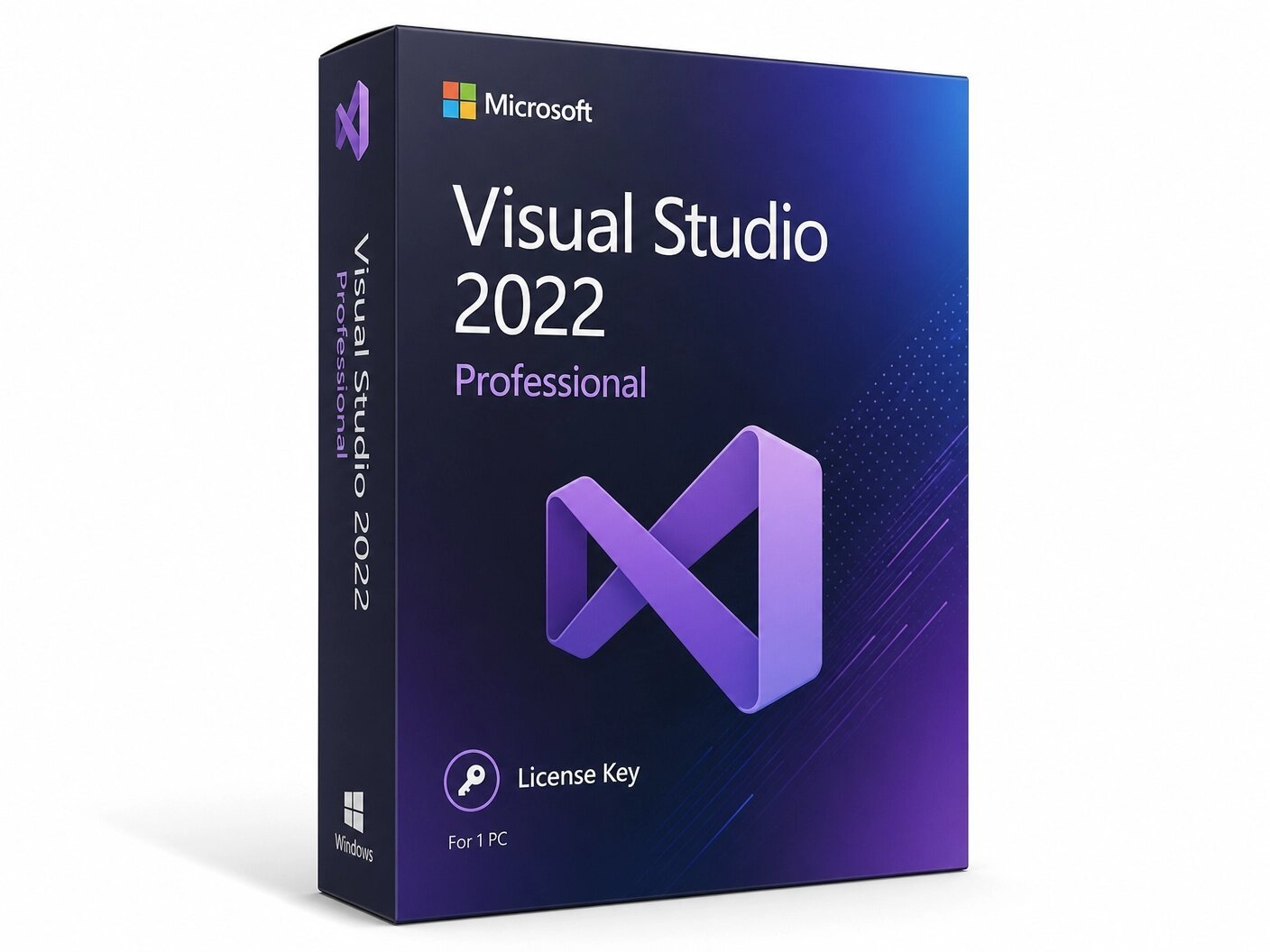
A genuine perpetual Microsoft license for professional software development and cross-platform coding on one Windows PC.
Currency:
You'll receive your license key, an official Microsoft download link, and a 1-page activation guide.
Direct Microsoft activation
Email in under 5 minutes
Real humans, any time zone
Full money-back guarantee
Microsoft Visual Studio 2022 Professional is the industry-standard integrated development environment for professional developers and small teams and the most significant Visual Studio release in a generation. Built on a completely redesigned 64-bit architecture, it is faster, smarter, and more capable than any previous version of Visual Studio, handling larger codebases and heavier workloads without the memory constraints that limited every prior release.
This is a one-time purchase. Pay once and own it permanently on one Windows PC. No subscription. No annual renewal. No expiry. Your genuine Microsoft Visual Studio 2022 Professional lifetime license key is delivered to your email within minutes of purchase and activates directly on Microsoft’s official servers. Microsoft supports Visual Studio 2022 through January 2032 giving you a full decade of active support from a single lifetime purchase.
Microsoft retails Visual Studio 2022 Professional at $349.99. MMKeys delivers the same genuine, permanent licence at a fraction of that price same software, same Microsoft activation, same lifetime support.
This product is for Windows PC only. Not compatible with macOS or Linux as a host operating system, though it fully supports cross-platform development targeting those platforms.
The First 64-Bit Visual Studio Every version of Visual Studio before 2022 was a 32-bit application, hard-capped at 4 GB of memory. On large enterprise solutions, complex multi-project codebases, and memory-intensive workloads, this ceiling caused slow load times, degraded IntelliSense responsiveness, and out-of-memory crashes on the IDE itself. Visual Studio 2022 is the first 64-bit Visual Studio ever released.
It addresses as much RAM as your machine provides. Large solutions load faster, IntelliSense stays sharp on codebases of any size, and memory-related IDE crashes are eliminated. For developers who have hit the 32-bit wall in previous versions, this upgrade alone transforms the day-to-day development experience.
IntelliCode AI-Powered Code Completion Visual Studio 2022 Professional includes the most advanced IntelliCode yet Microsoft’s AI-assisted development layer trained on thousands of high-quality public GitHub repositories. IntelliCode understands context: the types in scope, the APIs you are calling, and the patterns in your specific codebase.
The most likely correct completion is starred at the top of the suggestion list not alphabetically ordered, but semantically ranked. Visual Studio 2022 adds whole-line completions that predict complete lines of code from context, and team-trained completions that learn your codebase’s specific patterns and conventions for the most relevant suggestions possible.
Hot Reload Edit Code While Your App Runs One of the most celebrated features in Visual Studio 2022. Hot Reload lets you modify your application’s source code while it is actively running and see the changes applied instantly — without stopping the debugger, rebuilding the project, or restarting the app. Tweak UI layouts, adjust business logic, fix calculation errors, and experiment with changes in real time. The edit-compile-debug cycle that consumes hours of every developer’s working week is dramatically compressed. Hot Reload works across .NET 6 and later console apps, WPF, Windows Forms, ASP.NET Core, Blazor, and .NET MAUI mobile apps.Rebuilt Native Git Integration Visual Studio 2022 delivers a completely redesigned Git experience that makes version control a natural part of the development workflow rather than a context switch. The Git Changes window displays your branch, uncommitted changes, commit history, and remote sync status at a glance.
Branch creation, staging, committing, pushing, pulling, merging, rebasing, and conflict resolution all happen within the IDE through a clean, purpose-built interface. The Git Repository window shows a full branching history with commit comparison and file-level history. For teams using GitHub, Visual Studio 2022 integrates directly with repositories, pull requests, and GitHub Actions workflows eliminating the need for a separate Git client in everyday development.
Cross-Platform Development .NET MAUI and Xamarin Visual Studio 2022 Professional includes full tooling for .NET MAUI the Multi-platform App UI framework that lets you write a single C# codebase and deploy native applications to iOS, Android, macOS, and Windows simultaneously.
MAUI tooling includes XAML Hot Reload for live UI editing without app restarts, a device picker for emulators and physical test devices, and a live visual tree inspector for debugging layout issues. Critically, Visual Studio 2022 also retains full Xamarin support making it the correct IDE for developers with existing Xamarin.iOS and Xamarin.Android projects that have not yet been migrated to .NET MAUI. This Xamarin compatibility is a key advantage over Visual Studio 2026, which does not support Xamarin.
Blazor and Modern Web Development Build interactive web UIs in C# using Blazor, with no JavaScript required for core application logic. Visual Studio 2022 provides a rebuilt Razor editor for Blazor with cross-file refactoring, intelligent component discovery, and full IntelliSense for Blazor component syntax.
Hot Reload works with Blazor Server and Blazor WebAssembly, making UI iteration immediate. For .NET developers who want modern web applications without adopting a JavaScript framework, Blazor support in Visual Studio 2022 is the most complete tooling Microsoft has delivered.
Linux and Container Development Build, debug, and test .NET and C++ applications targeting Linux directly from your Windows PC using Visual Studio 2022’s WSL 2 integration, SSH remote development support, and full Docker tooling.
Container support includes automatic Dockerfile generation, Docker Compose multi-container management, and an integrated container management panel all without leaving the IDE. For teams building microservices and cloud-native applications, Visual Studio 2022 Professional covers the full container development workflow from code to deployment.
Advanced Debugger The improved Exception Helper surfaces root-cause information the specific null object, invalid value, or failed assertion immediately at the point of failure. Search across all Locals, Autos, and Watch values during a debugging session to locate specific variables in complex application state without manual scrolling.
Async stack traces show the complete logical call chain across asynchronous operations, making async code dramatically easier to debug. The Async I/O Visualizer helps identify async bottlenecks in I/O-heavy applications. DataTip pinning keeps specific variable values visible in the editor as you step through code.
Performance Profiler Suite Identify exactly where your application spends time and allocates memory with Visual Studio 2022’s integrated profiling tools. CPU Usage shows which methods consume the most processor time with call tree and flame graph visualization. The .NET Object Allocation Tracking tool identifies which code paths generate the most garbage collection pressure essential for optimizing allocation-heavy applications. All profiling tools run on both debug and release builds for accurate, production-representative measurements.
Live Unit Testing Runs all your unit tests continuously in the background as you write code, displaying real-time pass and fail status directly in the code editor as colored indicators on every covered line. Failing tests show a red X the instant a code change breaks them catching regressions at the exact moment they are introduced rather than during a scheduled CI build run later.
Live Share Real-Time Collaborative Development Share your development session with a teammate and collaborate in real time. They join from Visual Studio or Visual Studio Code, view your code, make edits, set breakpoints, and run the debugger alongside you without either developer needing to commit code to a shared branch first. Pair programming, live code review, and remote mentoring become significantly more efficient for distributed teams.
Azure and Cloud Development Publish web apps, APIs, and Azure Functions directly from the IDE with one-click deployment targets. Cloud Explorer shows your Azure resources App Services, storage accounts, SQL databases, virtual machines directly within Visual Studio 2022. Application Insights integration brings live production telemetry into the debugging experience. For teams building cloud-native applications on Azure, Visual Studio 2022 Professional covers the full development and deployment workflow without requiring a browser or separate Azure portal session for routine operations.
Visual Studio 2022 Professional is the correct IDE for any developer doing commercial software development. The free Community edition is restricted to non-commercial use the moment you write code professionally for a client, employer, or commercial product, you need a Professional licence.
Visual Studio 2022 Professional has no commercial use restrictions and is the right choice for professional software developers at companies of any size building commercial applications, freelance and contract developers delivering software to clients, full-stack and cloud developers building ASP.NET Core APIs and Blazor applications, mobile developers using .NET MAUI or maintaining existing Xamarin projects, and IT developers building internal business applications.
Visual Studio Community is a free, fully featured IDE for students, open-source developers, and individual developers. The key restriction is commercial use. If you write code professionally for clients, for your employer, or for products you sell you are outside the Community licence terms the moment your work has a commercial context. Visual Studio 2022 Professional is licenced for commercial development by any individual or team of any size with no restrictions whatsoever. At MMKeys pricing it is accessible to any working developer.
Visual Studio 2026 Professional delivers AI Profiler Agent for expert-level performance diagnostics, Copilot Agent Mode across chat, debugging, reviews, and documentation, a refreshed Fluent UI, and enterprise-grade extension policy controls. It is Microsoft’s newest IDE with the longest available support window going forward.
Visual Studio 2022 Professional remains the correct choice if you maintain Xamarin projects not yet migrated to .NET MAUI Xamarin is fully supported in 2022 but absent in 2026. It is also the preferred choice for organizations with change-control requirements that standardize on specific IDE versions, and for developers who want the proven stability of Visual Studio 2022’s feature set at a lower price point. Both versions can be installed side by side on the same PC during any transition period. A perpetual Visual Studio 2022 licence covers only that version upgrading to 2026 requires a new purchase.
Step 1 After purchase on MMKeys, your license key arrives in your email within minutes. Check spam if needed.
Step 2 Go to visualstudio.microsoft.com and download the official Visual Studio 2022 Professional installer. Run VisualStudioSetup.exe to launch the Visual Studio Installer.
Step 3 Select the workloads you need ASP.NET and web development, .NET desktop development, Mobile development with .NET, Desktop development with C++, Python, Azure, or others and click Install.
Step 4 Once installed, open Visual Studio 2022. Go to Help Register Product and enter your 25-character license key to unlock the Professional edition permanently.
Step 5 All Professional features are confirmed and active. You are ready to build.
Full step-by-step instructions are included with every MMKeys order. Support is available 24 hours a day, 7 days a week.
Is this a genuine Microsoft Visual Studio 2022 Professional license? Yes. Every key sold by MMKeys is an authentic Microsoft product licence that activates directly on Microsoft’s official servers. No shared keys, no grey-market codes, no workarounds.
How long does Microsoft support Visual Studio 2022? Visual Studio 2022 is supported through January 2032 — nearly a full decade of active Microsoft support from a single one-time purchase.
What is the difference between Visual Studio Community and Professional? Visual Studio Community is a free, fully featured IDE for students, open-source, and individual developers. Professional is licensed for commercial development by any individual or team of any size with no use restrictions. If you write code professionally for clients, employers, or commercial products, Professional is the correct edition.
Does Visual Studio 2022 support Xamarin? Yes and this is one of the strongest reasons to choose 2022. Xamarin is fully supported in Visual Studio 2022 Professional. If you have existing Xamarin.iOS or Xamarin.Android projects not yet migrated to .NET MAUI, Visual Studio 2022 is the correct IDE. Xamarin is not supported in Visual Studio 2026.
Does Visual Studio 2022 support .NET 6, 7, 8, and 9? Yes. Visual Studio 2022 Professional includes full first-class support for .NET 6 through .NET 9 project templates, debugging, Hot Reload, profiling, and deployment tooling for all current .NET versions.
If I buy Visual Studio 2022, can I upgrade to 2026 later? A perpetual Visual Studio 2022 licence covers only that version. Upgrading to Visual Studio 2026 requires purchasing a new licence. Visual Studio 2026 Professional is available separately on MMKeys.
Can I install multiple workloads on one licence? Yes. A single Visual Studio 2022 Professional licence lets you install any combination of workloads web, desktop, mobile, cloud, C++, Python, and more at no additional cost.
Can Visual Studio 2022 and 2026 be installed on the same PC? Yes. Both versions can be installed side by side and run independently. This makes it easy to maintain 2022 for legacy Xamarin workloads while using 2026 for new projects.
Does it work offline after activation? Yes. Once installed and activated, Visual Studio 2022 Professional works fully offline. Internet is only needed for initial download, activation, and optional cloud-connected features.
How soon will I receive my key after purchase? Most MMKeys orders are delivered within five minutes of payment, 24 hours a day. Your email includes the license key, a direct download link, and step-by-step installation instructions.
What if my key does not activate? Contact MMKeys support at any time. We stand behind every licence we sell and will resolve any activation issue or replace your key at no cost. CONTACT US
Sorry, no reviews match your current selections