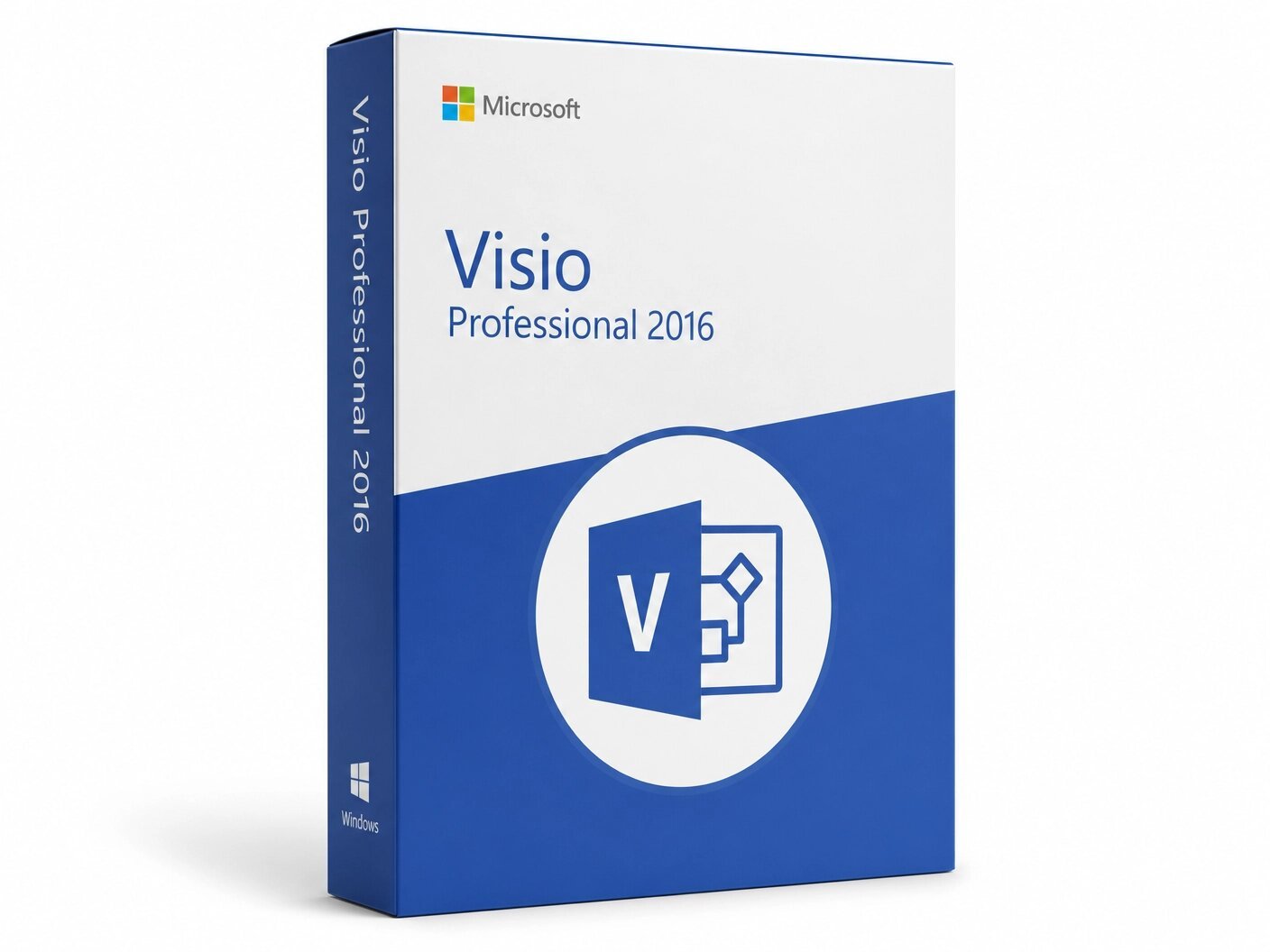
A genuine perpetual Microsoft license for professional diagramming, data visualization, and process modeling on one Windows PC.
Currency:
You'll receive your license key, an official Microsoft download link, and a 1-page activation guide.
Direct Microsoft activation
Email in under 5 minutes
Real humans, any time zone
Full money-back guarantee
Microsoft Visio 2016 Professional is a perpetual, fully featured desktop diagramming application that delivers the core capabilities professional users rely on data-driven diagrams linked to live external data sources, BPMN 2.0 and UML 2.4 standards-compliant diagram templates with validation, the full engineering and technical stencil library, sub-process creation for enterprise-scale process documentation, co-authoring through SharePoint and OneDrive, and one-step data linking that connects any shape to Excel, Active Directory, SQL Server, or SharePoint with a single click in a one-time purchase that installs on one Windows PC and never expires.
Visio 2016 Professional was the release in which Microsoft fundamentally rethought how non-technical users approach data-linked diagrams. The Quick Import feature which automatically identifies the data source, imports the data, links it to shapes, and applies Data Graphics in a single step rather than the multi-step workflow required in earlier versions removed the technical barrier that had previously limited live data connectivity to experienced Visio users.
The introduction of IEEE-compliant electrical diagram templates, a new suite of starter diagrams with contextual tips across fifteen diagram categories, and the Tell Me intelligent command search bar made Visio 2016 meaningfully more accessible without reducing any of the depth that technical professionals required. These are not minor refinements. They represent a generation of improvement in usability that makes Visio 2016 Professional still a capable and credible professional diagramming tool today.
This is a perpetual, one-time purchase. Pay once and own it permanently on one Windows PC no subscription, no monthly fees, no annual renewal, no expiry. Your genuine Microsoft Visio 2016 Professional license key is delivered to your email within minutes of purchase and activates directly through Microsoft’s official servers using your Microsoft account.
Important: Microsoft Visio 2016 Professional is a Windows-only application. It is not compatible with macOS. It is compatible with Windows 7, Windows 8.1, Windows 10, and Windows 11 making it the only version in the current Brytesoft perpetual Visio lineup that runs on Windows 7, a meaningful consideration for organizations with mixed operating system environments or legacy infrastructure that cannot yet standardize on Windows 10 or later. Microsoft’s extended support for Visio 2016 ended in October 2025, meaning the application no longer receives security patches from Microsoft but remains fully functional on all supported Windows versions.
Microsoft Visio is the benchmark for professional diagramming on Windows. It is the application that IT architects use to document network topologies and server infrastructure, that business analysts use to map and validate BPMN processes, that software engineers use to produce UML models, that facilities teams use to build floor plans and space plans, that process engineers use to draw piping and instrumentation diagrams, and that HR and operations teams use to create and maintain organizational charts because it combines the breadth of specialized shape libraries, the precision of standards-compliant diagram templates, and the practical power of live data connectivity in a single application that handles more diagramming disciplines than any comparable tool.
Visio 2016 Professional was the version of that application released alongside Office 2016 and Windows 10, designed to serve professional users in exactly the same disciplines with the same data connectivity, the same standards compliance, the same engineering stencil depth but with a meaningfully more approachable entry point through starter diagrams, contextual tips, Tell Me command search, and one-step Quick Import for data linking.
For organizations and individuals who need proven, professional-grade diagramming capability in a permanently owned desktop license at the most accessible price in the current Brytesoft Visio lineup, and who are either running Windows 7 or making a deliberate cost-based version decision, Visio 2016 Professional delivers the capabilities that matter without the cost of the newer versions.
Starter Diagrams with Contextual Tips One of the most practically useful introductions in Visio 2016 is the set of pre-built starter diagrams covering fifteen of the most commonly used diagram types flowcharts, timelines, cross-functional flowcharts, network diagrams, organizational charts, floor plans, workflows, and more. Unlike blank templates that provide a canvas and a stencil set without direction, starter diagrams arrive partially populated with shapes, layout structures, and annotated tips that guide users through the conventions of each diagram type as they work.
A user opening the flowchart starter diagram sees a working diagram structure with annotated guidance on where to add decision points, how to label connectors, and how to structure the flow not a blank page and a shape library. For organizations onboarding new Visio users, for project managers and business analysts who use Visio occasionally rather than daily, and for anyone who has found Visio’s blank-canvas starting point uninviting, starter diagrams significantly reduce the gap between opening the application and producing useful output.
Tell Me – Intelligent Command Search Across 800+ Commands Visio 2016 Professional introduced the Tell Me search bar the same intelligent command navigation feature introduced across the Office 2016 suite which allows users to access any of Visio’s 800-plus commands by typing a plain-language description of what they want to do. Type “add data” and Tell Me presents the relevant data connectivity options as interactive buttons that open the right dialog directly. Type “validate diagram” and it surfaces the validation tool without requiring the user to know which ribbon tab it lives on. Type “change page size” and the page setup dialog appears.
The results are not links to help documentation they are live, executable action buttons displayed in a drop-down list. For new users who are still learning the ribbon layout, for experienced users who use infrequently accessed features, and for anyone who has spent time hunting through ribbons and menus for a command they know exists but cannot find, Tell Me meaningfully reduces the friction of using the application’s full capability.
One-Step Data Linking with Quick Import Data-linked diagrams where shapes are connected to external data sources and display live data values as labels, colors, icons, or bar graphs directly on the shape are one of the most powerful capabilities in Visio Professional, and in earlier versions they required multiple configuration steps that limited their practical use to experienced users. Visio 2016 Professional introduced Quick Import, which reduces the entire data linking workflow to a single click.
Click Quick Import on the Data tab, and Visio automatically identifies the data source, imports the data, links it to the appropriate shapes on the diagram, and applies Data Graphics the visual indicators that display data values as color-coded icons, progress bars, flag symbols, or text labels on each linked shape.
The diagram updates to reflect the current state of the external data, and subsequent refreshes keep it current as the underlying data changes. For users who previously found Visio’s data connectivity too complex to use regularly, Quick Import removes the technical barrier without reducing any of the underlying capability.
Data-Driven Diagrams and Data Graphics Beyond Quick Import, Visio 2016 Professional provides the full set of data connectivity and Data Graphics tools for users who need finer control over how external data is connected and displayed. Shapes can be linked to data from Microsoft Excel, Microsoft Excel Services, Active Directory, Microsoft SQL Server,
Microsoft SQL Azure, SharePoint Lists, and SharePoint Business Connectivity Services. Once shapes are linked to data records, Data Graphics define how those data values appear visually on the shape as text labels, color fills, icon sets representing status or priority, horizontal or vertical bar graphs showing progress or utilization, or flag and symbol overlays. Multiple Data Graphics can be applied to a single shape, allowing a network diagram node to simultaneously display server name, current CPU utilization as a bar graph, and operational status as a color-coded icon, all drawn from the connected data source.
When the underlying data changes a server goes into an alert state, a project milestone status changes from green to red, a room in the floor plan changes its occupancy assignment the Visio diagram can be refreshed in a single step and all linked shapes update their labels, colors, and icons simultaneously.
For organizations that need operational dashboards, network status maps, facility management views, or project status visualizations that reflect current data rather than static snapshots, Visio 2016 Professional’s data connectivity tools provide that capability in a locally installed, permanently owned application.
BPMN 2.0 Business Process Model and Notation Visio 2016 Professional includes full BPMN 2.0 support with a standards-compliant shape library covering events, activities, gateways, sequence flows, message flows, pools, and lanes, along with sub-process creation for nesting complex processes within parent diagrams and diagram validation that checks the completed diagram against BPMN 2.0 specification rules.
For business analysts, process improvement teams, and organizations preparing formal process documentation for regulatory compliance, ERP configuration, digital transformation programs, or quality certification, the combination of correct BPMN 2.0 shapes and validation in Visio Professional means the resulting diagrams are formally compliant not just visually similar to BPMN but structurally correct according to the specification. BPMN 2.0 support is exclusive to the Professional edition. Visio Standard 2016 does not include BPMN shapes or validation.
UML 2.4 Software and System Modeling Visio 2016 Professional supports UML 2.4 with a comprehensive shape library covering the major diagram types class diagrams, sequence diagrams, use case diagrams, activity diagrams, component diagrams, deployment diagrams, state machine diagrams, and more with standards-compliant shape definitions and diagram validation.
For software architects, developers, and technical documentation teams producing UML models as formal design artifacts, requirements specifications, or architecture documentation, the UML 2.4 support in Visio Professional provides the correct notation for each diagram type rather than generic shapes that approximate the standard. The 2016 version also introduced updated UML shapes with improved formatting and better alignment with contemporary UML usage compared to earlier Visio releases.
IEEE-Compliant Electrical Diagram Template Visio 2016 Professional introduced a new Basic Electrical diagram template built to comply with the IEEE standard for electrical diagram notation a meaningful addition for electrical engineers, facilities engineers, and technical documentation teams whose diagrams need to meet IEEE requirements rather than generic schematic conventions.
The template includes shape-level intelligence: dragging a shape onto a connector causes it to snap into place automatically, maintaining correct electrical diagram conventions without manual positioning. The IEEE electrical template sits alongside Visio Professional’s broader engineering stencil library covering piping and instrumentation, fluid power, industrial controls, circuits and logic, process flow, parts and assembly, and mechanical engineering symbols.
Sub-Process Creation and Diagram Validation Visio 2016 Professional supports sub-process creation linking individual shapes in a parent diagram to separate child diagrams that document the subprocess at a deeper level of detail allowing enterprise-scale process documentation to be organized hierarchically across multiple linked diagrams rather than forced into a single unnavigable flat view.
A high-level business process diagram can contain sub-process shapes that, when selected, navigate to the detailed subprocess diagram, with the parent and child diagrams connected and navigable as a structured document set. Diagram validation checks that diagrams conform to the rules of the notation they are built in BPMN 2.0 compliance rules, UML structural constraints, custom validation rules defined for organizational diagram standards and reports violations before the diagram is published or shared. Both sub-process linking and diagram validation are exclusive to the Professional edition.
Co-Authoring Through SharePoint and OneDrive Visio 2016 Professional supports co-authoring multiple users working on the same diagram simultaneously, each from their own copy of Visio Professional, with changes visible to other authors in near real time when diagrams are stored on SharePoint Online or OneDrive for Business. For teams collaborating on large, multi-page diagram sets where different team members own different pages or sections, co-authoring eliminates the version conflict problems of email-based file sharing and allows collaborative diagram building in the same way that Office applications support collaborative document editing. Co-authoring is a Professional-only capability Visio Standard 2016 does not support it.
Information Rights Management Visio 2016 Professional includes Information Rights Management support, which allows diagram files to be protected with access policies that restrict who can open, print, copy, or forward the file enforced by the organization’s IRM server regardless of where the file travels.
For organizations working with diagrams that contain sensitive information network architecture diagrams that reveal security infrastructure, facility plans that contain access control layouts, HR organizational charts with compensation data, or process diagrams that constitute confidential intellectual property IRM provides a document-level security control that survives file sharing, email attachment, and cloud storage without depending on the recipient’s environment or intentions.
IRM support requires integration with an Active Directory Rights Management Services or Azure Information Protection deployment and is exclusive to the Professional edition.
Full Engineering and Technical Stencil Library Visio 2016 Professional includes the complete set of specialized technical stencil libraries that distinguish the Professional edition from Standard across every engineering and IT discipline the application supports:
basic electrical with IEEE compliance, piping and instrumentation, fluid power, industrial controls and systems, process flow, parts and assembly, circuits and logic, detailed network diagrams, rack diagrams, LDAP and Active Directory directory services, software and database modeling, entity relationship diagrams, value stream mapping, Six Sigma, ITIL service management, TQM diagrams, EPC process chains, cause and effect diagrams, fault tree analysis, and more.
For technical professionals who need correctly defined, discipline-specific symbols rather than generic shapes approximating a notation, the Professional stencil library is the feature set that makes Visio a professional tool rather than a general-purpose drawing application for their specific domain.
Organizational Chart Automation Visio 2016 Professional includes the Organization Chart Wizard, which generates a complete, formatted organizational chart automatically from an external data source an Excel spreadsheet, a delimited text file, or a directory service such as Active Directory. Specify the data source, map the columns to the relevant fields, and the wizard builds the org chart hierarchy automatically with consistent formatting and correct connecting lines across as many levels as the data contains.
For organizations with large headcounts where maintaining an accurate organizational chart manually is impractical, automated generation from HR data sources dramatically reduces the time and error rate involved. Automated org chart generation from directory services is exclusive to the Professional edition.
Extensive Pre-Built Template Library Beyond the starter diagrams introduced in the 2016 version, Visio 2016 Professional includes the full library of pre-built templates for every major diagram category the application supports each pre-configured with the appropriate stencil sets, page size and orientation, layout guides, and connection point conventions for its diagram type.
Templates cover IT and network architecture, software engineering, business process, organizational management, facilities and space planning, engineering, Six Sigma, ITIL, and general business diagramming, providing a structured starting point that eliminates the setup time and reduces the risk of missing the diagram conventions appropriate to each type.
Windows 7 Compatibility Visio 2016 Professional is compatible with Windows 7, Windows 8.1, Windows 10, and Windows 11 — the broadest Windows version compatibility of any Visio release currently in the Brytesoft lineup. Visio 2019, 2021, and LTSC 2024 all require Windows 10 or later, making Visio 2016 Professional the only version available for organizations whose IT environments include Windows 7 machines where Visio needs to be deployed. For organizations that have standardized on Windows 7 for specific workstations, or that maintain legacy infrastructure where Visio is needed alongside Windows 7 installations that cannot yet be upgraded, this compatibility is a practical selection criterion that makes the version decision straightforward.
Integration with Microsoft Office 2016 Visio 2016 Professional integrates with the Microsoft Office 2016 suite for the practical workflow tasks that professionals use regularly. Embed Visio diagrams in Word documents and PowerPoint presentations as linked or embedded objects that maintain vector quality at any zoom level. Export diagrams to PDF, SVG, PNG, JPEG, and other formats. Import data from Excel through the Quick Import and traditional data linking workflows. The 2016 version integrates most smoothly with the Office 2016 suite. Note that running Visio 2016 and Office 2013 on the same machine is not supported if Office 2013 is installed, it must be upgraded before Visio 2016 Professional can be installed.
Microsoft Visio 2016 Professional is the right choice for professionals and organizations who need the full depth of Visio’s data connectivity, standards compliance, and technical stencil libraries in a permanently owned desktop license and where Windows 7 compatibility, existing Project Server or SharePoint 2016 infrastructure alignment, or a cost-based version decision makes the 2016 release the practical choice.
IT architects, network engineers, and infrastructure teams documenting network topologies, server rack configurations, Active Directory structures, and detailed network architecture, where the Professional edition’s data connectivity allows network diagrams to reflect live monitoring data and the comprehensive network stencil library provides the correct symbols for every infrastructure component.
Business analysts, process improvement practitioners, and operations teams producing BPMN 2.0 process models for workflow documentation, compliance requirements, ERP configuration, and process governance, where the BPMN 2.0 shape library and diagram validation in Visio Professional ensure that completed diagrams are formally correct according to the specification.
Software architects, developers, and technical documentation teams producing UML 2.4 models as part of software design, architecture documentation, and formal specification workflows, where the UML support in Visio Professional provides the correctly defined notation for each diagram type.
Electrical engineers, process engineers, and facilities professionals who need IEEE-compliant electrical diagrams, piping and instrumentation drawings, process flow diagrams, or other engineering diagram types where the Professional stencil library provides the discipline-specific symbols that Standard does not include.
Organizations with mixed Windows environments that include Windows 7 machines where Visio needs to be installed, and where the Windows 10 requirement of Visio 2019 and later eliminates those versions from consideration.
Data analysts, operations managers, and reporting teams who need to connect Visio diagrams to live Excel, SQL Server, Active Directory, or SharePoint data sources and produce diagrams that update automatically when the underlying data changes turning network maps, floor plans, org charts, and process diagrams into live visual dashboards.
Organizations making a deliberate cost-based version decision where Visio 2016 Professional delivers the data connectivity, BPMN, UML, engineering stencils, and co-authoring capabilities that professional diagramming requires, at a price point below the newer releases.
Visio Standard 2016 covers the core diagramming workflow the Visio canvas, basic flowchart and organizational chart shapes, standard network diagram stencils, floor plan tools, the starter diagrams introduced in the 2016 version, and the Tell Me command search bar for users who primarily create straightforward, standalone diagrams without needing to connect them to external data, produce formally validated BPMN or UML diagrams, or work with discipline-specific engineering stencils.
Visio Professional 2016 adds every capability that turns Visio from a drawing tool into a professional diagramming platform:
data connectivity to Excel, Active Directory, SQL Server, and SharePoint through Quick Import and the full data linking workflow, Data Graphics for visual data display on shapes, BPMN 2.0 with diagram validation, UML 2.4 standards support, IEEE-compliant electrical templates, sub-process creation, diagram validation, co-authoring through SharePoint and OneDrive, Information Rights Management, automated org chart generation from directory services, the full engineering and technical stencil library, and the expanded IT and network architecture stencils. For any user who needs even one of these capabilities particularly data connectivity, BPMN, UML, or engineering stencils Professional is the required edition and Standard is insufficient.
Visio 2016 Professional delivers the same foundational Professional capabilities that newer releases build on data-driven diagrams, BPMN 2.0, UML support, engineering stencils, co-authoring, and sub-process creation. The meaningful capabilities that newer releases add on top of it are the expanded cloud architecture stencils (Azure, AWS, Kubernetes) introduced progressively in Visio 2019 and significantly expanded in Visio 2024, full UML 2.5 coverage replacing the UML 2.4 support in Visio 2016, AutoCAD import and export which became more robust in later versions, the modernized Office 2024 interface in the LTSC 2024 release, and the performance improvements for large, data-dense diagrams in the 2021 and 2024 versions.
For IT teams heavily involved in documenting Azure or Kubernetes infrastructure, or for software architects who need the full 13-diagram UML 2.5 coverage, the newer versions offer meaningful stencil and standards depth that Visio 2016 does not. For the large majority of professional diagramming use cases BPMN process documentation, network architecture, organizational charts, floor plans, piping diagrams, data-linked dashboards, and general technical diagramming Visio 2016 Professional delivers a fully capable professional toolkit, and the version decision comes down primarily to price, Windows version compatibility, and whether the newer stencil additions are relevant to the specific work at hand.
Step 1 — After purchase at Brytesoft, your license key arrives in your email inbox within minutes. Check your spam folder if it does not appear in your primary inbox.
Step 2 — Go to setup.office.com and sign in with your Microsoft account. If you do not have one, create a free account at account.microsoft.com it takes under two minutes and is required for activation.
Step 3 — Enter your 25-character product key to associate the Visio 2016 Professional license with your Microsoft account.
Step 4 — Click Install to download the official Microsoft Visio 2016 Professional installer directly from Microsoft and run it on your PC.
Step 5 — Once installation is complete, open Microsoft Visio 2016 Professional. It activates automatically using your Microsoft account credentials. You are ready to start diagramming.
Full step-by-step installation and activation instructions are included with every Brytesoft order. Our support team is available 24 hours a day, 7 days a week if you need assistance at any stage.
Note on Office compatibility: Visio 2016 Professional cannot be installed on the same PC as standalone Office 2013 applications, including Word 2013, Excel 2013, Outlook 2013, PowerPoint 2013, Project 2013, and Visio 2013. If any Office 2013 standalone application is installed, it must be upgraded or removed before Visio 2016 Professional can be installed.
Is this a genuine Microsoft Visio 2016 Professional license? Yes. Every key sold by Brytesoft is an authentic Microsoft product license that activates directly on Microsoft’s official servers at setup.office.com. There are no shared keys, workarounds, or grey-market codes of any kind.
Does Microsoft Visio 2016 Professional still work in 2025 and beyond? Yes. The application is fully functional and continues to run on all supported Windows versions. Microsoft’s extended support for Visio 2016 ended in October 2025, which means Microsoft no longer issues security updates. All features continue to work there are simply no further security patches from Microsoft. Organizations with active security patching requirements should consider Visio 2019, 2021, or LTSC 2024 for ongoing update coverage.
Does it run on Windows 11? Yes. Visio 2016 Professional runs on Windows 7, Windows 8.1, Windows 10, and Windows 11 making it compatible with a broader range of Windows versions than any newer Visio release.
What is the difference between Visio Professional and Visio Standard? Standard covers basic flowcharts, org charts, and general-purpose diagrams. Professional adds data connectivity with Quick Import and Data Graphics, BPMN 2.0 with validation, UML 2.4, IEEE-compliant electrical templates, sub-process creation, co-authoring, Information Rights Management, automated org chart generation, and the full engineering stencil library. For any user who needs data-linked diagrams, BPMN, UML, or engineering stencils, Professional is the required edition.
Is Microsoft Visio included in Microsoft 365 or Office 2016? No. Visio is not included in Microsoft 365, Office 365, or any Office suite at any tier. It is always a separate purchase.
Can I open Visio 2013 files in Visio 2016 Professional? Yes. Visio 2016 Professional is backward compatible with Visio files from earlier versions in the .vsdx format.
Does it work offline? Yes. Once installed and activated, Visio 2016 Professional works fully without an internet connection. Internet is required only for the initial download and Microsoft account activation. Data connectivity to locally stored Excel, Access, and SQL Server files works offline; connectivity to SharePoint Online and cloud services requires an internet connection.
Can I reinstall Visio if I get a new PC or reformat my current one? Yes. Because the license is tied to your Microsoft account, you can reinstall Visio 2016 Professional on any supported Windows PC by signing into your Microsoft account at setup.office.com and downloading it again without re-entering your product key.
Can Visio 2016 Professional and Office 2016 coexist on the same PC? Yes. Visio 2016 and Office 2016 are fully compatible on the same PC. The compatibility restriction applies specifically to Office 2013 standalone applications — Visio 2016 cannot coexist with standalone Office 2013.
How soon will I receive my key after purchase? Most Brytesoft orders are delivered within minutes of payment confirmation, 24 hours a day, 7 days a week. Your email includes the license key and full activation instructions.
What if my key does not activate? Contact Brytesoft support at any time. Every license sold by Brytesoft is backed by our lifetime warranty and money-back guarantee. If your key does not activate for any reason, we will resolve the issue or provide a replacement at no cost. CONTACT US
Sorry, no reviews match your current selections