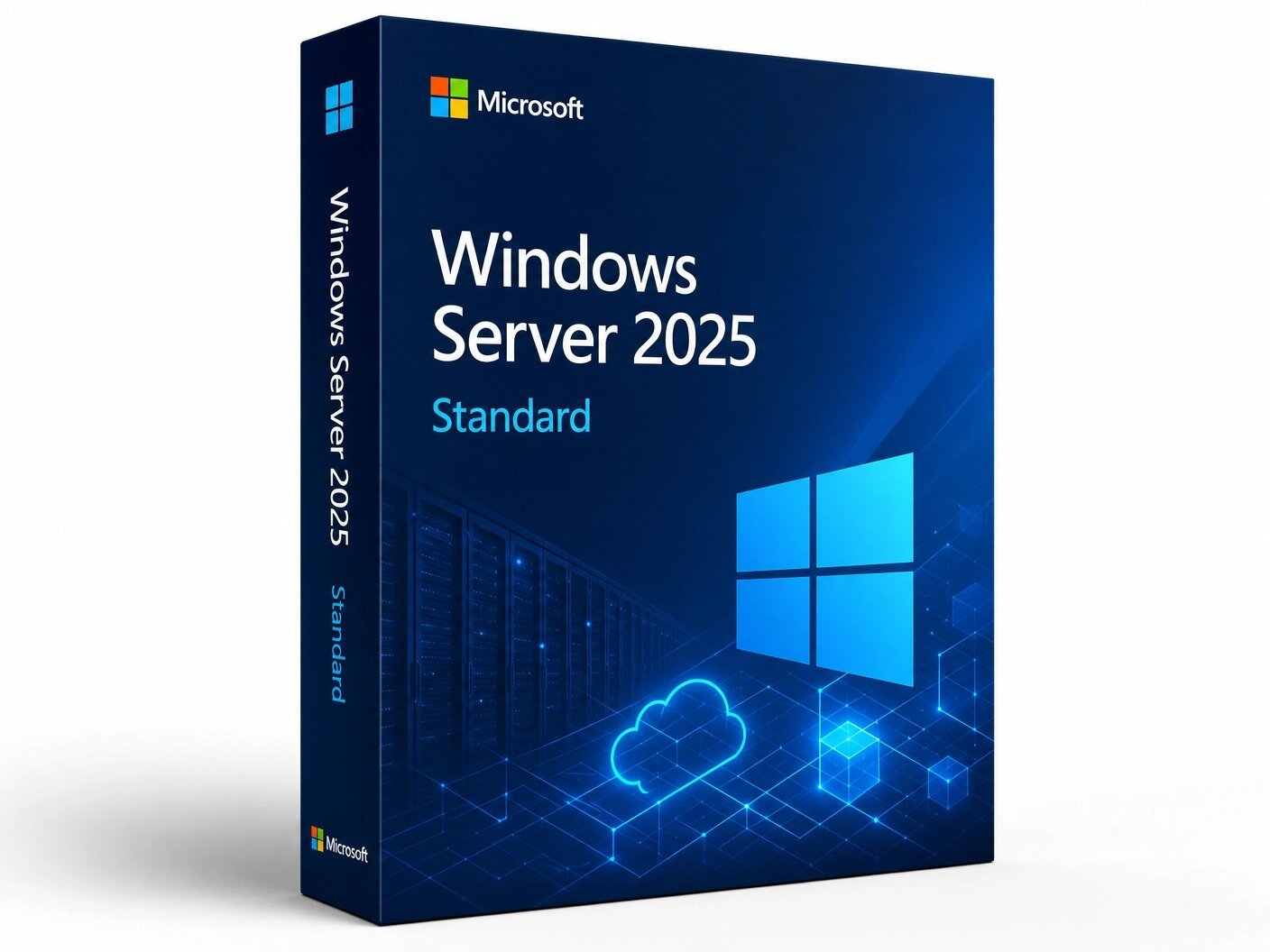
A genuine perpetual Microsoft license for businesses needing a secure, high-performance server OS for physical or lightly virtualized environments.
Currency:
You'll receive your license key, an official Microsoft download link, and a 1-page activation guide.
Direct Microsoft activation
Email in under 5 minutes
Real humans, any time zone
Full money-back guarantee
Windows Server 2025 Standard is the latest Long-Term Servicing Channel release of Microsoft’s enterprise server operating system, and by a meaningful margin the most significant Windows Server release in years.
Where previous Server releases brought incremental refinements to familiar capabilities, Windows Server 2025 delivers substantive advances across security architecture, Active Directory, hybrid cloud integration, storage performance, Hyper-V virtualization, and networking grounded in a zero-trust security posture enforced at the kernel level, native integration with Azure Arc for centralized hybrid management, and infrastructure-wide improvements that reflect the realities of modern enterprise deployments:
hybrid environments spanning on-premises hardware and cloud workloads, zero-trust security requirements, NVMe-first storage architectures, and the increasing presence of AI and GPU-intensive workloads alongside traditional server roles.
Windows Server 2025 Standard is the correct edition for organizations running physical servers or lightly virtualized environments up to two virtual machines per licensed physical server that need the full Windows Server 2025 feature set without the unlimited virtualization rights and software-defined datacenter capabilities of the Datacenter edition.
It covers the complete range of traditional server roles Active Directory Domain Services, DNS, DHCP, File and Storage Services, Remote Desktop Services, IIS, Hyper-V, Failover Clustering, and more with every security, performance, and hybrid cloud advancement introduced in the 2025 release, at a significantly lower per-license cost than Datacenter.
Licensing note: Windows Server 2025 uses core-based licensing. A minimum of 16 cores per server must be licensed (sold in 2-core packs and 16-core packs), and servers with more than 16 physical cores require additional core packs to cover every core. Client Access Licenses (CALs) are required for every user or device that accesses the server — either Windows Server 2025 User CALs or Device CALs.
CALs are version-specific: Windows Server 2022 CALs are not valid for accessing a Windows Server 2025 server. Remote Desktop Services scenarios require additional RDS CALs beyond the base User or Device CALs. The license key delivered by MMKeys covers the server operating system itself. CALs are purchased separately.
Windows Server is Microsoft’s server operating system the platform on which organizations run the services, applications, and infrastructure that their businesses depend on. Active Directory and identity services. File and print servers. Web application hosting. Remote Desktop Services for application and desktop delivery. Hyper-V for on-premises virtualization. SQL Server and application workloads.
DNS and DHCP infrastructure. Failover clustering for high availability. These are workloads that organizations have built on Windows Server for decades, and Windows Server 2025 is the version of that platform designed to run them in the current decade with the security hardening, hybrid cloud integration, and performance capabilities that modern IT environments require.
The Standard edition is designed for the large majority of Windows Server deployments: physical servers running traditional workloads, servers running up to two virtual machines alongside or instead of physical OS instances, small and medium business environments, branch offices, and organizations whose virtualization density is low enough that the unlimited VM rights of Datacenter are not required.
Standard delivers the complete Windows Server 2025 operating system every server role, every security feature, every management capability, every hybrid cloud integration with the limitation that each Standard license covers the host OS plus two virtual machine instances, and additional Standard licenses must be stacked to cover additional VMs beyond that allocation.
Windows Server 2025 was released generally available on November 1, 2024, and is the current LTSC release with mainstream support running to October 2029 and extended support to October 2034. It is the version to deploy for any new Windows Server infrastructure today, and the clear upgrade target for organizations still running Windows Server 2019 or 2022 who want the security hardening, AD modernization, and performance improvements the 2025 release delivers.
Zero-Trust Security Architecture Enforced by Default Windows Server 2025 represents the most comprehensive security overhaul in the Windows Server lineage, with Microsoft building zero-trust security principles into the operating system at the platform level rather than as optional configurations.
Credential Guard the virtualization-based security feature that protects NTLM password hashes, Kerberos Ticket Granting Tickets, and application-stored domain credentials from theft by isolating them in a hardware-protected memory region inaccessible to the host OS kernel is enabled by default on hardware that meets the requirements, removing the credential theft attack surface that has been the entry point for a significant proportion of enterprise breaches. In earlier Windows Server versions, Credential Guard required explicit administrator configuration. In Windows Server 2025, it is on by default.
Secured-Core Server capabilities which leverage hardware-based protections including Trusted Platform Module 2.0, Secure Boot, and Virtualization-Based Security are enabled by default on qualifying hardware, providing firmware-level protection against rootkits and bootkits that operate below the operating system and cannot be addressed by OS-level security controls.
Together with the default enablement of Credential Guard and the other security changes in the 2025 release, Windows Server 2025 deploys in a meaningfully more hardened state than any previous Server version without requiring post-installation security configuration by the administrator.
Hotpatching for Security Updates Without Reboots Windows Server 2025 introduces hotpatching the ability to apply security updates to the running operating system without requiring a server reboot for servers enrolled in Azure Arc management. Hotpatching works by patching the in-memory code of running processes directly, applying the security fix to the active system without the service interruption that a reboot-required update would cause.
For organizations running workloads where planned downtime windows for patch deployment are difficult to schedule, where reboot cycles create operational disruption, or where compliance requirements mandate rapid security patching but production systems cannot tolerate frequent maintenance windows, hotpatching changes the practical cost of staying current with security updates from a scheduled service event to a background operation. Hotpatching requires Windows Server 2025 to be enrolled as an Azure Arc-enabled server and requires a supported processor.
Active Directory Modernization Biggest Update in Over a Decade Active Directory in Windows Server 2025 receives its most substantial update since Windows Server 2008. The changes address both the security vulnerabilities inherent in older AD protocols and the performance limitations that affect large-scale AD deployments.
LDAP now supports TLS 1.3, removing the exposure that came from supporting older TLS versions and their associated cryptographic weaknesses. Kerberos authentication adds support for AES SHA-256 and AES SHA-384 algorithms, replacing the weaker cryptographic algorithms that earlier versions relied on and that have become attack targets in modern adversarial environments. The channel binding enforcement for LDAP is strengthened to protect against man-in-the-middle attacks against domain controllers.
On the scalability side, new domain controllers in Windows Server 2025 domains support database pages scaled to 32 kilobytes up from the 8-kilobyte pages used in all previous Active Directory versions significantly improving the efficiency of large AD database operations and reducing I/O overhead in environments with large numbers of objects, complex group memberships, or extensive attribute populations.
Delegated Managed Service Accounts (dMSAs) are introduced as a new service account type that extends Managed Service Accounts with the ability to delegate access from existing accounts, with Active Directory managing password rotation automatically eliminating the manual password management that traditional service accounts require and the security exposure that accompanies it.
SMB Security Hardening and SMB over QUIC Windows Server 2025 delivers the most comprehensive SMB hardening update in the protocol’s history. SMB over QUIC which allows secure SMB file sharing over the internet using the QUIC transport protocol on UDP port 443 rather than requiring VPN infrastructure or TCP-based connections is included in Windows Server 2025 Standard, making secure remote file share access available without the operational complexity of maintaining a VPN infrastructure for SMB traffic.
Organizations with remote workers who need to access file shares, branch offices that connect to central file servers over the internet, and multi-site businesses where file share access crosses public network boundaries gain a significantly simpler path to secure remote file access.
Beyond SMB over QUIC, Windows Server 2025 introduces hardened SMB firewall defaults that reduce the SMB attack surface by default, brute force attack prevention that limits repeated authentication failures against SMB connections, and protections against man-in-the-middle attacks, relay attacks, and spoofing attacks that have been used in credential theft campaigns targeting SMB.
The combination of these changes means that a Windows Server 2025 file server is substantially harder to attack than its predecessor through SMB, without requiring additional third-party security tooling or post-installation hardening configuration.
Hyper-V Improvements GPU Partitioning and Massive VM Scalability Hyper-V in Windows Server 2025 delivers two headline improvements over Windows Server 2022. GPU partitioning (GPU-P) allows a single physical GPU to be shared across multiple virtual machines simultaneously each VM receiving a partition of the GPU’s compute resources rather than exclusive access with full support for live migration and failover clustering of GPU-partitioned VMs.
This enables GPU acceleration for virtualized workloads including AI inference, machine learning, graphics rendering, and GPU-accelerated application workloads without dedicating a separate physical GPU to each VM. For organizations running virtualized AI and ML workloads, GPU-partitioned VMs represent a meaningful infrastructure efficiency improvement compared to the dedicated GPU per VM model.
VM scalability in Windows Server 2025 Hyper-V reaches previously unavailable levels: support for up to 240 TB of RAM per virtual machine and up to 2,048 logical processors per VM, enabling Hyper-V to host workloads that in earlier versions required dedicated physical hardware due to their memory or CPU requirements. Tier-1 enterprise applications large ERP systems, in-memory databases, high-frequency transaction processing that previously could not run in a virtualized environment due to resource ceiling constraints can now be hosted as Hyper-V VMs on Windows Server 2025.
NVMe Storage Performance Optimization Windows Server 2025 optimizes the storage stack for NVMe solid-state drives at the driver architecture level, eliminating a layer of translation between the Windows storage command queue and the native NVMe command interface that was present in earlier Windows Server versions.
The result is improved IOPS and reduced CPU utilization for NVMe storage operations with benchmark results from independent testing showing meaningful improvements in both read and write throughput compared to Windows Server 2022 on identical NVMe hardware. The new architecture also adopts NVMe namespaces and plug-and-play support, improving compatibility with new NVMe device classes and enabling vendor-specific storage miniport drivers for greater flexibility in storage configurations.
Dev Drive a new storage volume type based on ReFS with specific file system optimizations for developer workloads is included in Windows Server 2025, allowing administrators to create dedicated storage volumes with configurable trust levels, antivirus filter settings, and administrative control that optimize the storage behavior for code repositories, build caches, and development tool data without affecting the security profile of other volumes on the same system.
Storage Replica Enhancements Storage Replica in Windows Server 2025 adds compression support for replication traffic, reducing the bandwidth consumed by block-level storage replication between servers or sites. In environments where Storage Replica replication traverses WAN links or metered connections, compression meaningfully reduces the replication traffic overhead without changing the recovery point objectives or the replication behavior.
Storage Replica Enhanced Log improves the logging implementation to eliminate performance costs associated with file system abstractions that affected write performance in the Storage Replica log in earlier versions, improving overall replication performance on busy storage workloads.
Azure Arc Integration Unified Hybrid Management Windows Server 2025 includes native, first-class integration with Azure Arc, Microsoft’s hybrid and multi-cloud management platform. Azure Arc-enabled Windows Server 2025 servers appear as managed resources in the Azure portal alongside cloud resources, enabling unified management, monitoring, policy enforcement, and governance across on-premises infrastructure and Azure cloud resources from a single control plane.
Through Azure Arc integration, Windows Server 2025 gains access to Azure-native capabilities including Azure Monitor for centralized log collection and alerting, Microsoft Defender for Cloud for security posture management, Azure Policy for configuration governance, Azure Backup for server backup, and for servers running on supported hardware hotpatching for reboot-free security updates.
The Azure Arc integration does not require migrating workloads to Azure and does not require a cloud-first infrastructure strategy. On-premises Windows Server 2025 servers can be Arc-enabled while running entirely on local hardware, gaining cloud management tooling for on-premises infrastructure without changing where the workloads run.
Windows Admin Center and Container Improvements Windows Admin Center Microsoft’s browser-based server management tool is updated for Windows Server 2025 with improved hybrid management capabilities, a containers extension for managing Windows container workloads, and a refined management experience for both Server Core and Desktop Experience installations.
Windows Server 2025 reduces the size of the Windows Server Core container base image compared to Windows Server 2022, improving container pull times, reducing storage overhead in container registries, and accelerating deployment of containerized .NET, ASP.NET, Web Deploy, and MSI-based applications. IPv6 and dual-stack networking support for containers is included, with consistent network policy implementation through Calico.
Accelerated Networking for Virtual Machines Accelerated Networking (AccelNet) in Windows Server 2025 simplifies the management of Single Root I/O Virtualization (SR-IOV) for virtual machines hosted on Windows Server 2025 clusters. SR-IOV allows VMs to bypass the Hyper-V virtual switch and communicate directly with the physical network adapter, dramatically reducing network latency and CPU overhead for network-intensive VM workloads.
In earlier versions, configuring SR-IOV for VMs required complex manual setup. AccelNet streamlines the management of SR-IOV enablement, making high-performance direct-to-NIC networking accessible without the previous operational complexity.
Windows Terminal, OpenSSH, and Modern Management Tools Windows Server 2025 ships with Windows Terminal Microsoft’s modern multi-shell command-line application supporting PowerShell, Command Prompt, and WSL simultaneously in a tabbed interface installed by default, replacing the older console host for command-line work.
OpenSSH server and client are included as inbox components, no longer requiring manual installation before use, making SSH-based secure remote management available immediately after installation. Built-in support for ZIP, 7z, and TAR compression formats is included for Server with Desktop Experience. The modern Windows 11-derived Task Manager with Mica material design is included, providing improved process management and performance monitoring in the Desktop Experience installation.
Windows Server 2025 Standard is available in two installation options that are selected at installation time and cannot be changed without reinstallation.
Server Core is the minimal installation https://learn.microsoft.com/office/ltsc/2024/overviewthe Windows Server operating system without a local graphical user interface. It supports the same server roles as Desktop Experience but is managed remotely through Windows Admin Center, PowerShell, and other remote management tools. Server Core has a smaller footprint, a reduced attack surface due to fewer installed components, and lower patching overhead. It is the recommended installation option for production workloads where remote management is standard practice and local GUI access is not required.
Desktop Experience is the full installation with a complete graphical user interface the traditional Windows Server desktop environment. It is appropriate for servers that require local GUI management, for administrators who are transitioning to PowerShell-first management workflows, for Remote Desktop Services deployments, and for environments where direct local server access is a practical requirement. Desktop Experience has a larger footprint and slightly higher patching overhead than Server Core.
The choice between Server Core and Desktop Experience does not affect licensing both options are included with the same Windows Server 2025 Standard license.
Windows Server 2025 Standard and Datacenter share the same core operating system the same kernel, the same server roles, the same security features, the same Hyper-V capabilities, the same Active Directory improvements, the same SMB hardening, the same Azure Arc integration, and the same NVMe performance optimizations. There is no feature in Windows Server 2025 that is present in Standard and absent in Datacenter, or vice versa, as a function of the installed operating system itself.
The differences between the two editions are in virtualization rights and software-defined datacenter features.
Standard edition includes rights to run up to two virtual machine instances per licensed physical server (plus one Hyper-V host OS instance for the management operating system). To run more than two VMs on a Standard-licensed physical server, additional Standard licenses must be purchased and stacked each additional Standard license pack covering two more VMs. This makes Standard cost-effective for physical servers or servers running one or two VMs, and progressively less cost-effective as VM density increases.
Datacenter edition provides unlimited virtualization rights any number of virtual machine instances on a licensed physical server and adds exclusive software-defined datacenter capabilities: Storage Spaces Direct for software-defined storage using local disks across a cluster, Software-Defined Networking for the full SDN stack, Shielded Virtual Machines for encrypted VM protection against host administrators, and Storage Replica for server-to-server block-level replication (note that Storage Replica is available in Standard for standalone server deployments).
The practical selection rule is straightforward: if a physical server will run more than two virtual machines, compare the cost of stacking Standard licenses to cover the required VM count against the single Datacenter license. Datacenter typically becomes more cost-effective than Standard stacking at approximately eight or more VMs per physical server, depending on core count. For physical servers running traditional workloads, branch servers, file servers, Active Directory domain controllers, and servers running one or two VMs, Standard is the appropriate and more cost-effective edition.
Windows Server 2025 Standard uses the core-based licensing model introduced with Windows Server 2016. Every physical core in the server must be licensed. The minimum licensing requirement is 16 cores per server (or 8 cores per physical processor, whichever is higher). Core licenses are sold in 2-core packs and 16-core packs. A server with 16 physical cores requires one 16-core pack or eight 2-core packs of Windows Server 2025 Standard. A server with 24 physical cores requires one 16-core pack plus four 2-core packs. A server with 32 physical cores requires two 16-core packs.
In addition to the server operating system license, Client Access Licenses are required for every user or device that accesses the server’s services. User CALs are the right choice when individuals access the server from multiple devices one CAL per person regardless of how many devices they use.
Device CALs are appropriate when multiple users share a small number of devices one CAL per device regardless of how many people use it. For remote workers accessing a single organization-owned device, User CALs are typically more cost-effective. For shared workstations, kiosks, or shared terminal access devices, Device CALs are typically more cost-effective.
CALs are version-specific and must match or exceed the server version. Windows Server 2025 User or Device CALs are required for users and devices accessing a Windows Server 2025 server.
Windows Server 2022 CALs are not valid for Windows Server 2025 access and must be upgraded. Microsoft 365 E3 and E5 subscriptions include Windows Server CALs as part of the bundle, potentially eliminating the separate CAL purchase for organizations already holding those subscriptions. Remote Desktop Services requires additional RDS CALs beyond the base User or Device CALs and must be budgeted separately for any deployment where users access Windows Server via RDS.
Windows Server 2025 Standard is the right edition for any organization deploying Windows Server for traditional workloads, lightly virtualized environments, or purpose-built server roles where the unlimited virtualization rights of Datacenter are not required.
Small and medium businesses deploying Windows Server for Active Directory, DNS, DHCP, file and print services, email hosting, line-of-business application hosting, or Remote Desktop Services where a physical server or a small number of virtual machines covers the workload requirements and Standard’s two-VM-per-license allowance is sufficient.
Branch offices and remote site servers running domain controllers, file servers, or application servers as standalone physical installations or as small one-to-two VM deployments, where the full Standard feature set is required but Datacenter licensing costs are not justified by the workload scale.
Organizations deploying dedicated workload servers SQL Server hosts, web application servers, print servers, backup servers as physical installations or with minimal virtualization, where the Standard edition covers the full server role capability at a lower per-server cost than Datacenter.
IT departments upgrading from Windows Server 2019 or 2022 Standard who want the security hardening, Active Directory modernization, SMB improvements, and hybrid cloud integration of the 2025 release for their existing Standard-edition server fleet, without changing the edition or the licensing model.
Organizations adopting Azure Arc for unified hybrid management of on-premises and cloud infrastructure, where Windows Server 2025 Standard’s native Arc integration enables the Azure portal management, Azure Monitor, Microsoft Defender for Cloud, and hotpatching capabilities for on-premises servers alongside cloud resources.
Development and test environments running Windows Server workloads where the full production feature set is required for representative testing but where Datacenter licensing costs are not warranted for non-production infrastructure.
Step 1 — After purchase at MMKeys, your license key arrives in your email inbox within minutes. Check your spam folder if it does not appear in your primary inbox.
Step 2 — Download the Windows Server 2025 ISO from Microsoft’s official Evaluation Center or your Microsoft volume licensing portal, or use the installation media provided by your hardware vendor.
Step 3 — Boot from the installation media and follow the Windows Server setup process. When prompted to select an edition, choose Windows Server 2025 Standard or Windows Server 2025 Standard (Desktop Experience) depending on your installation preference.
Step 4 — Complete installation. When prompted for a product key during setup or after first boot, enter your 25-character Windows Server 2025 Standard key.
Step 5 — Activation completes online through Microsoft’s activation servers. For environments without internet access, telephone activation is available. For volume deployments, Key Management Service (KMS) or Multiple Activation Key (MAK) activation can be configured through your volume licensing infrastructure.
Full step-by-step installation and activation instructions are included with every MMKeys order. Our support team is available 24 hours a day, 7 days a week if you need assistance at any stage.
Production server hardware should substantially exceed the minimum requirements. Microsoft recommends ECC RAM for production domain controllers and file servers, NVMe storage for workloads sensitive to storage latency, and hardware that supports TPM 2.0 and Secure Boot to take full advantage of Windows Server 2025’s default security posture.
Is this a genuine Windows Server 2025 Standard license? Yes. Every key sold by MMKeys is an authentic Microsoft product license. There are no shared keys, workarounds, or grey-market codes of any kind.
Do I need to buy CALs separately? Yes. The license key from MMKeys covers the Windows Server 2025 Standard operating system. Client Access Licenses are required separately for every user or device accessing the server. Windows Server 2025 User CALs and Device CALs are available at MMKeys. CALs are a legal requirement enforced during Microsoft audits even though the server OS does not technically check for them during operation.
How many VMs can I run on a Standard license? Two virtual machine instances per physical server license, plus one Hyper-V host OS instance. To run more VMs on the same physical server, additional Standard license packs must be stacked each additional pack covers two more VM instances. If you need to run more than roughly eight VMs per physical server, Windows Server 2025 Datacenter will typically be more cost-effective than stacking Standard licenses.
What is the difference between Standard and Datacenter? The same operating system, the same features, the same roles. Standard includes two VM rights per physical server license. Datacenter includes unlimited VM rights plus Storage Spaces Direct, Software-Defined Networking, and Shielded VMs. Choose based on your VM density per physical server and whether you need the software-defined datacenter capabilities.
Does Windows Server 2025 Standard support Hyper-V? Yes. Hyper-V is included in Windows Server 2025 Standard, with support for GPU partitioning, live migration between standalone nodes for planned maintenance, and VM scalability up to 240 TB RAM and 2,048 logical processors. Failover clustering for unplanned downtime scenarios requires Datacenter edition.
What is hotpatching and does Standard support it? Hotpatching applies security updates to the running OS without requiring a reboot. It is available for Windows Server 2025 Standard servers that are enrolled as Azure Arc-enabled servers and running on supported hardware. It does not require Datacenter edition.
Is Windows Server 2025 compatible with Windows Server 2022 CALs? No. CALs are version-specific. Windows Server 2022 User or Device CALs do not satisfy the CAL requirement for users or devices accessing a Windows Server 2025 server. Windows Server 2025 CALs must be purchased. Note that newer CALs are backward compatible Windows Server 2025 CALs can be used for access to older Windows Server versions.
Can I upgrade from Windows Server 2022 Standard to 2025 Standard in place? Yes. In-place upgrade from Windows Server 2022 Standard to Windows Server 2025 Standard is supported. In-place upgrade from Windows Server 2019 Standard is also supported. Microsoft recommends testing in a non-production environment before upgrading production servers.
What are the two installation options? Server Core the minimal installation without a local GUI, managed remotely, recommended for production. Desktop Experience the full installation with a complete GUI. Both are included with the same license. The choice is made at installation time and cannot be changed without reinstalling.
How soon will I receive my key after purchase? Most MMKeys orders are delivered within minutes of payment confirmation, 24 hours a day, 7 days a week. Your email includes the license key and activation instructions.
What if my key does not activate? Contact MMKeys support at any time. Every license sold by MMKeys is backed by our lifetime warranty and money-back guarantee. If your key does not activate for any reason, we will resolve the issue or provide a replacement at no cost. CONTACT US
Sorry, no reviews match your current selections