




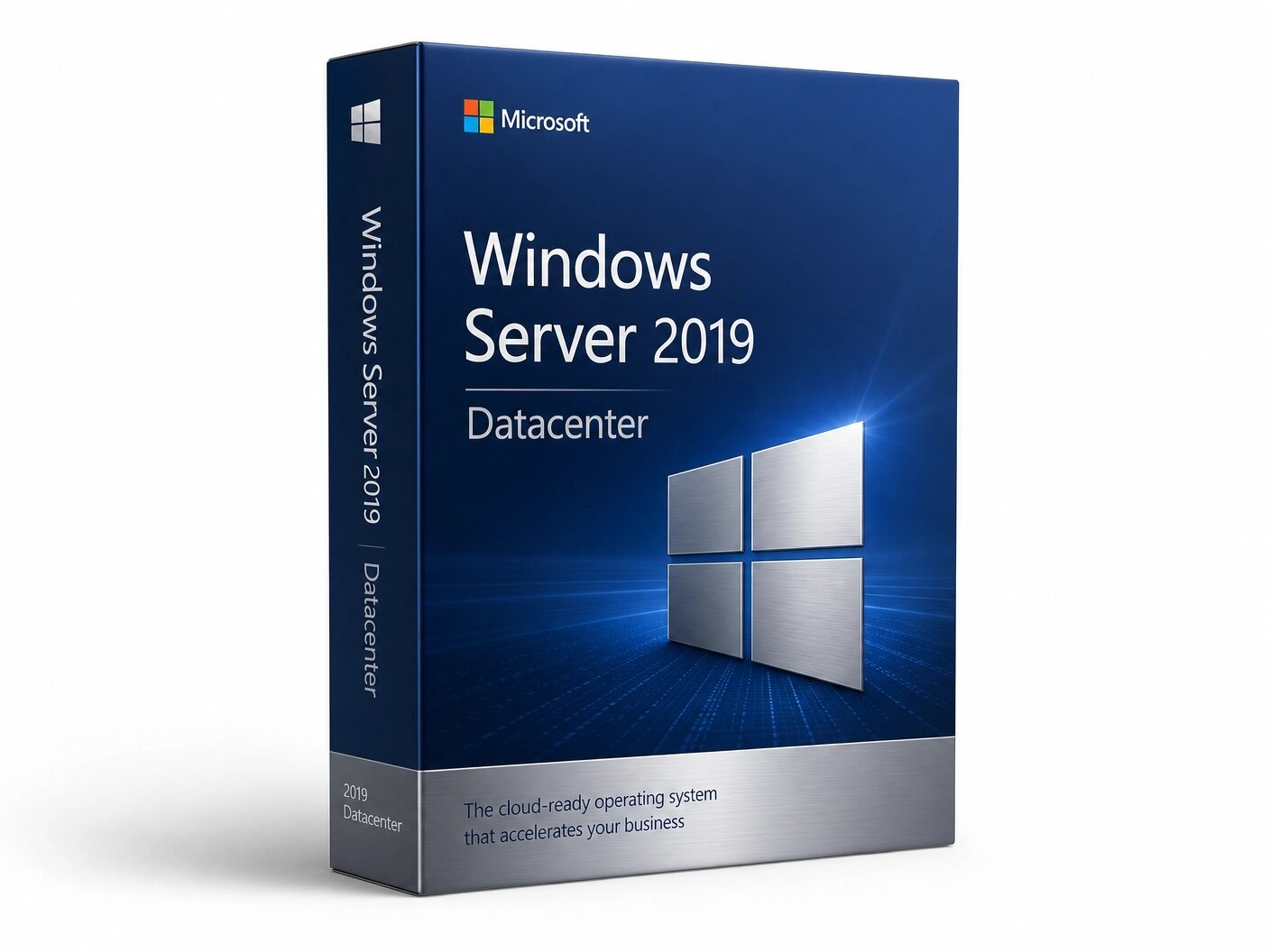
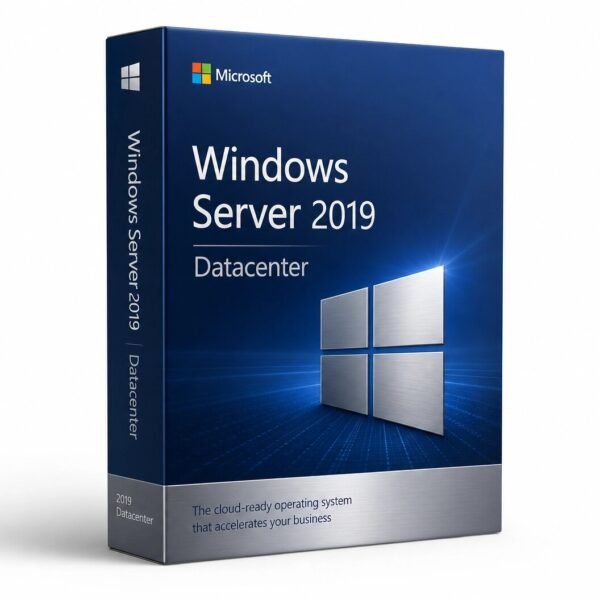
Microsoft Windows Server 2019 Datacenter
CAD $ 29.00
A genuine perpetual Microsoft license built for large-scale virtualization and private cloud environments with unlimited virtual machine rights.
- Includes software-defined datacenter features and advanced security
- Unlimited virtual machines ideal for high-performance enterprise infrastructure
- Full Microsoft licensing compliance for Windows Server 2019 Datacenter
- Delivery: License key sent by email within minutes
- Lifetime license one payment, forever
- Guarantee: 100% satisfaction & money-back guarantee
Genuine Microsoft license — activated on Microsoft’s own servers
- Instant delivery: your product key, official download link and step-by-step activation guide arrive by email within minutes of payment — 24/7, USA & Canada.
- Lifetime license: pay once, activate forever. No subscription, no renewal fees, no expiry.
- 100% genuine & legal: every key is sourced through authorized supply chains and verified before it reaches your inbox.
- Money-back guarantee: 30-day refund policy plus a lifetime activation warranty — if a key ever fails, we replace it free.
- Secure checkout: Visa, Mastercard, Apple Pay, Google Pay, PayPal and Interac e-Transfer.
- Real human support: licensing and activation help across North American time zones.
How it works: 1) Add to cart and pay securely → 2) Check your inbox for the key and download link → 3) Install and activate with the included guide. Need help? See our activation guides or contact us.
Windows Server 2019 Datacenter – Genuine Perpetual License Key
Buy Windows Server 2019 Datacenter | Fast Email Delivery | USA & Canada
Windows Server 2019 Datacenter is the premium edition of Microsoft’s enterprise server operating system and one of the most widely deployed server platforms in high-density virtualization, private cloud, and software-defined datacenter environments across North America today.
Built on the Long-Term Servicing Channel model, Windows Server 2019 Datacenter delivers unlimited virtualization rights, the complete software-defined datacenter feature set Storage Spaces Direct, Software-Defined Networking, Shielded Virtual Machines and the full Windows Server 2019 platform with the hybrid cloud integration, advanced security capabilities, and container support that the 2019 release introduced.
Windows Server 2019 Datacenter is the correct edition for any organization running high-density Hyper-V environments, hyperconverged infrastructure clusters, private cloud platforms, multi-tenant virtualized environments, or any deployment where the unlimited VM rights and software-defined datacenter capabilities of Datacenter are required or where VM density per physical server makes Datacenter more cost-effective than stacking Standard licenses.
The license key delivered by MMKeys is a genuine Microsoft Windows Server 2019 Datacenter perpetual license, delivered to your email inbox within minutes of purchase, backed by our lifetime warranty and money-back guarantee.
What Is Windows Server 2019 Datacenter?
Windows Server 2019 Datacenter is the edition of Windows Server 2019 designed for organizations that operate at datacenter scale running large numbers of virtual machines on each physical host, building hyperconverged infrastructure using Storage Spaces Direct, deploying software-defined networks with the SDN stack, or running multi-tenant virtualized environments where Shielded VMs are required to protect tenant workloads from host administrator access.
Where Windows Server 2019 Standard limits each physical server license to two virtual machine instances and does not include the software-defined datacenter capabilities, Datacenter removes the VM ceiling entirely and adds the full set of capabilities that modern private cloud and hyperconverged infrastructure deployments require.
A single Datacenter license covers unlimited virtual machine instances on a licensed physical server, making it the economically correct and operationally necessary edition for hypervisor hosts and private cloud infrastructure where VM density per physical server exceeds the threshold at which stacking Standard licenses becomes more expensive than a single Datacenter license.
Windows Server 2019 Datacenter shares the same kernel, the same server roles, the same security architecture, the same container support, and the same Azure hybrid integration as the Standard edition. The differences are not in the operating system features they are in the scale, density, and software-defined infrastructure capabilities that Datacenter unlocks on top of the complete Windows Server 2019 foundation.
Windows Server 2019 is an LTSC release with extended support running through January 2029. It remains a fully supported, actively patched, production-ready platform a valid and cost-effective deployment target for organizations running established Datacenter-edition workloads and infrastructure that has been validated on Windows Server 2019, and for organizations that need a stable, long-lifecycle server platform with predictable support timelines through the end of this decade.
What Is New in Windows Server 2019 Datacenter
Windows Server 2019 Datacenter delivers every improvement introduced in the 2019 release the same advances available in Standard plus the Datacenter-exclusive capabilities that define the premium edition.
Unlimited Virtualization Rights
The foundational Datacenter advantage is unlimited virtual machine rights on each licensed physical server. A single Windows Server 2019 Datacenter license covers the Hyper-V host operating system and any number of virtual machine instances running on that physical server no VM count ceiling, no per-VM licensing calculation, no stacking of additional licenses as VM density increases. For hypervisor hosts running dozens or hundreds of virtual machines, Datacenter is both the operationally simpler and economically superior licensing choice compared to Standard stacking.
Storage Spaces Direct Software-Defined Hyperconverged Storage
Storage Spaces Direct is the most significant Datacenter-exclusive capability in Windows Server 2019 and the technology that enables Microsoft’s hyperconverged infrastructure model on Windows Server. S2D pools the local NVMe, SSD, and HDD drives installed across a cluster of Windows Server 2019 Datacenter nodes into a shared, fault-tolerant software-defined storage layer without requiring a dedicated storage array, SAN fabric, or shared storage hardware of any kind.
Windows Server 2019 brings meaningful S2D improvements over Windows Server 2016. Persistent memory support enables PMEM devices to be used as an ultra-low-latency cache tier in Storage Spaces Direct clusters, delivering storage latency that approaches DRAM speeds for workloads that can take advantage of it.
Deduplication and compression are now supported on ReFS volumes used by Storage Spaces Direct, enabling significant storage efficiency for virtualization workloads with common data blocks across VMs. The two-node S2D cluster configuration is improved and officially supported for branch office and small-site hyperconverged deployments, making hyperconverged infrastructure accessible at smaller scales than the four-node minimum previously recommended. Storage Spaces Direct integrates natively with Failover Clustering and Hyper-V, forming the foundation of Microsoft’s Azure Stack HCI and on-premises private cloud infrastructure model.
Software-Defined Networking
The complete Software-Defined Networking stack exclusive to Datacenter enables programmatic virtual network management at datacenter scale. Network Controller provides centralized SDN policy management and the programmatic control plane for virtual networks, load balancers, and gateways. Software Load Balancer distributes east-west and north-south traffic within the datacenter and provides NAT services for workloads running in virtual networks. RAS Gateway provides BGP-based routing, site-to-site VPN termination, and GRE tunneling for connecting virtual networks to external networks and remote sites.
Windows Server 2019 improves the SDN stack with encrypted virtual networks traffic between virtual machines on SDN virtual networks can be encrypted at the virtualization layer without requiring changes to the VMs themselves or the applications running in them and with improvements to the SDN management experience in Windows Admin Center that make SDN infrastructure more accessible to organizations that do not have dedicated SDN engineering teams.
Shielded Virtual Machines
Shielded VMs exclusive to Datacenter provide cryptographic protection for virtual machine workloads against access by host administrators, compromised hypervisor infrastructure, and storage-layer inspection. Each Shielded VM runs with its state encrypted and its runtime memory protected in a way that prevents the host OS, hypervisor administrator, or storage administrator from accessing the VM’s data or runtime state without the VM owner’s authorization.
Windows Server 2019 extends Shielded VM support to Linux guest operating systems, enabling hardware-protected VM encryption for Linux workloads running under Hyper-V alongside Windows Shielded VMs. This is a significant expansion of the Shielded VM capability, as many enterprise environments run mixed Windows and Linux VM estates, and the ability to shield Linux VMs on the same Hyper-V infrastructure that shields Windows VMs eliminates the need for separate host infrastructure or separate protection mechanisms for Linux workloads.
Failover Clustering for High Availability
Failover Clustering in Windows Server 2019 Datacenter provides high-availability infrastructure for Hyper-V VM workloads, SQL Server Failover Cluster Instances, Scale-Out File Servers, and other clustered application roles automatically restarting workloads on surviving cluster nodes when a node failure is detected, protecting against unplanned downtime for mission-critical workloads. Cluster-Aware Updating enables rolling patch deployment across cluster nodes without taking workloads offline, maintaining availability during planned maintenance events.
Windows Server 2019 improves Failover Clustering with cluster sets a new technology that federates multiple Failover Clusters into a unified management namespace, enabling VM workload mobility across cluster boundaries without requiring all clusters to share the same storage or be in the same fault domain. Cluster sets make it possible to build large-scale private cloud infrastructure from multiple independent clusters while managing them as a cohesive unit and enabling workload migration across cluster boundaries for maintenance and workload balancing.
Storage Replica
Storage Replica in Windows Server 2019 Datacenter provides block-level synchronous and asynchronous replication between servers and sites for disaster recovery replicating storage volumes between a production server and a disaster recovery server so that a complete, consistent copy of the production data is maintained at the DR site. Storage Replica can also be used for cluster-to-cluster replication between production and DR clusters, and for stretch cluster configurations where a single Failover Cluster spans two geographically separated sites with synchronous replication between them.
Windows Server 2019 improves Storage Replica with log and performance improvements that enhance replication throughput on busy storage workloads, and with test failover capability that enables administrators to mount the replicated volume on the DR server for testing without interrupting active replication a significant operational improvement for organizations that need to regularly test their DR procedures without impacting production.
Hyper-V Improvements
Hyper-V in Windows Server 2019 Datacenter delivers improvements that matter for high-density virtualization environments. Encrypted virtual networks allow VM-to-VM traffic on the same Hyper-V host or across hosts in the same cluster to be encrypted at the virtualization layer without requiring application or VM changes. Linux Secure Boot support is improved, enabling a wider range of Linux distributions to run as Shielded VMs with Secure Boot validation. Hyper-V performance improvements in the 2019 release benefit high-density VM workloads with reduced overhead for common virtualization operations.
Windows Defender ATP and Advanced Security
Windows Server 2019 Datacenter includes the same Windows Defender Advanced Threat Protection integration, Credential Guard support, and Application Control capabilities as Standard providing endpoint detection and response, behavioral analysis, kernel-level exploit protection, and application execution control for Datacenter hosts and the VMs they run. For hypervisor hosts and private cloud infrastructure, these security capabilities protect the management operating system and the Hyper-V host from attacks that could compromise the entire virtualized environment running on that physical server.
Azure Hybrid Integration at Datacenter Scale
Windows Admin Center in Windows Server 2019 Datacenter provides native integration with Azure services for on-premises Datacenter infrastructure Azure Backup for protecting VM workloads and server data to Azure, Azure Site Recovery for replicating Hyper-V VMs to Azure as a cloud-hosted disaster recovery target, Azure Monitor for centralized monitoring of Datacenter hosts and clusters, and Azure Security Center for security posture visibility across the on-premises datacenter infrastructure. These integrations make Azure a natural extension of on-premises Datacenter deployments without requiring workload migration to the cloud.
Container Support
Windows Server 2019 Datacenter delivers full Windows container support including Kubernetes orchestration for Windows container workloads, significantly reduced container base image sizes compared to Windows Server 2016, and improved compatibility between Windows containers and Linux containers in mixed environments. For Datacenter deployments that run containerized workloads alongside traditional VM workloads on the same Hyper-V hosts, Windows Server 2019 Datacenter provides the platform for both workload types on a single infrastructure.
Windows Server 2019 Datacenter vs. Standard — What Is the Difference?
Windows Server 2019 Datacenter and Standard share the same core operating system the same kernel, the same server roles, the same security features, the same Hyper-V capabilities, the same container support, and the same Azure hybrid integration. The differences are exclusively in virtualization rights and software-defined datacenter capabilities.
Standard includes rights to run up to two virtual machine instances per licensed physical server plus one Hyper-V host OS instance. To run more than two VMs on a Standard-licensed physical server, additional Standard licenses must be stacked each additional pack covering two more VM instances. Standard does not include Storage Spaces Direct for cluster-wide software-defined storage, the full SDN stack, or Shielded VMs.
Datacenter provides unlimited virtualization rights on each licensed physical server and adds Storage Spaces Direct, Software-Defined Networking, Shielded VMs, and the complete high-availability and software-defined datacenter feature set.
The selection rule is straightforward: if a physical server will run more than approximately eight virtual machines, Datacenter is typically more cost-effective than stacking Standard licenses. For hyperconverged infrastructure, private cloud platforms, multi-tenant environments requiring Shielded VMs, or any deployment where Software-Defined Networking or Storage Spaces Direct is required, Datacenter is the necessary edition regardless of VM count.
Licensing — Core-Based Model Explained
Windows Server 2019 Datacenter uses the same core-based licensing model as the Standard edition. Every physical core in the server must be licensed. The minimum licensing requirement is 16 cores per server or 8 cores per physical processor, whichever is greater. Core licenses are sold in 2-core packs and 16-core packs.
A server with 16 physical cores requires one 16-core pack of Windows Server 2019 Datacenter. A server with 24 physical cores requires one 16-core pack plus four 2-core packs. A server with 32 physical cores requires two 16-core packs. Every physical core must be licensed partial core licensing is not permitted.
The Datacenter license covers the physical host server and an unlimited number of virtual machine instances running on that licensed server. No additional Windows Server Datacenter licenses are required for the VMs hosted on a fully licensed physical server the unlimited VM right is included in the single Datacenter license per physical server.
Client Access Licenses are required for every user or device accessing the server’s services. Windows Server 2019 User CALs or Device CALs are required separately from the server OS license. Remote Desktop Services deployments require additional RDS CALs beyond the base CALs and must be budgeted separately.
Who Is Windows Server 2019 Datacenter For?
High-density Hyper-V environments organizations running eight or more virtual machines on each physical server, private cloud hypervisor hosts, consolidated server virtualization environments, and internal hosting platforms where the unlimited VM rights of Datacenter eliminate the per-VM licensing overhead of stacking Standard licenses.
Hyperconverged infrastructure deployments organizations building hyperconverged clusters using Storage Spaces Direct, where compute, storage, and networking are co-located on the same cluster nodes using local NVMe or SSD drives pooled into a software-defined storage layer. Storage Spaces Direct requires Datacenter, and HCI deployments using Windows Server 2019 Datacenter with S2D deliver private cloud infrastructure on commodity server hardware without dedicated storage arrays.
Multi-tenant and hosted environments managed service providers, hosting organizations, and IT departments running shared virtualized infrastructure for multiple business units or tenants where Shielded VMs are required to cryptographically protect tenant VM workloads from host infrastructure operators — a compliance and security requirement in regulated industries and multi-tenant environments exclusively available in Datacenter.
High-availability workload infrastructure organizations deploying Failover Clustering for mission-critical Hyper-V VM workloads, SQL Server Failover Cluster Instances, Scale-Out File Servers, and other clustered roles where unplanned downtime is unacceptable and Failover Clustering on Hyper-V hosts with more than two VM instances requires Datacenter.
Disaster recovery infrastructure organizations using Storage Replica for block-level replication between production and DR sites, or using Azure Site Recovery to replicate Hyper-V VMs from Windows Server 2019 Datacenter hosts to Azure as a cloud-hosted disaster recovery target, where Datacenter provides the replication capabilities and unlimited VM rights required for comprehensive DR coverage.
Software-defined networking environments enterprises and service providers operating large-scale virtualized network environments where the SDN stack Network Controller, Software Load Balancer, RAS Gateway, and encrypted virtual networks is required for programmatic network management, multi-tenant network isolation, or automated network policy enforcement at datacenter scale.
Organizations upgrading from Windows Server 2016 Datacenter IT departments whose Windows Server 2016 Datacenter servers are due for refresh or upgrade, who want the Storage Spaces Direct improvements, Linux Shielded VM support, cluster sets, Storage Replica test failover, and SDN encrypted networks of Windows Server 2019 without changing their edition or licensing model.
Regulated industries with validated infrastructure healthcare, pharmaceutical, financial services, and other regulated industries where Windows Server 2019 Datacenter is the validated and certified platform for the current validation period, and where the validated environment must remain on the validated OS version through the duration of the validation lifecycle.
Key Details at a Glance
- Edition: Datacenter unlimited VMs per licensed physical server
- Licensing model: Core-based minimum 16 cores per server; all physical cores must be licensed
- CAL requirement: Windows Server 2019 User CALs or Device CALs required for every user or device accessing the server purchased separately
- RDS CALs: Required additionally for Remote Desktop Services deployments purchased separately
- Installation options: Server Core (no GUI, recommended for production) or Desktop Experience (full GUI)
- Support lifecycle: Mainstream support ended January 2024; extended support through January 2029
- Release date: Generally available October 2, 2018
- Activation method: KMS, AVMA, or MAK volume activation
- Datacenter-exclusive capabilities: Unlimited VMs, Storage Spaces Direct, Software-Defined Networking, Shielded VMs (Windows and Linux), Failover Clustering for Hyper-V HA, Storage Replica, cluster sets
- Key platform capabilities: Windows Defender ATP, Credential Guard, Application Control, Storage Migration Service, Hyper-V with encrypted networks, Windows containers with Kubernetes, HTTP/2 in IIS, Azure hybrid integration via Windows Admin Center, Azure Backup, Azure Site Recovery, Azure Monitor
- Delivery: Genuine Microsoft license key sent by email within minutes of purchase
- Warranty: Lifetime warranty and money-back guarantee
How to Install and Activate Windows Server 2019 Datacenter
Step 1 — Receive your license key. After purchase at MMKeys, your Windows Server 2019 Datacenter license key arrives in your email inbox within minutes of payment confirmation. Check your spam folder if it does not appear in your primary inbox.
Step 2 — Download the installation media. Download the Windows Server 2019 ISO from Microsoft’s official Evaluation Center or your Microsoft volume licensing portal, or use installation media provided by your hardware vendor. The same installation media is used for both Standard and Datacenter — the product key entered during setup determines the edition installed.
Step 3 — Boot from the installation media. Follow the Windows Server setup process. When prompted to select an edition, choose Windows Server 2019 Datacenter or Windows Server 2019 Datacenter (Desktop Experience) depending on your installation preference. Server Core is recommended for Hyper-V hosts and production server roles managed remotely.
Step 4 — Enter your product key. When prompted for a product key during setup or after first boot, enter your 25-character Windows Server 2019 Datacenter key.
Step 5 — Activate. Activation completes online through Microsoft’s activation servers. For environments without internet access, telephone activation is available. For volume deployments, Key Management Service or Multiple Activation Key activation can be configured through your volume licensing infrastructure.
Full step-by-step installation and activation instructions are included with every MMKeys order. Our support team is available 24 hours a day, 7 days a week if you need assistance at any stage.
Minimum System Requirements for Windows Server 2019 Datacenter
- Processor: 1.4 GHz 64-bit processor x64 architecture required; 32-bit is not supported
- RAM: 512 MB for Server Core minimum; 2 GB for Desktop Experience minimum production deployments and Hyper-V hosts should significantly exceed minimums based on VM workload requirements
- Storage: 32 GB minimum production deployments and Hyper-V hosts require significantly more based on VM disk storage, Storage Spaces Direct drive configurations, and data volumes
- Network: Gigabit Ethernet minimum 10 GbE or 25 GbE strongly recommended for Storage Spaces Direct clusters and high-density Hyper-V environments; RDMA-capable adapters recommended for S2D inter-node storage traffic
- Firmware: UEFI 2.3.1c-compliant firmware and Secure Boot recommended; TPM 1.2 or TPM 2.0 required for Shielded VMs and Credential Guard
- Storage Spaces Direct: Minimum 2 nodes for branch office configurations; 4 nodes recommended for production HCI clusters; NVMe or SSD drives for cache tier; supported RDMA-capable network adapters recommended
Production server hardware should substantially exceed the minimum requirements. For Hyper-V hosts, Microsoft recommends ECC RAM sized to accommodate the full VM working set, NVMe storage for VM disk I/O, and hardware that supports TPM and Secure Boot for Shielded VM and Credential Guard functionality.
Is this a genuine Windows Server 2019 Datacenter license?
Yes. Every key sold by MMKeys is an authentic Microsoft product license. There are no shared keys, workarounds, or grey-market codes of any kind. Your Windows Server 2019 Datacenter key activates directly through Microsoft's official activation servers.
Is Windows Server 2019 Datacenter still supported?
Yes. Windows Server 2019 is in its extended support phase with extended support running through January 12, 2029. Extended support includes security updates and critical fixes — Microsoft continues to actively patch Windows Server 2019 for security vulnerabilities through the extended support period. It is a fully valid and actively maintained deployment platform today.
How many VMs can I run on a Datacenter license?
Unlimited. Windows Server 2019 Datacenter provides unlimited virtualization rights on a licensed physical server you can run as many virtual machine instances as your hardware supports. No additional Windows Server Datacenter licenses are required for the VMs hosted on a fully licensed physical server.
Do I need to buy CALs separately?
Yes. The license key from MMKeys covers the Windows Server 2019 Datacenter operating system. Client Access Licenses are required separately for every user or device accessing the server. Windows Server 2019 User CALs and Device CALs are available at MMKeys. CALs are a legal requirement enforced during Microsoft audits even though the server OS does not technically check for them during operation.
What is the difference between Datacenter and Standard?
Same operating system, same features, same roles. Datacenter provides unlimited VM rights per licensed physical server and includes Storage Spaces Direct, Software-Defined Networking, Shielded VMs, and Failover Clustering for Hyper-V high availability. Standard provides 2 VM rights per physical server license and does not include those software-defined datacenter capabilities. Choose Datacenter when VM density or software-defined datacenter features require it.
Does Datacenter require Azure Arc or an Azure subscription?
No. Windows Server 2019 Datacenter is a fully on-premises perpetual license. Azure hybrid integration through Windows Admin Center is available and valuable, but entirely optional. Datacenter can be deployed and operated completely on local hardware without any Azure subscription or cloud connectivity. Azure integration is opt-in and does not affect the core functionality of the license.
Can I upgrade from Windows Server 2019 Datacenter to Windows Server 2022 or 2025 in place?
Yes. In-place upgrade from Windows Server 2019 Datacenter to Windows Server 2022 Datacenter is supported. In-place upgrade to Windows Server 2025 Datacenter is also supported. Microsoft recommends testing in a non-production environment before upgrading production servers, particularly for Hyper-V hosts and Storage Spaces Direct clusters.
Are Windows Server 2016 CALs valid for Windows Server 2019?
No. CALs are version-specific. Windows Server 2016 User or Device CALs do not satisfy the CAL requirement for users or devices accessing a Windows Server 2019 Datacenter server. Windows Server 2019 CALs must be purchased. Windows Server 2019 CALs are backward-compatible and can be used for access to Windows Server 2016 and older versions.
Does Datacenter support Hyper-V Failover Clustering?
Yes. Failover Clustering for Hyper-V high-availability VM workloads is supported in the Datacenter edition. Cluster nodes running Windows Server 2019 Datacenter support live migration, Cluster-Aware Updating, and integration with Storage Spaces Direct for hyperconverged cluster configurations.
How soon will I receive my key after purchase?
Most MMKeys orders are delivered within minutes of payment confirmation, 24 hours a day, 7 days a week. Your email includes the license key and activation instructions.
What if my key does not activate?
Contact MMKeys support at any time. Every license sold by MMKeys is backed by our lifetime warranty and money-back guarantee. If your key does not activate for any reason, we will resolve the issue or provide a replacement at no cost. CONTACT US
You May Be Interested In…


Reviews
There are no reviews yet