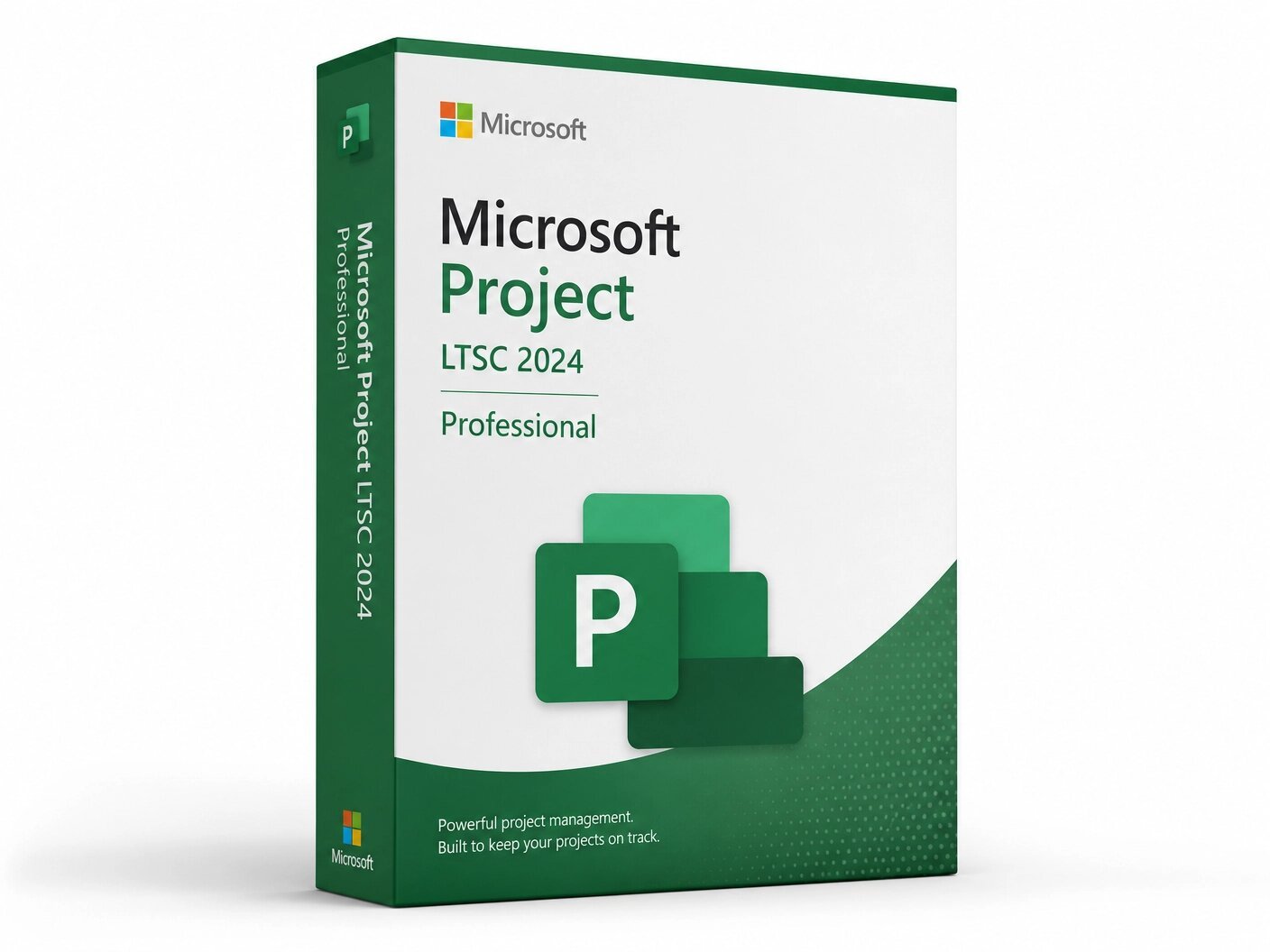
A genuine perpetual Microsoft license for advanced project management, scheduling, and resource planning on one Windows PC.
Currency:
You'll receive your license key, an official Microsoft download link, and a 1-page activation guide.
Direct Microsoft activation
Email in under 5 minutes
Real humans, any time zone
Full money-back guarantee
Microsoft Project LTSC 2024 Professional is Microsoft’s most capable perpetual desktop project management application, built for project managers, program directors, and organizations that need professional-grade planning, scheduling, and resource management tools without the cost and complexity of a cloud subscription. For organizations that have managed projects with Microsoft Project for years, this is the latest version refined, faster, and better integrated with the modern Microsoft ecosystem, delivered as a one-time purchase that you own permanently.
LTSC stands for Long-Term Servicing Channel. It is the version of Microsoft Project that Microsoft builds specifically for organizations that value stability over continuous updates regulated industries, government agencies, enterprises with controlled IT environments, and professionals who want software that behaves consistently, receives security patches without disruptive feature changes, and does not require a persistent internet connection or Microsoft account to function day to day. You install it once, activate it once, and it works on your PC for the life of the machine without subscription interruptions, forced feature rollouts, or licence renewal conversations.
This is a perpetual, one-time purchase. Pay once and own it permanently on one Windows PC no subscription, no monthly fees, no annual renewal, no expiry. Your genuine Microsoft Project LTSC 2024 Professional license key is delivered to your email within minutes of purchase and activates through Microsoft’s official volume activation servers.
Important: Microsoft Project LTSC 2024 Professional is a Windows-only application. It is not compatible with macOS, Android, or Chromebook. Activation uses volume licensing and does not require or support Microsoft account activation it activates by phone or via the Office Deployment Tool.
Microsoft Project is the industry-standard desktop application for project planning and management. It has been the tool that professional project managers reach for when the complexity of their work exceeds what spreadsheets and task management apps can handle when you need Gantt charts with real dependency logic, resource management across multiple team members, baseline tracking to measure schedule variance, earned value analysis, and the ability to manage a project with hundreds of tasks across multiple phases and stakeholders.
The LTSC 2024 Professional edition is the latest perpetual release, succeeding Project 2021 and bringing performance improvements, a refined interface, enhanced timeline views, better integration with the Office 2024 LTSC suite, and updated reporting tools all in the stable, offline-capable, subscription-free format that enterprise and regulated-environment deployments require.
Project LTSC 2024 Professional sits above the Standard edition. Where Standard covers the core planning and scheduling workflow for straightforward project management, Professional adds the features that matter for organizations managing resource-heavy, multi-project, or enterprise-scale workloads primarily the ability to connect to Microsoft Project Server and Project Online for centralized, organization-wide project portfolio management, and the full suite of resource management and team collaboration tools that come with that integration.
Gantt Chart and Task Scheduling The Gantt chart is the core of Microsoft Project and the reason project managers choose it over lighter tools. Project LTSC 2024 Professional delivers a fully interactive Gantt view where tasks, durations, dependencies, milestones, and deadlines are visualized on a timeline that updates automatically as you adjust the schedule. Define finish-to-start, start-to-start, finish-to-finish, and start-to-finish dependencies between tasks, set lead and lag times, and let the scheduling engine recalculate downstream dates automatically when anything changes upstream. For projects with complex dependency chains where slipping one task has cascading effects on five others — the automatic scheduling engine in Microsoft Project does in seconds what would take hours to recalculate manually in a spreadsheet.
Multiple Timeline Views Project LTSC 2024 Professional supports multiple simultaneous timeline bars in the Timeline view, allowing you to create executive-level summary timelines alongside detailed working timelines in the same project file. Pin key milestones and phases to a summary bar for stakeholder presentations, while maintaining the full task-level detail in the Gantt chart and detailed timeline below. The 2024 version brings improved interaction and rendering to the timeline view, making it faster to build and easier to export for inclusion in PowerPoint presentations and Word reports.
Resource Management Assign human resources, equipment, and materials to tasks, define each resource’s availability calendar and maximum capacity, and let Project calculate resource utilization across the entire project schedule. The Resource Sheet gives you a central view of every resource in your project their standard and overtime rates, their availability, and their current allocation.
The Resource Usage view breaks down exactly how many hours each resource is assigned to each task on each day of the project, making over-allocation visible at a glance. The Resource Leveling tool automatically adjusts the schedule to resolve over-allocations, either by delaying tasks within their available float or by extending the project end date whichever constraint your project parameters allow.
Task Path Highlighting In complex projects with dense Gantt charts, understanding which tasks are driving the schedule and which are affected by a particular task’s delays requires tracing dependency chains through potentially hundreds of rows.
Task Path highlighting solves this by color-coding the predecessor chain, successor chain, driving predecessors, and driven successors of any selected task directly on the Gantt chart. Select a task and immediately see every task that feeds into it and every task that depends on it, highlighted in distinct colors across the full chart. For large projects where understanding the critical path and near-critical paths requires more than simply displaying the critical path in red, Task Path is a significant productivity tool.
Baseline Tracking and Earned Value Analysis Set a project baseline at the point of project approval a snapshot of the planned schedule, costs, and scope and then track actual progress against it throughout the project lifecycle. Project LTSC 2024 Professional displays baseline versus actual start dates, finish dates, durations, and costs side by side, making schedule and cost variance immediately visible.
For organizations using earned value management, Project calculates the full suite of EVM metrics Planned Value, Earned Value, Actual Cost, Schedule Variance, Cost Variance, Schedule Performance Index, and Cost Performance Index from your task progress data, giving project managers and PMOs the quantitative performance data they need for formal project reporting and forecasting.
Built-In Reporting Generate professional project reports directly from your project data without exporting to Excel or building separate presentations. Project LTSC 2024 Professional includes a library of pre-built visual reports project overview, burndown charts, cost overview, resource overview, upcoming tasks, and more each formatted as a dashboard with charts, tables, and summary statistics drawn live from your project data.
The 2024 version brings faster report generation and additional template options compared to Project 2021. Every report is customizable: adjust the date range, filter by resource or task group, add or remove data fields, and modify the visual layout. Reports can be exported to PDF or copied directly into PowerPoint for stakeholder presentations.
Project Server and Project Online Integration This is the capability that distinguishes Project LTSC 2024 Professional from Project Standard. Professional includes the connectors and collaboration features needed to work with Microsoft Project Server (on-premises) and Project Online (cloud-based), which are Microsoft’s centralized project portfolio management platforms for organizations managing multiple projects across multiple teams simultaneously.
When connected to Project Server or Project Online, project managers publish their schedules to a central repository, team members receive and update their task assignments through a web browser without needing Project installed locally, portfolio managers get visibility across all active projects in a single dashboard, and resource managers can allocate and balance resources across projects organization-wide. For organizations running a PMO or managing a project portfolio of any meaningful scale, this integration is the reason to choose Professional over Standard.
Integration with Microsoft 365 and Office LTSC 2024 Project LTSC 2024 Professional integrates directly with the Microsoft productivity suite. Copy and paste project data to and from Excel while preserving formatting and structure. Link project milestones to Outlook tasks and calendar appointments. Embed project timelines and Gantt snapshots in Word reports and PowerPoint presentations. Share project files through SharePoint document libraries for team access. The 2024 version improves integration with the Office LTSC 2024 suite specifically, with better compatibility between Project’s data formats and the updated Excel and Word file formats in Office 2024 LTSC.
Advanced Scheduling Engine Microsoft Project’s scheduling engine has been the gold standard for deterministic project scheduling for decades. In the 2024 version it is faster and handles larger projects more tasks, more resources, more dependencies with improved performance compared to Project 2021.
The engine supports both automatically scheduled tasks, where Project calculates dates based on dependencies and resource availability, and manually scheduled tasks, where the project manager controls dates directly regardless of dependency logic. This hybrid approach lets project managers use automatic scheduling for the bulk of the project while maintaining direct control over fixed commitments, contractual milestones, and external dependencies that cannot move regardless of what the scheduling engine calculates.
Custom Fields, Formulas, and Graphical Indicators Extend the standard task and resource fields with custom fields tailored to your organization’s reporting requirements. Define custom text fields for project codes, department names, or status categories.
Create custom number and cost fields calculated from formulas that combine other fields. Add graphical indicators colored traffic lights, arrows, flags that display automatically based on field values, turning your Gantt chart into a visual status dashboard without manual formatting. Custom fields and indicators can be saved as part of a project template, so your organizational standards apply consistently across every new project created from that template.
LTSC Stability No Disruptive Feature Updates The Long-Term Servicing Channel designation means that Microsoft Project LTSC 2024 Professional receives security updates through its support lifecycle but does not receive the continuous feature updates that Microsoft 365 Apps subscribers receive.
For organizations where software stability, predictability, and compliance with IT change management processes are priorities, this is an advantage, not a limitation. The version of Project you deploy today will behave identically six months from now, two years from now, and at the end of the support cycle in 2029 no interface changes that require retraining, no feature additions that affect established workflows, no update-driven behaviour changes that require re-validation in regulated environments.
Offline Operation Once installed and activated, Microsoft Project LTSC 2024 Professional works fully without an internet connection. No Microsoft account is required for daily use. No cloud connection is needed to open, edit, save, or print project files. For project managers working in secure facilities, on-site at client locations with restricted network access, or simply in environments where cloud dependency is not acceptable, this offline capability is a fundamental requirement that Project LTSC meets and cloud-subscription alternatives cannot.
Microsoft Project LTSC 2024 Professional is the right tool for project managers and organizations whose planning requirements have outgrown spreadsheets and task management apps, and who need the depth and stability of a professional desktop scheduling application without a recurring subscription.
Project managers in construction, engineering, manufacturing, and infrastructure who manage projects with complex task dependencies, resource constraints, and schedule risk, and who need a scheduling tool that applies proper dependency logic, calculates the critical path accurately, and tracks baseline variance throughout the project lifecycle.
Program management offices and portfolio managers in organizations running multiple simultaneous projects, where connecting Project Professional to Project Server or Project Online enables centralized portfolio visibility, cross-project resource management, and organization-wide reporting across all active projects.
IT project managers and technical program managers delivering software development, infrastructure, or digital transformation programs where project schedules involve multiple workstreams, external vendor dependencies, and formal milestone commitments to executive stakeholders.
Government agencies, defense contractors, regulated industries, and healthcare organizations where software stability, offline operation, and controlled update environments are compliance requirements rather than preferences, and where the LTSC designation specifically addresses IT governance and change management policies.
Professional services firms, consultancies, and agencies that bill project time, manage client deliverables against contractual schedules, and need formal project documentation baseline schedules, resource plans, earned value reports for client reporting and contract management.
Organizations transitioning from Project 2016 or Project 2019 who want to stay on the perpetual licensing model, maintain compatibility with Project Server, and take advantage of the performance improvements and updated features in the 2024 version without moving to a subscription.
Project Standard 2024 LTSC covers the core desktop project management workflow Gantt charts, task scheduling, dependency management, basic resource assignment, and reporting for a single project manager working independently on individual project files.
Project Professional 2024 LTSC adds the features required for team-based and enterprise project management: full integration with Microsoft Project Server and Project Online for centralized portfolio management, team member collaboration through the web-based task update workflow, resource management across multiple projects, and the complete set of enterprise resource pool capabilities.
If you are a solo project manager working on individual project files without any requirement to connect to a central project management platform, Standard is sufficient. If your organization runs a PMO, uses Project Server or Project Online, or needs project managers and team members to collaborate through a centralized system, Professional is the required edition.
Microsoft also offers Project through cloud subscription plans Project Plan 1, Plan 3, and Plan 5 delivered through a browser or as a Microsoft 365 Apps installation with continuous feature updates. The subscription plans include Project Online capabilities and, at the higher tiers, the full desktop application with regular feature updates.
Project LTSC 2024 Professional is the perpetual desktop application you pay once, own the license permanently, work offline, and receive security updates through October 2029 without feature changes.
It is the correct choice for organizations that need the full desktop Project application with Project Server integration, stable behaviour across the support lifecycle, and no recurring subscription cost. For organizations that prefer predictable one-time software spend over recurring subscription fees, or that cannot accept continuous feature updates in their environment, LTSC Professional is the appropriate product.
Step 1 — After purchase at MMKeys, your license key arrives in your email inbox within minutes. Check your spam folder if it does not appear in your primary inbox.
Step 2 — Download the Office Deployment Tool from Microsoft’s official site and create a configuration file that specifies ProjectPro2024Volume as the product ID and your language preference.
Step 3 — Run the setup command to download the Project LTSC 2024 Professional installation files directly from Microsoft’s Content Delivery Network to your local machine.
Step 4 — Run the configuration command to install Project LTSC 2024 Professional using your downloaded files. The installation will complete without requiring a Microsoft account or internet connection beyond the download step.
Step 5 — Activate using your 25-character product key via telephone activation or by entering the key through the volume activation workflow. Once activated, Project LTSC 2024 Professional runs fully offline with no further connection required.
Full step-by-step installation and activation instructions are included with every MMKeys order. Our support team is available 24 hours a day, 7 days a week if you need assistance at any stage.
Is this a genuine Microsoft Project LTSC 2024 Professional license? Yes. Every key sold by MMKeys is an authentic Microsoft volume license that activates through Microsoft’s official activation servers. There are no shared keys, workarounds, or grey-market codes of any kind.
What does LTSC mean? LTSC stands for Long-Term Servicing Channel. It is the Microsoft product designation for software versions that receive security updates only no feature updates throughout their support lifecycle. This makes LTSC the correct choice for organizations that need software stability, predictable behaviour, and compatibility with controlled IT environments. Project LTSC 2024 Professional receives security updates through October 2029.
Does Project LTSC 2024 Professional require a Microsoft account? No. This version uses volume licensing and activates by phone or via the Office Deployment Tool. A Microsoft account is not required for installation, activation, or daily use.
What is the difference between Project Professional and Project Standard? Standard covers the core desktop project management workflow for a single user working on individual project files. Professional adds full connectivity to Microsoft Project Server and Project Online for centralized enterprise portfolio management, team collaboration through web-based task updates, and organization-wide resource management across multiple projects. If you need Project Server or Project Online integration, Professional is required.
Is Microsoft Project included in Microsoft 365? No. Microsoft Project is not included in any Microsoft 365 or Office 365 subscription. It is always a separate purchase, whether as a perpetual LTSC license or as a standalone Project Plan subscription.
Does it work offline? Yes. Once installed and activated, Microsoft Project LTSC 2024 Professional works fully without an internet connection. Internet is required only for the initial software download and activation.
Can I open Project 2016 or 2019 files in Project LTSC 2024? Yes. Project LTSC 2024 Professional is fully backward compatible with project files created in all previous versions of Microsoft Project, including the MPP format used by Project 2016, 2019, and 2021.
Can I reinstall Project if I reformat my PC? Because this is a volume license activated by phone rather than tied to a Microsoft account, reinstallation on the same PC requires reactivation by phone. MMKeys support can assist with this process if needed.
How soon will I receive my key after purchase? Most MMKeys orders are delivered within minutes of payment confirmation, 24 hours a day, 7 days a week. Your email includes the license key and activation instructions.
What if my key does not activate? Contact MMKeys support at any time. Every license sold by MMKeys is backed by our lifetime warranty and money-back guarantee. If your key does not activate for any reason, we will resolve the issue or provide a replacement at no cost. CONTACT US
Sorry, no reviews match your current selections