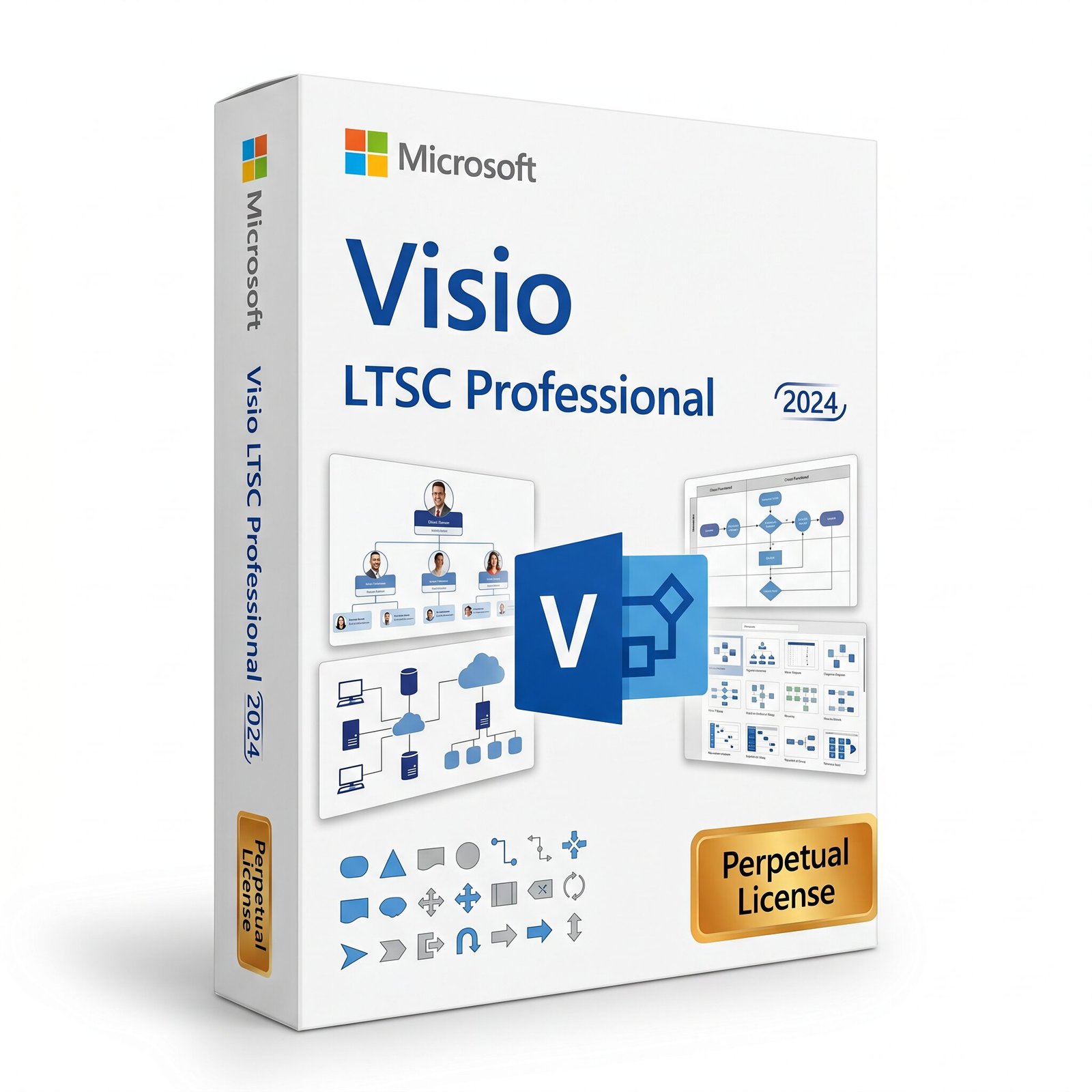
A genuine perpetual Microsoft license for professional diagramming, technical drawing, and process modeling on one Windows PC.
Currency:
You'll receive your license key, an official Microsoft download link, and a 1-page activation guide.
Direct Microsoft activation
Email in under 5 minutes
Real humans, any time zone
Full money-back guarantee
Microsoft Visio LTSC 2024 Professional is the most capable and current perpetual desktop edition of Microsoft’s industry-leading diagramming application, built for professionals, technical teams, and organizations that need to create, validate, and maintain complex diagrams across a wide range of disciplines from IT network architecture and cloud infrastructure to software modeling, business process documentation, engineering schematics, and organizational planning — in a locally installed, offline-capable application they own outright, without a subscription, without cloud dependency, and without ongoing licensing costs.
LTSC stands for Long-Term Servicing Channel. It is the version of Visio that Microsoft builds specifically for organizations that prioritize stability, predictability, and controlled IT environments over continuous feature updates.
Where subscription-based Visio plans receive incremental feature changes throughout their lifecycle, Visio LTSC 2024 Professional is a fixed, stable release that receives security patches through its support lifecycle without disruptive feature updates making it the right choice for regulated industries, government agencies, enterprises with formal IT change management processes, and professionals who need their diagramming software to behave consistently and predictably over years of use.
The Professional edition is distinguished from Visio LTSC 2024 Standard not by incremental polish but by a fundamentally different scope of capability.
Data-driven diagrams that link to live external data sources and update automatically, full BPMN 2.0 and UML 2.5 standards compliance with diagram validation, the complete engineering and technical stencil library, AutoCAD file import and export, sub-process linking for enterprise-scale process documentation, and the expanded cloud and software architecture shape libraries including over ten new Azure stencils, Kubernetes shapes, and Yourdon-Coad notations these are all exclusive to the Professional edition.
For technical professionals whose diagrams are a working artifact that communicates precise information to specific audiences under formal conventions, Professional is not the premium upgrade. It is the version that actually does the job.
This is a perpetual, one-time purchase. Pay once and own it permanently on one Windows PC no subscription, no monthly fees, no annual renewal, no expiry. Your genuine Microsoft Visio LTSC 2024 Professional license key is delivered to your email within minutes of purchase and activates through Microsoft’s official volume activation servers.
Important: Microsoft Visio LTSC 2024 Professional is a Windows-only application. It is not compatible with macOS. Activation uses volume licensing via phone or the Office Deployment Tool it does not use or require a personal Microsoft account. A work or school Microsoft 365 account is not required for daily use.
Microsoft Visio is the standard for professional diagramming in Windows environments. It is the application that IT architects use to document network topologies, that business analysts use to map BPMN processes, that software engineers use to produce UML models, that facilities managers use to build floor plans, that process engineers use to draw piping and instrumentation diagrams, and that HR and operations teams use to create and maintain organizational charts because it combines the depth of specialized shape libraries, the precision of standards-compliant diagram templates, and the practical utility of data connectivity in a single application that covers more diagramming disciplines than any alternative.
The LTSC 2024 Professional edition is the latest perpetual desktop release, succeeding Visio Professional 2021 with a modernized interface aligned with the Office 2024 visual language, expanded shape and stencil libraries including significant new content for cloud and software architecture, improved performance, better compatibility with current Windows and Office file formats, and a refined template library that covers a wider range of industry-specific diagram types than earlier versions all in the stable, offline-capable, volume-licensed format that enterprise and regulated-environment deployments require.
Comprehensive Shape and Stencil Library 500+ Stencils Visio LTSC 2024 Professional includes the most extensive shape library available in any perpeutally licensed version of Visio over 500 stencils covering every major diagramming discipline.
The 2024 Professional edition adds meaningfully to what was already the most comprehensive stencil set in the Visio lineup: more than ten new Azure stencil sets for documenting Microsoft Azure cloud architectures, Kubernetes shapes for containerized infrastructure diagrams, Yourdon-Coad notation symbols for structured analysis and data flow diagrams, and an expanded library of network and software shapes that reflect the realities of modern cloud-native and hybrid infrastructure.
These additions sit alongside the existing libraries for IT network diagrams, detailed network topology, LDAP and Active Directory, electrical and electronic engineering, piping and instrumentation, fluid power, industrial controls, circuits and logic, process flow, parts and assembly, floor plans, HVAC, plumbing, site plans, organizational charts, value stream mapping, Six Sigma, ITIL, and more. For technical professionals who have previously had to supplement Visio with third-party shape sets for cloud architecture or modern software modeling, the expanded 2024 library reduces or eliminates that dependency for the most common use cases.
BPMN 2.0 Business Process Modeling and Notation Business Process Model and Notation 2.0 is the international standard for documenting business processes in a way that is formally unambiguous understood consistently by business analysts, process owners, IT developers, and external auditors without interpretation.
Visio LTSC 2024 Professional includes full BPMN 2.0 support with a complete, standards-compliant shape library covering events, activities, gateways, sequence flows, message flows, pools, and lanes, and with built-in diagram validation that checks the completed diagram against the BPMN 2.0 specification and reports non-compliances before the document is published or shared.
For business analysts, process improvement teams, digital transformation programs, and organizations preparing for regulatory audit or ISO certification where process documentation must meet formal standards, the combination of BPMN 2.0 shapes and validation in Visio Professional is the feature set that makes the difference between a drawing tool and a process documentation platform.
UML 2.5 All 13 Diagram Types Visio LTSC 2024 Professional supports the full Unified Modeling Language 2.5 specification across all 13 defined diagram types: class diagrams, object diagrams, component diagrams, deployment diagrams, package diagrams, composite structure diagrams, use case diagrams, activity diagrams, state machine diagrams, sequence diagrams, communication diagrams, interaction overview diagrams, and timing diagrams.
Each diagram type is supported with a dedicated, standards-compliant shape library and template, and completed diagrams can be validated against the UML 2.5 specification to verify structural correctness. Visio Standard 2024 includes only a limited subset of UML diagram types.
For software architects, developers, and technical documentation teams producing UML models as part of software design, architecture review, or formal technical specification processes, the Professional edition’s full UML coverage is not optional it is the reason to buy Professional rather than Standard.
Data-Driven Diagrams and Data Graphics The most powerful and distinctive capability of Visio Professional over Standard is its ability to connect diagram shapes to live external data sources and render that data visually within the diagram itself.
In Visio LTSC 2024 Professional, shapes can be linked to data from Microsoft Excel spreadsheets, Microsoft Access databases, SQL Server databases, SharePoint lists, and other ODBC-compliant data sources. Once a shape is linked to a data record, it can display the associated data values as text labels, color-coded indicators, progress bars, or icon sets directly on the shape a feature called Data Graphics. The diagram then reflects the current state of the underlying data rather than a static snapshot.
A network diagram where each server shape is linked to a monitoring database can display current CPU utilization, uptime status, or alert state as color-coded indicators directly on each shape, turning the network topology diagram into a live operational dashboard. An organizational chart linked to an HR data source can show headcount, department budget, or role classification on each position box, updating automatically when the data changes. A facility floor plan linked to a space allocation spreadsheet can display occupancy status and department assignment for each room.
When the underlying data changes, diagrams linked to it can be refreshed in a single step, updating all shape labels, colors, and indicators simultaneously rather than requiring manual editing of each shape. For organizations where diagrams need to reflect current system state, project status, or operational data rather than serving as static documentation snapshots, data-driven diagrams are the capability that transforms Visio from a drawing tool into a living visual reporting platform.
AutoCAD File Import and Export Visio LTSC 2024 Professional supports bidirectional import and export of AutoCAD files in both .dwg and .dxf formats. Import an existing AutoCAD drawing into Visio to add annotations, overlays, data connectivity, or Visio-native shapes and diagrams on top of a CAD base drawing. Export a Visio diagram to AutoCAD format for use in CAD workflows, for delivery to clients or contractors who work in AutoCAD environments, or for integration with building information management systems that require AutoCAD format inputs.
For facilities managers, architects, engineers, and project managers who work at the intersection of Microsoft productivity tools and CAD workflows, AutoCAD import and export eliminates the manual redrawing and format conversion work that would otherwise be required every time a floor plan, site plan, or engineering drawing needs to move between the two environments. AutoCAD compatibility is exclusive to the Professional edition Visio Standard has no CAD import or export capability.
Sub-Process Linking In enterprise-scale process documentation, a single flat diagram quickly becomes unworkable. A process with fifty steps, multiple exception paths, and several sub-processes represented at the same level of detail in a single diagram is neither readable nor maintainable.
Sub-process linking in Visio LTSC 2024 Professional addresses this by allowing individual shapes in a parent diagram to be linked to separate child diagrams that document the sub-process at a deeper level of detail. A swimlane diagram showing a high-level order fulfillment process can contain a shape labeled “Credit Check” that, when clicked, opens the detailed Credit Check sub-process diagram showing every step, decision, and exception path within that activity.
The parent and child diagrams are linked and navigable, and the hierarchy of diagrams is managed within a single Visio file or across a set of related files. For process documentation at enterprise scale where a complete business process model may span dozens of diagrams at multiple levels of detail sub-process linking provides the structural foundation that makes that documentation navigable, maintainable, and fit for formal process governance.
Organizational Chart Automation Visio LTSC 2024 Professional includes the Organization Chart Wizard, which generates a complete, formatted organizational chart automatically from an external data source an Excel spreadsheet, a text file, or a directory service such as Active Directory or Azure Active Directory.
Specify the data source, map the columns to the relevant fields (name, title, reports-to, department), and the wizard builds the org chart hierarchy automatically, applying consistent formatting, positioning shapes across the page, and creating the connecting lines.
For organizations with hundreds or thousands of employees where building and maintaining an organizational chart manually is impractical, the automated generation from HR data sources dramatically reduces the time and error rate involved. The resulting chart can be refreshed from the same data source to reflect personnel changes, reorganizations, and role updates without rebuilding from scratch. Automated org chart generation from directory services is a Professional-only capability.
Pivot Diagrams Visio LTSC 2024 Professional includes the Pivot Diagram feature, which allows users to create interactive diagrams that display hierarchically organized data from an external source SharePoint lists, Excel, Access, SQL Server in a tree structure that can be expanded, collapsed, and filtered within the Visio diagram.
Pivot diagrams bridge the gap between the tabular data presentation of Excel pivot tables and the visual hierarchy of a Visio diagram, allowing users to explore and present layered data relationships visually rather than in rows and columns.
For users presenting organizational data, product hierarchies, geographic breakdowns, or project portfolio structures where the hierarchical relationship between data elements is as meaningful as the data values themselves, Pivot Diagrams provide a visualization capability that neither Excel nor standard Visio shapes deliver on their own.
Diagram Validation Visio LTSC 2024 Professional includes a diagram validation engine that checks completed diagrams against the rules of the notation they are built in and reports structural errors, missing required elements, and rule violations before the diagram is published or shared.
For BPMN 2.0 diagrams, validation checks that every process has a defined start and end, that gateway branches are correctly labeled, that message flows respect pool boundaries, and that the overall structure conforms to the specification. For UML diagrams, validation checks structural constraints appropriate to each diagram type.
For organizations where diagrams are formal deliverables submitted to clients, included in regulatory filings, used as requirements or design specifications validation provides the quality assurance step that catches errors before they reach the audience rather than after.
Extensive Technical Stencil Libraries for Engineering and IT Beyond the general-purpose and business-focused shape libraries shared with the Standard edition, Visio LTSC 2024 Professional includes the full set of specialized technical stencil libraries for engineering and IT disciplines:
basic electrical, piping and instrumentation, fluid power, industrial controls and systems, process flow, parts and assembly, circuits and logic, detailed network diagrams, rack diagrams, LDAP and Active Directory, Azure cloud architecture with the new 2024 Azure stencil additions, Amazon Web Services, Kubernetes infrastructure, software and database modeling, entity relationship diagrams, value stream mapping, Six Sigma, ITIL service management, TQM diagrams, EPC process chains, cause and effect diagrams, and fault tree analysis.
For technical professionals who need to produce diagrams in their specific discipline not generic shapes approximating the notation but correctly defined, standards-aligned symbols the Professional stencil library is the difference between producing diagrams that communicate precisely and producing diagrams that merely resemble the intended notation.
Modernized Interface Aligned with Office 2024 and Windows 11 Visio LTSC 2024 Professional launches with a refreshed, modernized interface that aligns with the visual language introduced across the Office 2024 suite and Windows 11 cleaner backgrounds, a refined ribbon, the translucency effects consistent with the Windows 11 design system, and a new search bar integrated into the title bar using Fluent Design principles that allows users to find shapes, templates, commands, and help content by typing plain language descriptions without navigating the ribbon or browsing the shape panel.
The interface update improves readability and reduces visual clutter compared to Visio 2021, making it easier to focus on diagram content during extended working sessions and producing cleaner screenshot and export output for inclusion in presentations and reports. Performance is also improved compared to Visio LTSC 2021 Professional, with faster canvas rendering on large, shape-dense diagrams and reduced load times on complex files with extensive data linkages.
Pre-Built Templates for Every Major Diagram Type Visio LTSC 2024 Professional includes a comprehensive template library that provides structured starting points for every major diagram category it supports each template pre-configured with the appropriate stencil sets, page settings, and layout guides for its diagram type.
New templates introduced in the 2024 version include additional infographic and pictogram templates, sticky note and brainstorming layouts, and expanded industry-specific templates reflecting updated versions of common standards. Starting from a template rather than a blank canvas eliminates the setup time involved in selecting the correct stencils, configuring page size and orientation, and establishing the layout conventions appropriate to the diagram type, reducing the time from opening Visio to working on substantive diagram content.
Integration with Microsoft Office and SharePoint Visio LTSC 2024 Professional integrates with the Microsoft Office suite for the practical workflow tasks that professionals use daily. Embed Visio diagrams in Word documents and PowerPoint presentations as linked or embedded objects that maintain their vector quality at any zoom level. Insert Visio diagram pages directly into Excel workbooks.
Export diagrams to PDF, SVG, PNG, JPEG, and other formats for distribution or inclusion in reports and specifications. The 2024 version improves compatibility between Visio’s file format and the current Office 2024 document formats, reducing the minor incompatibilities that sometimes arose between older Visio versions and more recent Office installations.
SharePoint integration allows Visio files to be stored and shared through SharePoint document libraries, with co-authoring capabilities available when diagrams are accessed through the Visio web app by users who have the appropriate Microsoft 365 subscription.
LTSC Stability Controlled Updates, No Feature Disruption The Long-Term Servicing Channel designation means that Visio LTSC 2024 Professional receives security patches through its support lifecycle but does not receive the continuous feature updates delivered to Microsoft 365 Apps subscribers. The version you deploy today will behave identically in two years and at the end of the support cycle in 2029.
There are no interface changes that require retraining, no feature additions that affect established diagramming workflows, and no update-driven behavior changes that need to be re-validated in controlled or regulated environments.
For IT departments managing software deployments under formal change management processes, for organizations in regulated industries where software versions must be approved and documented, and for individual professionals who simply need their tools to work predictably over a long period without the overhead of managing continuous updates, LTSC is a meaningful advantage rather than a limitation.
Offline Operation Once installed and activated, Visio LTSC 2024 Professional works fully without an internet connection. Data connectivity to external sources like Excel and SharePoint can be performed offline when the data files are locally available. No Microsoft account is required for daily use. For professionals working in secure facilities, on-site at client locations with restricted network access, in air-gapped environments, or simply in situations where cloud connectivity cannot be assumed, the offline capability of the LTSC desktop application is a fundamental requirement that cloud-based and browser-based diagramming alternatives cannot meet.
Microsoft Visio LTSC 2024 Professional is the right tool for technical professionals and organizations whose diagramming work is substantive, precise, and standards-governed where the quality and correctness of diagrams is a professional requirement rather than an aesthetic preference, and where the extended stencil libraries, data connectivity, standards compliance, and validation tools of the Professional edition are the capabilities that make the work possible.
IT architects, network engineers, and infrastructure teams documenting network topologies, server rack configurations, Active Directory structures, Azure cloud architectures, Kubernetes deployments, and hybrid infrastructure environments, where the Professional edition’s expanded network and cloud stencils including the new 2024 Azure and Kubernetes shape libraries provide the correctly defined symbols for every component in the architecture.
Business analysts, process improvement practitioners, and digital transformation teams producing BPMN 2.0 process models for process documentation, regulatory compliance, ISO certification, ERP configuration, and workflow automation projects, where formal BPMN 2.0 support with diagram validation is a requirement for the documentation to serve its intended purpose.
Software architects, developers, and technical documentation teams producing UML 2.5 models class diagrams, sequence diagrams, component diagrams, state machines, and the full range of structural and behavioral diagram types as part of software design, architecture review, and formal specification workflows, where the full 13-diagram UML 2.5 coverage in Professional is necessary and the limited UML subset in Standard is insufficient.
Facilities managers, architects, and project managers working with floor plans, building layouts, and space management diagrams who need AutoCAD file import and export to work with CAD-based drawings and deliver outputs in the formats that their colleagues, clients, and contractors require.
Process engineers, industrial engineers, and operations teams in manufacturing, energy, and chemical industries creating piping and instrumentation diagrams, process flow diagrams, electrical schematics, and other engineering drawings where Visio Professional’s specialized engineering stencil libraries provide the correct notation for each discipline.
Data analysts, operations teams, and reporting specialists who need to connect Visio diagrams to live Excel, Access, SQL Server, or SharePoint data sources and produce diagrams that automatically reflect current data turning network maps, floor plans, organizational charts, and process diagrams into visual dashboards rather than static snapshots.
Government agencies, defense contractors, regulated industries, and healthcare organizations where software stability, offline operation, controlled update environments, and predictable long-term behavior are compliance requirements that the LTSC designation specifically addresses.
Organizations standardizing on a perpetual desktop diagramming tool for teams across multiple disciplines, where a single Visio LTSC 2024 Professional license covers IT architecture, process documentation, organizational charts, floor plans, and engineering diagrams without requiring separate specialized tools for each discipline.
This is the most important question for any buyer comparing the two editions, and the answer is not merely a matter of degree it is a difference in kind for certain categories of user.
Both editions include the core Visio 2024 diagramming interface, the modernized Office 2024 visual design, basic flowchart and organizational chart templates, standard network diagram shapes, floor plan and basic building layout tools, and the fundamental diagramming capabilities that most casual Visio users rely on. There is no meaningful difference between the two editions for users who primarily create simple flowcharts, basic org charts, and general-purpose diagrams.
The Professional edition adds capabilities that Standard does not include at all. Data connectivity the ability to link shapes to external data sources and display live data as Data Graphics is entirely absent in Standard. BPMN 2.0 support with diagram validation is not available in Standard. Full UML 2.5 coverage across all 13 diagram types is not available in Standard, which includes only a limited UML subset.
AutoCAD file import and export does not exist in Standard. Sub-process linking is not supported in Standard. The Pivot Diagram feature is exclusive to Professional. Automated organizational chart generation from directory services requires Professional. The full engineering stencil libraries electrical, piping, fluid power, industrial controls, circuits are not included in Standard. The expanded cloud and software architecture stencils Azure 2024, Kubernetes, Yourdon-Coad are Professional-only additions.
There is no upgrade path from Visio Standard to Visio Professional as a perpetual license. Buyers who purchase Standard and later determine they need Professional capabilities must purchase a full Professional license separately. For any buyer with even a possibility of needing data connectivity, BPMN, UML, AutoCAD support, or the engineering stencil libraries, purchasing Professional from the outset is the correct decision.
Microsoft also offers Visio through subscription-based plans Visio Plan 1 and Visio Plan 2. Subscription plans deliver Visio primarily as a browser-based application with real-time collaboration features and cloud storage, with Plan 2 also including the full desktop application as part of the subscription. Subscription plans receive continuous feature updates and include capabilities not available in the LTSC desktop edition, such as browser-based co-authoring and certain Microsoft 365 integration features.
Visio LTSC 2024 Professional is the desktop-first, perpetual option installed locally on a Windows PC, fully functional offline, stable across the support lifecycle, and owned permanently without recurring cost. For organizations that need a locally installed application with controlled updates, offline capability, volume licensing, and no ongoing subscription cost, LTSC Professional is the appropriate version. For teams that need browser-based access, real-time collaborative editing, and the flexibility of a subscription that can be scaled up or down by user, the Plan options serve those requirements instead.
Step 1 — After purchase at MMKeys, your license key arrives in your email inbox within minutes. Check your spam folder if it does not appear in your primary inbox.
Step 2 — Download the Office Deployment Tool from Microsoft’s official site and create a configuration file specifying VisioPro2024Volume as the product ID and your preferred language.
Step 3 — Run the setup command to download the Visio LTSC 2024 Professional installation files directly from Microsoft’s Content Delivery Network to your local machine.
Step 4 — Run the configuration command to install Visio LTSC 2024 Professional. The installation completes without requiring a Microsoft account or ongoing internet connection.
Step 5 — Activate using your 25-character product key via telephone activation. Once activated, Visio LTSC 2024 Professional runs fully offline with no further connection required.
Full step-by-step installation and activation instructions are included with every MMKeys order. Our support team is available 24 hours a day, 7 days a week if you need assistance at any stage.
Is this a genuine Microsoft Visio LTSC 2024 Professional license? Yes. Every key sold by MMKeys is an authentic Microsoft volume license that activates through Microsoft’s official activation servers. There are no shared keys, workarounds, or grey-market codes of any kind.
What does LTSC mean? Long-Term Servicing Channel. It is Microsoft’s designation for software versions that receive security updates only no feature updates throughout their support lifecycle. This ensures stable, predictable behavior for the full support period and makes LTSC the appropriate choice for controlled IT environments, regulated industries, and organizations with formal software change management requirements. Visio LTSC 2024 Professional receives security updates through October 2029.
Does it require a Microsoft account or Microsoft 365 subscription? No. This is a volume-licensed product that activates by phone or via the Office Deployment Tool. No personal Microsoft account is required for installation, activation, or daily use. A Microsoft 365 subscription is not required. Note that data connectivity to Excel Online, SharePoint Online, or Azure Active Directory may require the respective Microsoft 365 services to be available, but data connectivity to locally installed Excel, Access, and SQL Server works without any subscription.
What is the difference between Visio Professional and Visio Standard? Standard covers basic flowcharts, org charts, and general-purpose diagrams. Professional adds data-driven diagrams with live data source connectivity, BPMN 2.0 with validation, full UML 2.5 across all 13 diagram types, AutoCAD import and export, sub-process linking, Pivot Diagrams, automated org chart generation, and the full engineering and cloud architecture stencil libraries. There is no upgrade path from Standard to Professional if there is any chance you need these capabilities, buy Professional from the start.
Can I open Visio 2019 and 2021 files in Visio LTSC 2024 Professional? Yes. Visio LTSC 2024 Professional is fully backward compatible with Visio files from all previous versions in the .vsdx format.
Does it work offline? Yes. Once installed and activated, Visio LTSC 2024 Professional runs fully offline. Internet is required only for the initial download and activation. Data connectivity to locally stored Excel, Access, and SQL Server files works without an internet connection.
Can I reinstall Visio if I reformat my PC? Because this is a volume license activated by phone rather than tied to a Microsoft account, reinstallation on the same PC requires reactivation by phone. MMKeys support can assist with this process if needed.
Is Visio included in Microsoft 365? Visio is not included in standard Microsoft 365 subscriptions. A limited browser-based version of Visio is available to Microsoft 365 commercial subscribers through the web, but it does not include the full Professional feature set. The full desktop application requires either a Visio LTSC perpetual license or a dedicated Visio Plan subscription.
How soon will I receive my key after purchase? Most MMKeys orders are delivered within minutes of payment confirmation, 24 hours a day, 7 days a week. Your email includes the license key and full activation instructions.
What if my key does not activate? Contact MMKeys support at any time. Every license sold by MMKeys is backed by our lifetime warranty and money-back guarantee. If your key does not activate for any reason, we will resolve the issue or provide a replacement at no cost. CONTACT US
Sorry, no reviews match your current selections