




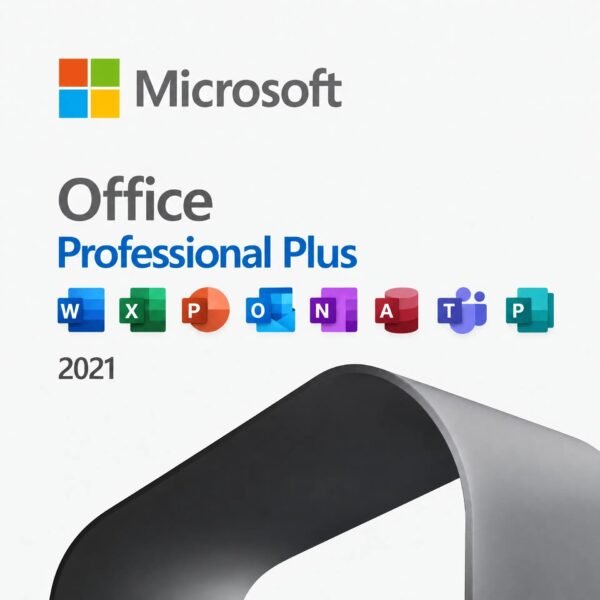
Microsoft Office Professional 2021 for PC – 1 PC, Lifetime License, Digital Download
CAD $ 19.00
Customer Reviews
Microsoft Office Professional 2021 for PC – 1 PC, Lifetime License, Digital Download
A genuine perpetual Microsoft license including the complete Office suite for one Windows PC no subscription required.
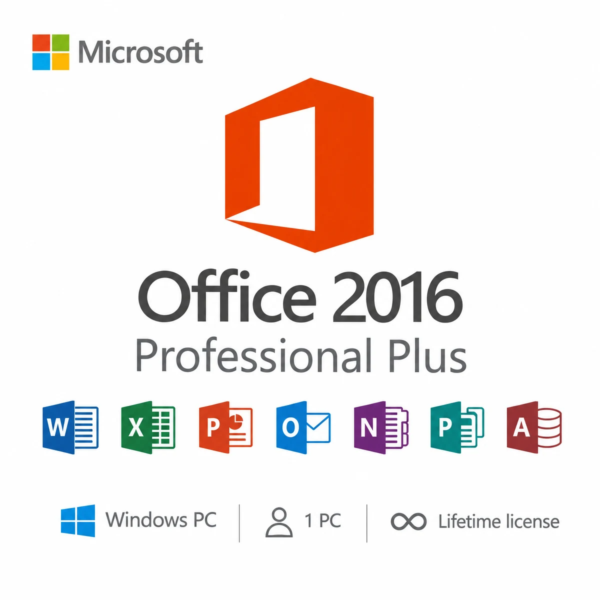
- Includes Word, Excel, PowerPoint, Outlook, OneNote, Access, and Publisher
- Most complete standalone Office 2021 package with both Access and Publisher included
- Ideal for professionals, small business owners, and power users
- Full Microsoft licensing compliance for Office 2021 Professional
- Delivery: License key sent by email within minutes
- Lifetime license one payment, forever
- Guarantee: 100% satisfaction & money-back guarantee
Genuine Microsoft license — activated on Microsoft’s own servers
- Instant delivery: your product key, official download link and step-by-step activation guide arrive by email within minutes of payment — 24/7, USA & Canada.
- Lifetime license: pay once, activate forever. No subscription, no renewal fees, no expiry.
- 100% genuine & legal: every key is sourced through authorized supply chains and verified before it reaches your inbox.
- Money-back guarantee: 180-day refund policy plus a lifetime activation warranty — if a key ever fails, we replace it free.
- Secure checkout: Visa, Mastercard, Apple Pay, Google Pay, PayPal and Interac e-Transfer.
- Real human support: licensing and activation help across North American time zones.
How it works: 1) Add to cart and pay securely → 2) Check your inbox for the key and download link → 3) Install and activate with the included guide. Need help? See our activation guides or contact us.
Product Information
| Software Type | Business & Office Software |
|---|---|
| Brand | Microsoft |
| Product / Edition | Office Professional |
| Version | 2021 |
| Platform | Windows PC |
| Number of Users / Devices | 1 PC |
| License Type | Retail – One-time purchase |
| License Term | Lifetime – one-time purchase, no subscription |
| Delivery Method | Instant email delivery (product key + guide link) |
| Format | Digital download – no physical media |
| Activation | Online activation via Microsoft (product key) |
| Languages Supported | Multilingual – all available languages |
| Region | USA & Canada (global activation) |
| Model | MMK-OfficePro21 |
| Support | 24/7 by email – Support@MMKeys.com |
Microsoft Office Professional 2021 – Genuine One-Time Purchase License Key for 1 PC
Microsoft Office Professional 2021 is the most complete standalone Office suite available for Windows. It includes every major Microsoft productivity application in one licence Word, Excel, PowerPoint, Outlook, OneNote, Access, and Publisher for a single one-time payment on one PC. No subscription. No renewal fees. No expiry. Pay once and use it for as long as you need it.
This is the edition professionals, small business owners, database users, and anyone who needs the full Microsoft Office toolset choose when they want permanent ownership over a monthly bill. Your genuine Microsoft Office Professional 2021 license key is delivered by email within minutes of purchase and activates directly on Microsoft’s official servers the same software, the same activation process as buying from Microsoft directly, at a fraction of the retail price.
Note: This product is for Windows PC only. It is not compatible with macOS, Android, or Chromebook. Mac users should see Office 2021 Home & Business for Mac.
What’s Included in Microsoft Office Professional 2021
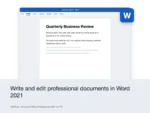
Word 2021 – The world’s most widely used word processor, with every writing and formatting tool professionals need. Word 2021 adds real-time co-authoring so multiple people can edit the same document simultaneously, modern commenting with one-click thread resolution that speeds up review cycles, improved accessibility checker that flags issues as you type, and full ODF 1.4 format support for cross-platform compatibility. Whether you are drafting contracts, writing reports, building proposals, or creating marketing copy, Word 2021 handles it with precision.
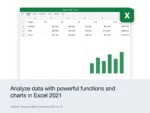
Excel 2021 – The definitive spreadsheet application for data analysis, financial modelling, and business reporting. Excel 2021 delivers meaningful capability upgrades for both everyday and power users: XLOOKUP replaces VLOOKUP with a faster, more flexible formula that searches in any direction and handles errors cleanly. Dynamic array functions — FILTER, SORT, UNIQUE, SORTBY, and SEQUENCE let single formulas return entire ranges of results that expand automatically as data changes. LET and LAMBDA functions let you name values and build reusable custom functions without writing VBA. For finance teams, analysts, and anyone who lives in spreadsheets, Excel 2021 is a significant step forward.
PowerPoint 2021 – Build presentations that hold attention and win results. PowerPoint 2021 adds improved recording capabilities that let you narrate slide-by-slide with webcam video, making it the right tool for creating asynchronous training content, client presentations, and explainer videos. Ink replay animates hand-drawn annotations step by step. Improved stock media integration gives you access to thousands of royalty-free images, icons, videos, and audio clips directly from within PowerPoint. The Cameo feature lets you insert a live camera feed into a presentation slide, embedding your video alongside your slides during live presentations.
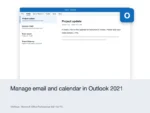
Outlook 2021 – A completely refreshed email and calendar experience built for professionals managing high volumes of communication. Outlook 2021 delivers faster search powered by Microsoft Search, an improved calendar sharing interface with live availability views that make scheduling across teams faster, better offline reliability, stronger junk email filtering, and improved support for shared mailboxes and distribution lists. For small business owners and professionals managing client communication, Outlook is the tool that makes the Professional edition worth the upgrade over Home & Business.
Access 2021 – The exclusive database application that sets Office Professional apart from every other consumer Office 2021 edition. Access lets you build custom relational databases, create data entry forms, generate complex multi-source reports, manage inventory systems, and track client and project records all without needing a separate database server or developer. Access is not available in any other Office 2021 consumer edition. If you need it, Professional is the only option.
Publisher 2021 – Microsoft’s desktop publishing application for creating professional-quality marketing materials, newsletters, brochures, business cards, and layouts without graphic design expertise or expensive design software. Publisher 2021 integrates with Word and Excel, allowing data-driven mail merges and document personalization at scale. Note: Publisher 2021 is the last version Microsoft will release Publisher has been retired and is not included in Office 2024. If you need Publisher long-term, Office Professional 2021 is the last edition that includes it.
OneNote 2021 – A flexible digital notebook for capturing ideas, meeting notes, research, to-do lists, and reference material. OneNote syncs across your devices through your Microsoft account, keeping notes available on every machine where you are signed in.
Who Is Office Professional 2021 For?
Microsoft Office Professional 2021 is designed for users who need the complete Office suite and want to own it permanently. It is the right fit for:
Small business owners and sole traders who need Outlook for client email management, Access for customer or inventory databases, and Publisher for marketing materials all in one licence, owned outright, with no monthly subscription eating into their operating costs.
Database users and data-driven professionals who rely on Access for custom business databases, data entry forms, and complex reports that draw from multiple data sources and who cannot get this capability from any other standalone Office 2021 edition.
Power users and IT professionals who want the most complete version of Office 2021 available and prefer the stability and predictability of a perpetual desktop installation over a cloud-connected subscription.
Professionals and home users who have previously used Publisher for newsletters, marketing materials, and document design, and want to continue using it recognizing that Office Professional 2021 is the last edition to include Publisher.
Anyone switching from Microsoft 365 who wants to stop paying monthly while keeping the full Office suite including Outlook, Access, and Publisher.
Office Professional 2021 vs Microsoft 365 The Honest Comparison
This is the most searched comparison by buyers in the USA and Canada before purchasing Office 2021. Here is a direct answer.
Choose Office Professional 2021 if you want a fixed, one-time cost with no renewal reminders and no risk of losing access when a subscription lapses. All apps work fully offline. You own the licence permanently. Microsoft provides security updates through October 14, 2026 under mainstream support. At MMKeys pricing, the licence competes strongly with just a few months of a Microsoft 365 subscription.
Choose Microsoft 365 if you need Office on multiple devices simultaneously, want AI-powered Copilot features integrated into Word, Excel, and PowerPoint, need 1 TB of OneDrive cloud storage, or want to always have the latest version of every app automatically. Microsoft 365 Personal costs $99.99 per year in the USA over three years that is $299.97, compared to a single one-time purchase from MMKeys.
For professionals, small business owners, and power users who need every app especially Access and Publisher and want permanent ownership at a predictable one-time cost, Office Professional 2021 remains one of the best-value software purchases available.
Office Professional 2021 vs Office Professional Plus 2021 What Is the Difference?
Office Professional 2021 is the retail edition sold to individuals and small businesses. It includes Word, Excel, PowerPoint, Outlook, Access, Publisher, and OneNote licensed for one PC, tied to a Microsoft account after activation, and transferable if you replace your device.
Office Professional Plus 2021 is the volume licensing edition used in enterprise environments managed by IT departments. It is functionally very similar but licensed differently typically activated via KMS or MAK in an enterprise network rather than through a personal Microsoft account. For individual buyers in the USA and Canada, Office Professional 2021 is the correct product.
Key Details at a Glance
- Licence type: Perpetual one-time purchase
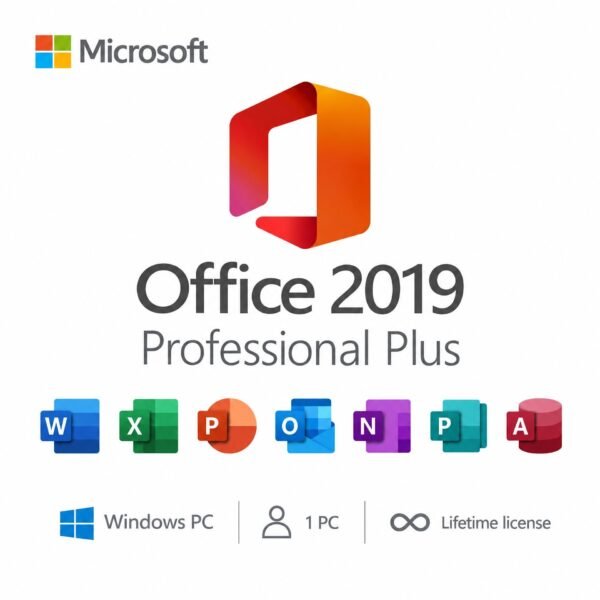
- Included apps: Word 2021, Excel 2021, PowerPoint 2021, Outlook 2021, Access 2021, Publisher 2021, OneNote 2021
- Platform: Windows PC only not compatible with macOS, Android, or Chromebook
- Devices: 1 PC
- Commercial use: Yes licensed for personal and business use
- Delivery: Genuine Microsoft license key sent by email within minutes of purchase
- Activation: Online via Microsoft’s servers at setup.office.com
- Compatible systems: Windows 10, Windows 11
- Processor: 1.6 GHz or faster, 2-core minimum RAM: 4 GB minimum (64-bit recommended)
- Storage: 4 GB available disk space
- Display: 1280 x 768 resolution minimum
- Works offline: Yes internet required only for initial download and activation Microsoft mainstream support: Through October 14, 2026 Publisher note: Publisher 2021 is the last version of Publisher Microsoft will release
How to Install and Activate Microsoft Office Professional 2021
Step 1 – After purchase on MMKeys, your license key arrives by email within minutes. Check your spam folder if it does not appear in your primary inbox.
Step 2 – Go to setup.office.com and sign in with your Microsoft account, or create a free one if you do not have one.
Step 3 – Enter your 25-character product key to register the Office Professional 2021 licence to your account.
Step 4 – Click Download and run the official Microsoft Office 2021 installer for Windows.
Step 5 – Once installation is complete, open any Office app Word, Excel, or Outlook and sign in with your Microsoft account. Office activates automatically. All seven apps are ready to use.
Full instructions are included with every MMKeys order. Our support team is available 24 hours a day, 7 days a week.
Is this a genuine Microsoft Office Professional 2021 license?
Yes. Every key sold by MMKeys is an authentic Microsoft product licence that activates directly on Microsoft's official servers at setup.office.com. No shared keys, no grey-market codes, no workarounds.
Why buy Office 2021 instead of Office 2024?
Office Professional 2021 is the only standalone Office edition that includes Publisher. Publisher was retired by Microsoft and is not included in any Office 2024 edition. If you need Publisher — for newsletters, marketing materials, or desktop publishing — Office Professional 2021 is the only current option. It also includes Access, which is equally absent from all Office 2024 consumer editions except through workarounds.
When does Microsoft support for Office 2021 end?
Microsoft provides mainstream support for Office 2021 through October 14, 2026. After that date, Microsoft will stop releasing new features and non-security bug fixes, but the software continues to function normally. Many professionals continue using perpetual Office editions well beyond their official support window — the apps simply stop receiving updates, they do not stop working.
Does Office Professional 2021 include Access?
Yes. Access 2021 is included and is one of the primary reasons to choose the Professional edition. Access is not available in Office Home 2021, Office Home & Student 2021, or Office Home & Business 2021. It is exclusive to Office Professional 2021.
Does it include Publisher?
Yes. Publisher 2021 is included in Office Professional 2021. This is significant because Publisher has been retired by Microsoft and is not included in any Office 2024 edition. If you need Publisher long-term, Office Professional 2021 is the last version that includes it.
Can I use this licence for business purposes?
Yes. Office Professional 2021 is explicitly licenced for both personal and commercial use making it suitable for small businesses, freelancers, and professional environments.
Is it transferable to a new PC?
Yes. Because the licence is tied to your Microsoft account after activation, you can transfer it to a new PC. Deactivate Office on the original machine through your Microsoft account at account.microsoft.com/devices, and then activate on the new one. Contact MMKeys support if you need help with the transfer process.
Does it work offline?
Yes. Once installed and activated, all Office apps Word, Excel, PowerPoint, Outlook, Access, Publisher, OneNote work fully offline. Internet is only needed for the initial download, activation, and optional cloud-connected features like OneDrive syncing.
How soon will I receive my key after purchase?
Most MMKeys orders are delivered within five minutes of payment, 24 hours a day. Your email includes the license key, a direct download link, and step-by-step installation instructions.
What if my key does not activate?
Contact MMKeys support at any time. We stand behind every licence we sell. If your key does not activate for any reason, we will resolve the issue or provide a replacement at no cost. CONTACT US
The product key worked first try. the store provided a very fast service with no lag.
Everything was smooth. Got the code right away. Excellent support from the server.
Reliable service as always. The key worked perfectly. No delays or lag.
Fantastic support team. Helped me resolve my typo in seconds.
Fast and easy. Everything is up and running. This shop is definitely reliable.